

Test du Synology TC510 : Même appareil photo, boîtier différent, une seule note qui compte (2026)

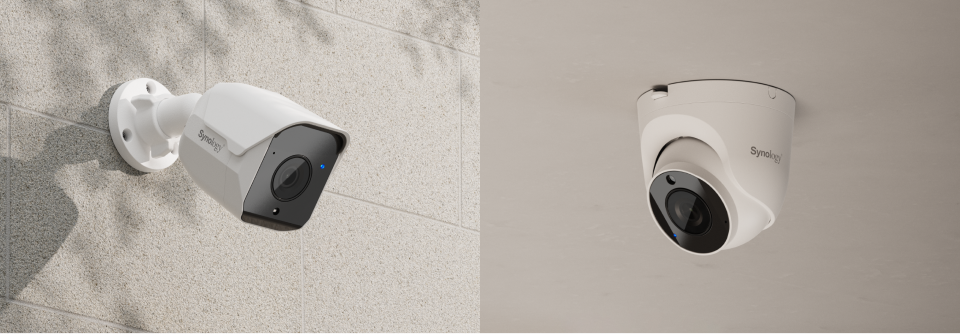
Voici le point de départ honnête de tout test de la Synology TC510 : cette caméra est une BC510 dans un boîtier différent. Même capteur, même objectif, même champ de vision de 110°, même portée infrarouge de 30 m, même garantie de trois ans, même prix. Si vous cherchiez une comparaison de caractéristiques techniques, vous pouvez vous arrêter ici : les chiffres sont identiques, à 34 grammes près. Ce qui diffère, c’est l’emplacement où elles peuvent être installées, une caractéristique que la BC510 n’offre pas. C’est précisément le sujet de cet article, car choisir entre les deux est une question de montage, et non de performances. Se tromper, c’est risquer de se retrouver avec une caméra pointant vers le mauvais sujet ou de la voir tomber du mur.
Point SynoPower Club :Les clients me demandent laquelle est la “ meilleure ”, mais la question n'est pas vraiment pertinente. En trois ans d'installations, je n'ai jamais eu à choisir entre ces deux modèles en fonction de la qualité d'image ; mon choix dépend de l'emplacement de la caméra et des risques de collision. La TC510 (Synology) est idéale sous les avant-toits, dans les angles, au plafond et partout où un tube saillant risque d'être heurté par un chariot élévateur. La caméra de type « bullet » est préférable lorsqu'on souhaite qu'elle soit bien visible. C'est le seul critère de choix.
Qu'est-ce que le Synology TC510 ?
La Synology TC510 est une caméra tourelle extérieure de 5 mégapixels conçue pour la Surveillance Station. Une tourelle est une caméra compacte en forme de dôme qui se place près de sa surface de montage et s'incline sur trois axes à l'intérieur de son boîtier, au lieu d'être fixée sur un bras comme le fait une caméra « bullet ».
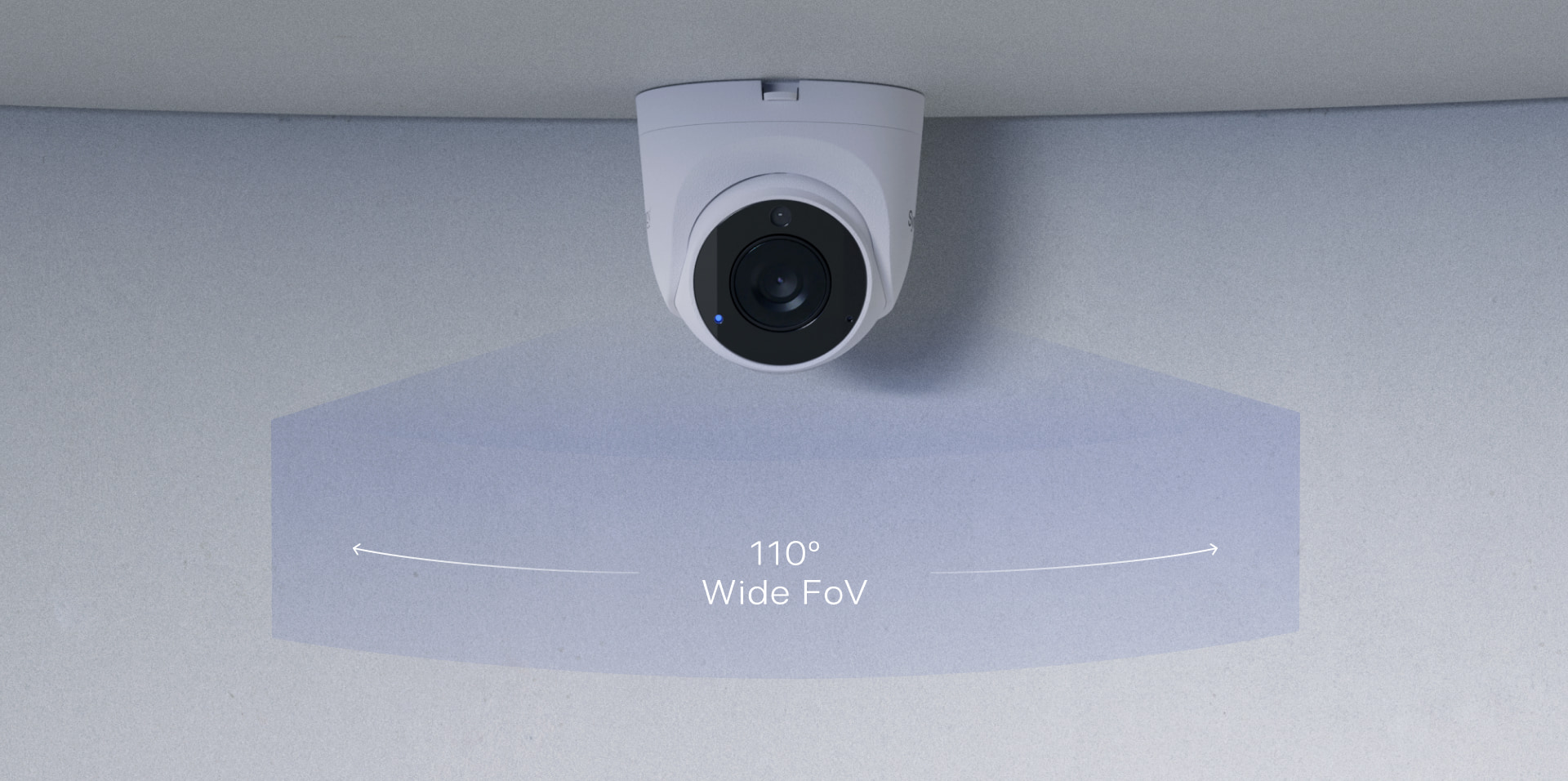
La caméra Synology TC510 enregistre en 2880 × 1620 jusqu'à 30 images par seconde grâce à un objectif fixe de 2,8 mm à ouverture f/1.8, offrant une couverture de 110° à l'horizontale, 56° à la verticale et 132° en diagonale. La vision nocturne atteint 30 mètres grâce à quatre LED infrarouges de 1 W. Son boîtier est certifié IP66 et IP67 et résistant aux chocs IK10. L'ensemble pèse 387 g et consomme moins de 5 W via PoE standard.
Synology TC510 vs BC510 : Les quatre seules différences
Toutes les spécifications optiques et électroniques sont identiques entre le Synology TC510 et la balle. Voici la liste complète des différences :
| Synology TC510 (tourelle) | BC510 (balle) | |
|---|---|---|
| Forme | Dôme compact, situé près de la surface | Long tube sur un bras |
| Visée | S'incline sur trois axes à l'intérieur du boîtier | Faites pivoter tout le corps |
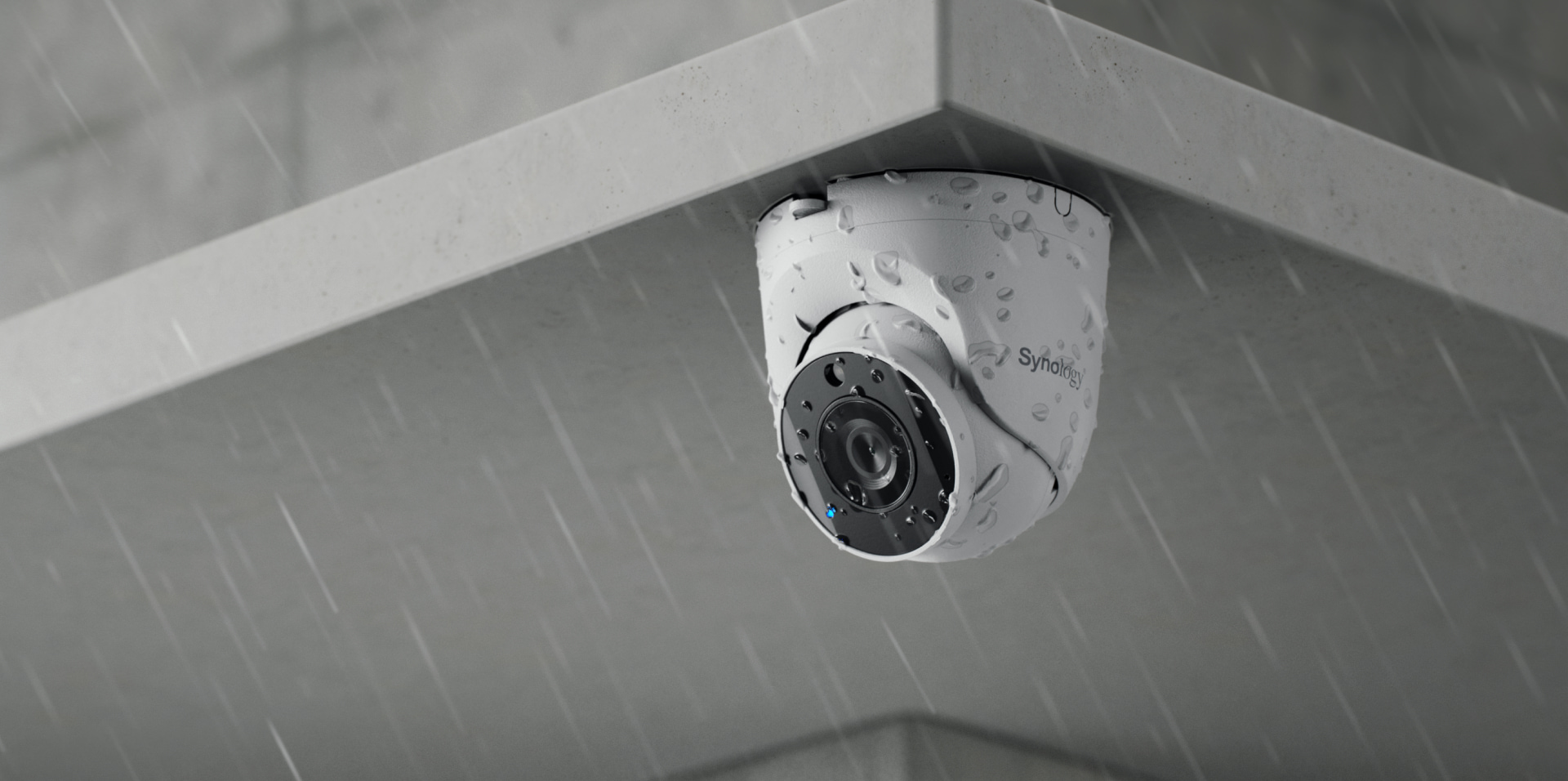
| Évaluation de l'impact | IK10 | Non évalué |
| Poids | 387 g | 353 g |
| Tout le reste | Identique — 2880×1620 à 30 images/s, 2,8 mm F1.8, angle de vision horizontal de 110°, portée infrarouge de 30 m, indice de protection IP66/IP67, garantie de 3 ans | |
Quatre différences, dont deux seulement sont importantes. Les 34 g sont négligeables. L'inclinaison sur trois axes et la résistance aux chocs (IK10) sont les raisons de choisir cet appareil. Avis sur le BC510 Cet article décrit le problème en détail, et tout ce qu'il dit sur la qualité d'image, les licences et la comparaison avec le BC500 s'applique ici mot pour mot.
Spécifications techniques complètes
| Spécification | Synology TC510 |
|---|---|
| facteur de forme | Tourelle |
| Résolution | 2880×1620 à 30 FPS (16:9) |
| Lentille | 2,8 mm, F1,8, focale fixe |
| Champ de vision | 110° H, 56° V, 132° D |
| vision nocturne | 30 m, quatre LED infrarouges de 1 W |
| Compression | H.264, H.265 |
| Étanchéité aux intempéries | IP66 et IP67 |
| Évaluation de l'impact | IK10 |
| Température de fonctionnement | -30°C à 50°C (IR désactivé) / -30°C à 40°C (IR activé) |
| Pouvoir | Alimentation PoE conforme à la norme IEEE 802.3af Type 1 Classe 3, moins de 5 W |
| Poids | 387 g |
| Garantie | 3 années |
| Licence d'appareil | Requis uniquement pour Surveillance Station sur un NAS |
Notez la ligne relative à la température sur la fiche technique de la Synology TC510 : la température du plafond chute de 50 °C à 40 °C une fois les LED infrarouges allumées. Une tourelle installée sous un avant-toit exposé au sud accumule plus de chaleur qu’on ne le penserait par un après-midi d’été, et c’est précisément pour cette position de montage que cette caméra a été conçue.
Configuration du TC510 (Synology) en 4 étapes
L'électronique du Synology TC510 est identique à celle du modèle Bullet, la seule différence étant donc d'ordre physique — et sur une tourelle, c'est cette étape qui détermine la qualité de l'appareil photo.
Montez-le, puis orientez-le à l'intérieur du boîtier.
Fixez la base à plat sur le plafond, le mur ou le soffite. Contrairement à une balle, vous ne visez pas en faisant pivoter toute la caméra : vous desserrez la bille à l’intérieur du dôme et l’inclinez sur trois axes jusqu’à l’angle précis souhaité. Assurez-vous d’abord que la base est bien d’équerre ; une base de travers limitera la distance parcourue par la bille.
Connectez le PoE et ajoutez la caméra
Un seul câble assure l'alimentation et les données via la norme IEEE 802.3af, et la caméra consomme moins de 5 W. Ouvrez Surveillance Station, accédez à Caméra IP, puis à Ajouter ; la caméra sera automatiquement détectée sur le réseau local. Saisissez le mot de passe administrateur lorsque vous y êtes invité (il n'est pas fourni avec la caméra).
Si vous enregistrez sur un NAS, appliquez une licence de périphérique.
Chaque NAS Synology inclut deux licences d'appareil. Si les deux sont utilisées, ajoutez un pack de licences pour caméra avant que celle-ci n'enregistre la moindre image. Ignorez cette étape si vous enregistrez sur une carte microSD et visualisez les images via Surveillance365, qui ne nécessite aucune licence.
Vérifiez la réflexion infrarouge, puis activez l'IA.
Les tourelles étant installées près des murs et des avant-toits, les infrarouges peuvent se réfléchir sur une surface proche et rendre l'image brouillée la nuit. Avant de terminer, vérifiez l'image en direct après la tombée de la nuit et ajustez l'angle de vue en cas de reflets. Activez ensuite les détections nécessaires : personnes, véhicules, intrusion, son ou sabotage.
Ce que détecte l'IA intégrée à la caméra
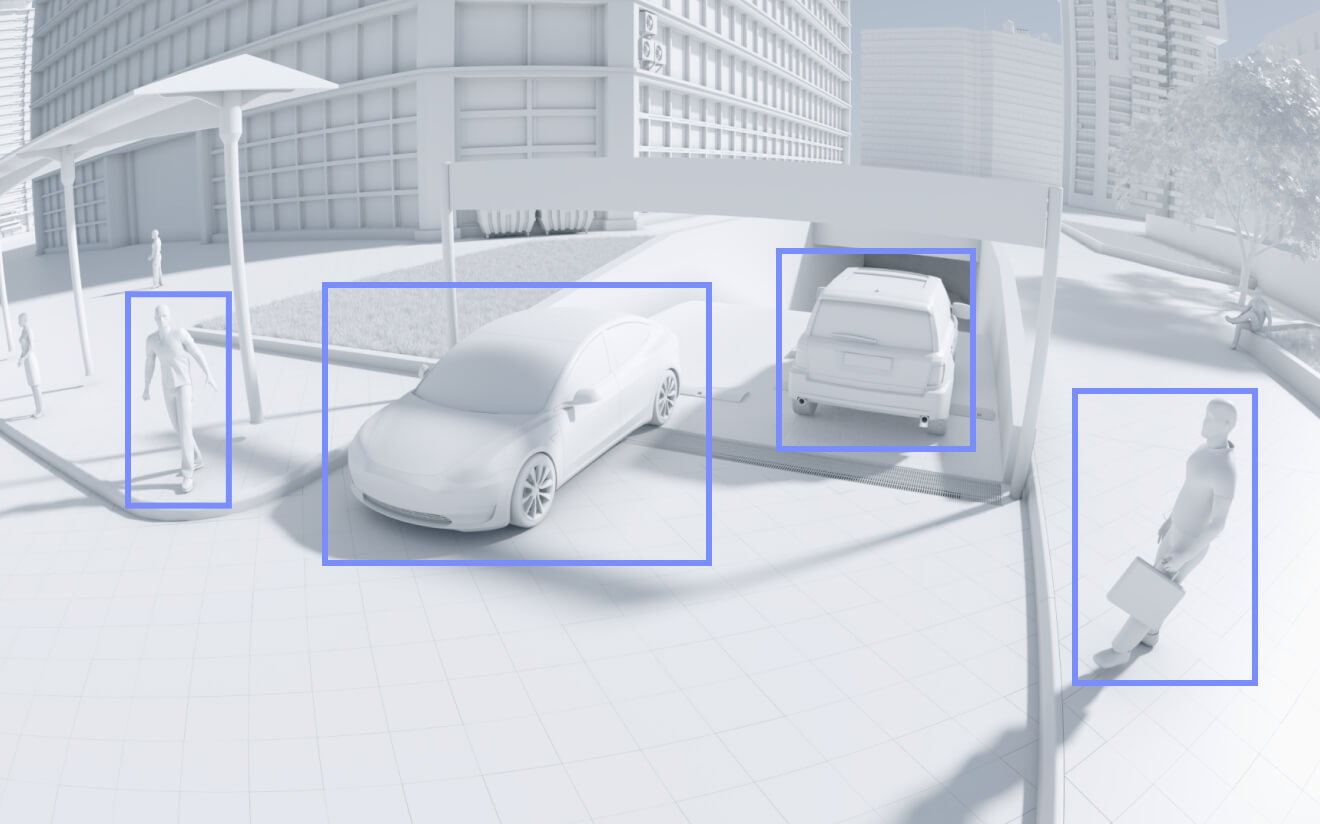
L'analyse s'effectue directement sur le TC510 Synology et non sur votre NAS. Les alertes sont donc déclenchées instantanément et le processeur de votre NAS reste disponible pour les tâches de stockage. La liste de détection est identique à celle des autres modèles de la génération 510.
- Détection de personnes — sépare une personne du feuillage en mouvement ou d'un animal qui passe
- Détection de véhicules — voitures, camionnettes et motos entrant dans le cadre
- Comptage des personnes et des véhicules — décompte des franchissements de lignes
- Détection d'intrusion — ne se déclenche que lorsqu'un objet entre dans une zone que vous dessinez
- Détection audio — se déclenche au son plutôt qu'au mouvement
- Détection de falsification — alerte si la caméra est recouverte, aspergée ou tournée de force
La détection de sabotage mérite une attention particulière sur le Synology TC510. Une tourelle montée à hauteur accessible représente une cible plus tentante qu'une balle tirée à trois mètres de hauteur ; l'association de l'IK10 et d'une alerte de sabotage s'avère donc ici réellement efficace et non pas un simple gadget.
Quand le Synology TC510 est le bon choix
L'emplacement classique est sous un avant-toit ou un soffite. Une lampe tactique montée à cet endroit pointe vers le bas selon un angle peu pratique et son pare-soleil est inutile ; la Synology TC510, quant à elle, se fixe à plat contre la face inférieure et s'incline précisément à l'angle souhaité.
Les angles intérieurs sont la deuxième option. Dans un hall d'entrée, une cage d'escalier ou un angle de magasin, une tourelle se fond dans le plafond, tandis qu'une caméra profilée s'avance dans l'espace et arbore un style industriel. Lorsqu'un client est soucieux de l'esthétique du bâtiment, c'est ce type de caméra qui est retenu.
Dans les entrepôts, les quais de chargement et les parkings, la norme IK10 prend tout son sens. Les chariots élévateurs heurtent des objets, les palettes se balancent et une balle saillante est la première victime. Un dôme placé près de la surface et doté d'une résistance aux chocs certifiée survit là où un tube ne résiste pas.
Là où la dissuasion est primordiale, la balle est la meilleure solution. Une caméra visible au-dessus d'un portail modifie les comportements avant même que le moindre incident ne survienne. Une tourelle est discrète par nature, et la discrétion est tout le contraire de ce que l'on souhaite pour la façade d'un magasin la nuit.
Pourquoi l'indice IK10 du Synology TC510 est plus important qu'il n'y paraît
L'indice IK décrit la résistance aux chocs mécaniques, et IK10 représente la valeur maximale : il correspond à un impact de 20 joules, soit environ une masse de 5 kg lâchée d'une hauteur de 40 cm. Le BC510 ne possède aucun indice IK.
En pratique, ce sont les déploiements eux-mêmes qui sont déterminés, plutôt que les arguments à défendre. Écoles, installations sportives, parkings, quais de chargement et tout espace où un ballon, un chariot ou un chariot élévateur peut atteindre la caméra sont autant d'endroits où un boîtier non homologué risque d'entraîner une réclamation au titre de la garantie. Les assureurs et les prescripteurs l'exigent parfois expressément.
C'est aussi pourquoi la tourelle peut être montée plus bas. Une balle part souvent haut simplement pour être hors de portée ; une Synology TC510 peut être positionnée à une hauteur où elle repère les visages, car être à portée est moins problématique.
Fonctionnement de la licence Synology TC510
La licence du TC510 (Synology) est identique à celle des autres appareils de la génération 510 ; il est important de le rappeler car la plupart des articles se trompent à ce sujet. La licence est facturée pour l’enregistrement sur un NAS (Surveillance Station). pas pour posséder l'appareil photo.
| Comment vous enregistrez | Là où vivent les images | Licence d'appareil |
|---|---|---|
| Surveillance Station sur un NAS | Disques NAS | Requis au-delà des 2 inclus |
| carte microSD dans la caméra, visualisée via Surveillance365 | la carte mémoire de l'appareil photo | Non requis |
Le TC500 qu'il remplace incluait une licence liée à cette caméra spécifique et qui devenait obsolète avec elle. Désormais, vous achetez une licence distincte et transférable, qui s'enregistre sur votre NAS et peut être réattribuée à une caméra de remplacement – de n'importe quelle marque ONVIF, et pas seulement au Synology. C'est un réel avantage, même si cela se traduit par une augmentation de prix. Guide Surveillance365 Elle couvre la voie sans licence, et cette caméra figure sur la liste des appareils compatibles.
Où trouver plus de ressources officielles
Synology publie trois vidéos officielles pour le Synology TC510. Veuillez noter que les tutoriels pour la version NAS et la version Surveillance365 sont distincts, ce qui correspond aux deux modes de licence décrits ci-dessus.
Limites à connaître avant d'acheter le Synology TC510
La réflexion infrarouge est le mode de défaillance spécifique à la forme Synology TC510. Du fait de la proximité de la tourelle avec sa surface de montage, un mur, un bord de sous-toiture ou une gouttière peuvent renvoyer les infrarouges directement vers l'objectif et rendre l'image nocturne inexploitable. Il est impératif de toujours vérifier l'affichage en direct après la tombée de la nuit avant de considérer l'installation comme terminée.
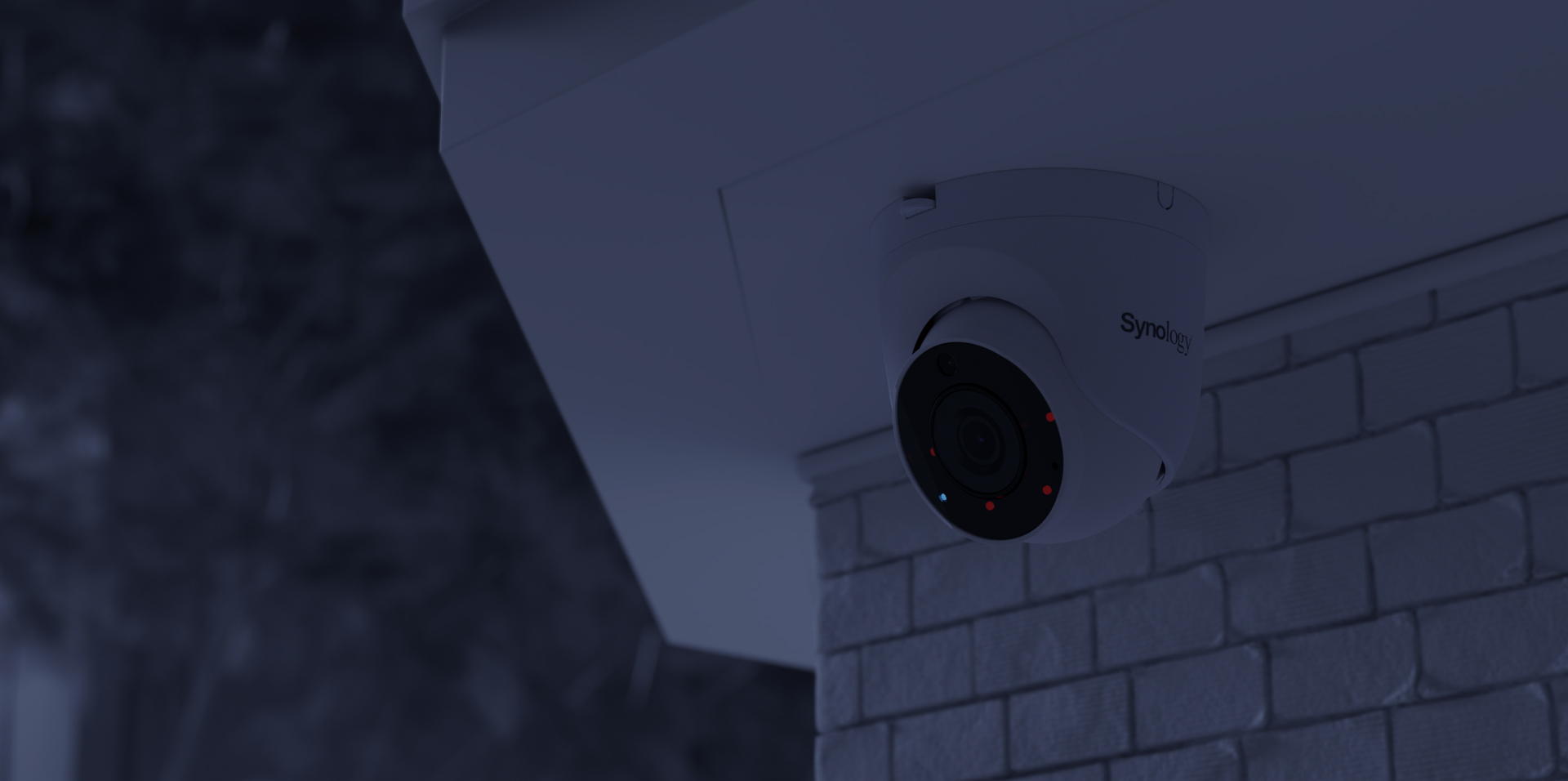
Deuxièmement, ce n'est pas dissuasif. La discrétion est essentielle, mais une caméra invisible ne change rien aux comportements. Si l'objectif est la prévention plutôt que la preuve, autant installer une arme à feu.
Troisièmement, la focale de l'objectif est fixe à 2,8 mm. Un angle de vision de 110° est excellent pour couvrir un parvis, mais insuffisant pour lire une plaque d'immatriculation à distance. Si l'identification à distance est ce qui est nécessaire, le BC800Z Elle est dotée d'un zoom motorisé et d'une reconnaissance de plaques d'immatriculation intégrée à la caméra.
Quatrièmement, la plage de températures limites se réduit la nuit. Elle est de -30 °C à 50 °C avec l'infrarouge désactivé, mais seulement de -30 °C à 40 °C avec l'infrarouge activé ; une caméra installée sous un avant-toit dans un climat chaud se situe plus près de cette limite que ne le suggère la valeur annoncée.
Cinquièmement, il faut un câble. Ce modèle ne propose pas d'option Wi-Fi ; si le passage d'un câble Ethernet constitue le véritable obstacle, le sans-fil… CC410W est l'alternative, au détriment de la résolution et de la portée nocturne.
Enfin, si vous enregistrez sur un NAS, prévoyez le budget nécessaire pour la licence de l'appareil en même temps que pour la caméra. Une caméra sans licence valide sera détectée, affichera un aperçu en direct, mais n'enregistrera rien du tout : c'est l'erreur la plus coûteuse de cette gamme de produits.
Références
- Synology — Spécifications du produit TC510, la source de toutes les figures de ce test du Synology TC510
- Synology — Spécifications BC510, pour une comparaison côte à côte
- Centre de connaissances Synology — Tableau de compatibilité des plateformes de caméras
- Dong Knows Tech — le changement de licence de la série 510
- Comparaison générationnelle BlackVoid — BC510 et TC510
Questions fréquemment posées
Quelle est la différence entre le Synology TC510 et le BC510 ?
Quatre différences : la forme de la tourelle, l’inclinaison sur trois axes à l’intérieur du boîtier (au lieu de la rotation de l’ensemble du corps), une résistance aux chocs IK10 (absente de la balle) et un poids de 34 grammes. Le capteur, l’objectif, la résolution, le champ de vision, la vision nocturne, l’étanchéité et la garantie sont identiques.
La caméra Synology TC510 nécessite-t-elle une licence ?
Uniquement si vous enregistrez sur un NAS (Surveillance Station) et que votre NAS inclut deux licences pour appareils ; dans ce cas, les deux premières caméras sont gratuites. Si vous enregistrez sur une carte microSD et visualisez les images via Surveillance365, aucune licence n'est requise. La licence concerne l'enregistrement sur le NAS, et non la caméra.
Synology TC510 ou BC510 – tourelle ou canon ?
Il s'agit d'un choix d'installation, et non d'un choix de performance. Optez pour la tourelle pour les avant-toits, les soffites, les plafonds, les angles intérieurs et tout endroit exposé aux risques d'impact. Choisissez le modèle « bullet » si vous souhaitez que la caméra soit visible et ait un effet dissuasif.
Que signifie concrètement IK10 ?
Il s'agit du modèle le plus résistant aux chocs, supportant une énergie de 20 joules, soit l'équivalent d'une masse d'environ 5 kg lâchée d'une hauteur de 40 cm. Le BC510 ne possède pas d'indice IK, c'est pourquoi la tourelle est le modèle recommandé pour les écoles, les parkings et les quais de chargement.
Le Synology TC510 est-il meilleur que le TC500 ?
Le matériel reste identique. Les nouveautés de cette génération résident dans un prix du matériel inférieur d'environ 10 % et dans la licence désormais incluse. L'ancienne licence était liée à l'appareil photo et était perdue en cas de panne ; la nouvelle s'enregistre sur votre NAS et peut être réattribuée.
Pourquoi l'image nocturne de mon Synology TC510 paraît-elle délavée ?
Il s'agit presque toujours d'une réflexion infrarouge. La tourelle étant placée près de sa surface de montage, un mur, un bord de sous-toiture ou une gouttière à proximité peut renvoyer les infrarouges vers l'objectif. Modifiez l'angle de la rotule à l'intérieur du boîtier ou éloignez la caméra de quelques centimètres de la surface.
Est-ce compatible avec Surveillance365 ?
Oui. Le tableau de compatibilité des plateformes du Synology répertorie ce modèle pour Surveillance365 aux côtés des BC510 et CC410W ; il peut donc enregistrer sur une carte microSD et envoyer des rapports vers le cloud sans NAS ni licence d'appareil.
Puis-je installer le Synology TC510 au plafond ?
Oui, et c'est l'une des positions pour lesquelles il a été conçu. Fixez la base à plat au plafond et inclinez la boule à l'intérieur du dôme selon l'angle souhaité. Vérifiez la vision nocturne avant de terminer, car les supports de plafond se trouvent près de surfaces réfléchissant les infrarouges.