

Review van de Synology CC410W: De wifi-camera voor situaties waarin bekabeling niet mogelijk is (2026)

De meeste Synology-camera's gaan ervan uit dat je een ethernetkabel en een PoE-switch hebt. De Synology CC410W gaat er echter van uit dat je geen van beide hebt. Het is een 4-megapixel Wi-Fi-camera met tweewegsaudio, een cilindrische behuizing die geschikt is voor magneten en een microSD-kaartsleuf. De camera is specifiek ontworpen voor plekken waar het leggen van kabels een probleem vormt – een gehuurde winkel, een magazijn, een vakantiehuis of de verste hoek van een tuin. Deze review van de Synology CC410W beschrijft wat de camera daadwerkelijk kan, waarin hij de bedrade BC510 overtreft, en de twee dingen die niet duidelijk uit de specificaties blijken: er is nu een apparaatlicentie nodig en de automatische trackingfunctie verplaatst de camera helemaal niet.
SynoPower Club-punt:De vraag die ik het vaakst hoor is: "Kan ik daar gewoon een camera plaatsen zonder een kabel te trekken?" Jarenlang was het eerlijke antwoord nee, niet met de Synology. De Synology CC410W verandert dat en lost daadwerkelijk een reëel probleem op. Maar wifi-camera's hebben een zwak punt waar bedrade camera's geen last van hebben: een zwak signaal zorgt voor een gat in je beeldmateriaal, en dat merk je pas achteraf. Test het signaal daarom op de exacte montageplek voordat je gaat boren.
Wat is de Synology CC410W?
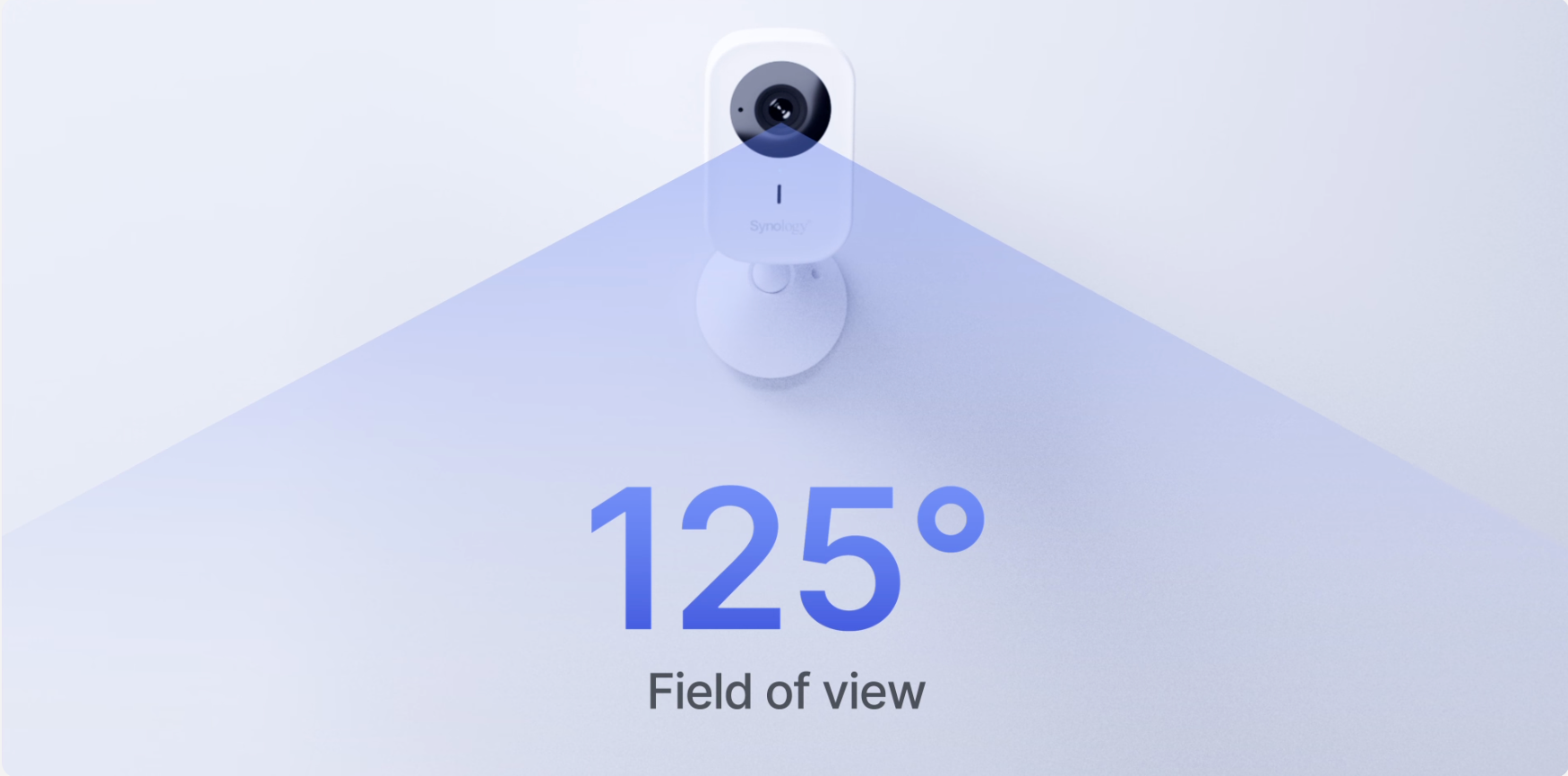
De Synology CC410W is een draadloze 4MP-camera, speciaal ontworpen voor de Surveillance Station. Hij neemt op in 2560×1440 pixels met maximaal 30 beelden per seconde via een vaste 2,12 mm F2.0-lens, wat resulteert in een zeer brede horizontale kijkhoek van 125° – merkbaar breder dan de bedrade camera's van de Synology. HDR is inbegrepen, wat belangrijk is voor de deuropeningen en ramen waarop deze camera vaak gericht zal zijn.
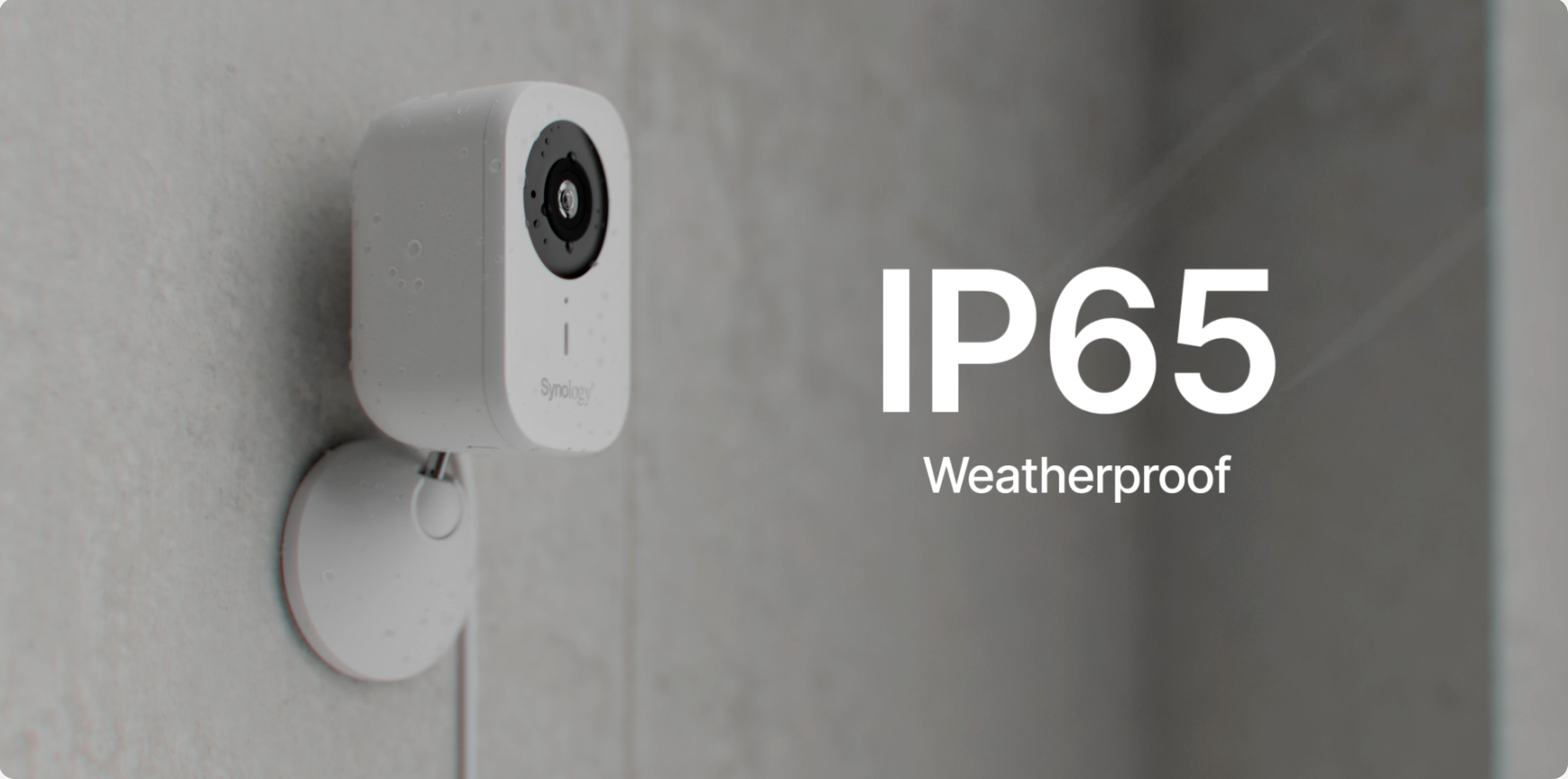
De Synology CC410W maakt verbinding via dual-band Wi-Fi (802.11 a/b/g/n/ac, 2,4 GHz en 5 GHz) en heeft helemaal geen ethernetpoort. De voeding komt van een 5V DC-adapter in plaats van PoE. Er is een microSD-sleuf voor opnames op de camera, geïntegreerde tweewegsaudio en een IP65-classificatie waardoor het apparaat buiten onder een afdak gebruikt kan worden. De behuizing is een cilinder van 200 g met een diameter van 54 × 110 mm.
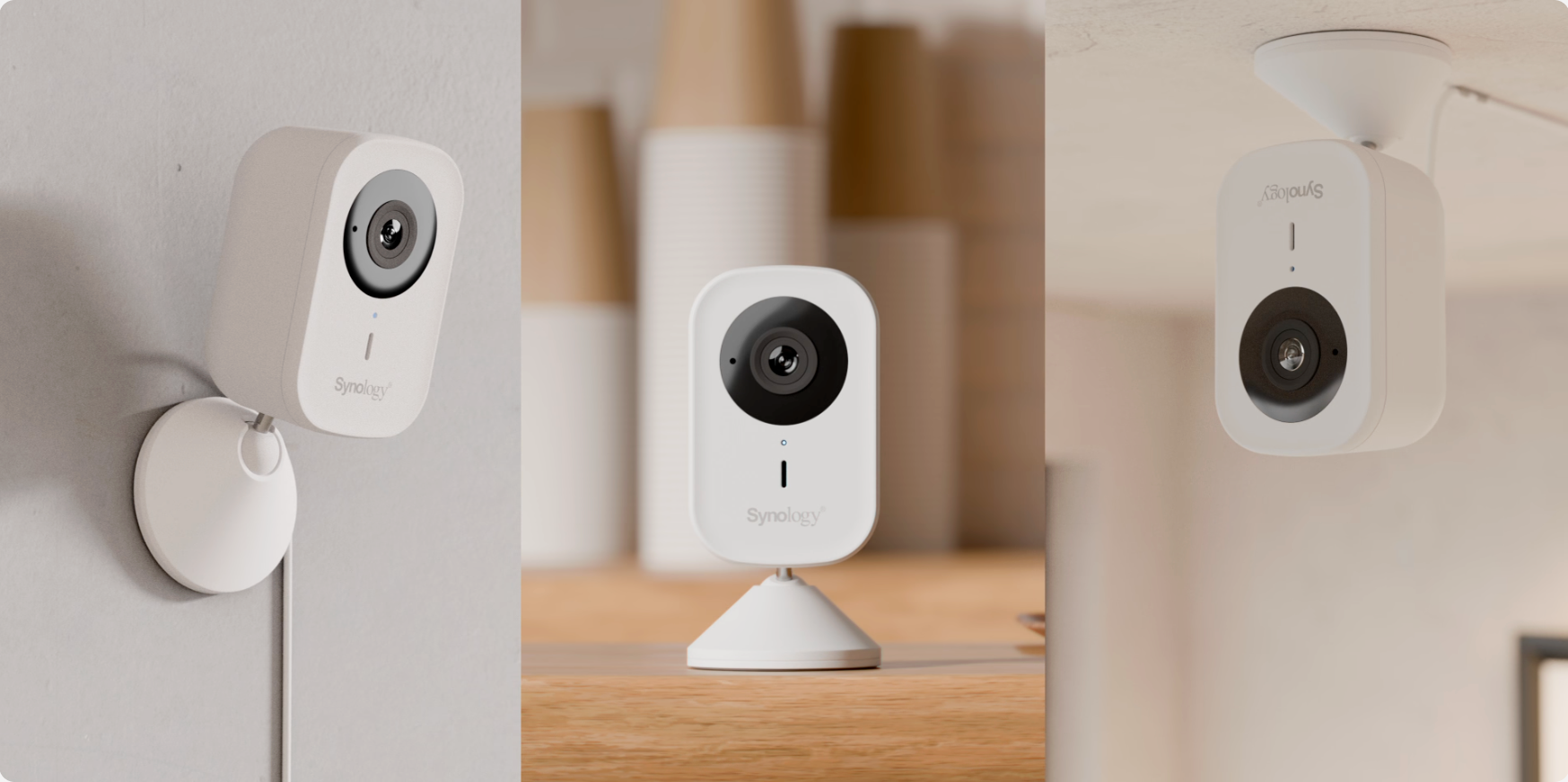
Synology CC410W versus BC510: welke is het meest geschikt voor uw locatie?
Deze twee camera's zijn geen concurrerende producten; ze lossen verschillende problemen op. De BC510 is de camera die je op de juiste manier installeert; de Synology CC410W is de camera die je installeert wanneer een juiste installatie niet mogelijk is.
| Synology CC410W | BC510 / TC510 | |
|---|---|---|
| Oplossing | 2560×1440 (4MP) | 2880×1620 (5MP) |
| Gezichtsveld | 125° H | 110° H |
| Nachtzicht | 10 m | 30 m |
| Netwerk | Alleen wifi, geen ethernet. | Ethernet |
| Stroom | 5 V DC-adapter | PoE, één kabel |
| Tweewegsaudio | Ja | Nee |
| Weerbestendigheid | IP65 | IP66 en IP67 |
| Werkingsbereik | -20°C tot 40°C | -30°C tot 50°C |
| Garantie | 2 jaar | 3 jaar |
| Apparaatlicentie | Vereist | Vereist |
Lees dat eerlijk en de bedrade camera wint op elk vlak van pure functionaliteit: meer pixels, drie keer zo groot bereik in het donker, betere afdichting, bredere temperatuurtolerantie, een langere garantie en één kabel voor zowel stroom als data. Wat de Synology CC410W wél biedt, is de mogelijkheid om te functioneren op plekken waar de BC510 niet kan functioneren. Als je kabels kunt leggen, leg dan kabels – onze BC510 review Dat dekt die route. Als dat niet lukt, is dit het antwoord.
Volledige technische specificaties
| Specificatie | Synology CC410W |
|---|---|
| Oplossing | 2560×1440 @ 30 FPS (4MP) |
| Lens | 2,12 mm, F2.0, vaste brandpuntsafstand |
| Gezichtsveld | 125° H, 72° V, 145° D (LDC aan) |
| Nachtzicht | 10 m infrarood, 850 nm |
| Dynamisch bereik | HDR |
| Compressie | H.264, H.265 |
| Audio | Microfoon en luidspreker, tweeweg |
| Draadloze | 802.11 a/b/g/n/ac, 2,4 GHz en 5 GHz |
| Bekabeld netwerk | Geen |
| Stroom | 5V DC-adapter (geen PoE) |
| Lokale opslag | microSD-kaart, exFAT, tot 128 GB |
| Weerbestendigheid | IP65 |
| Bedrijfstemperatuur | -20°C tot 40°C |
| Afmetingen en gewicht | Ø54 x 110 mm, 200 g |
| Garantie | 2 jaar |
| Apparaatlicentie | Vereist voor Surveillance Station op een NAS |
Twee punten op het specificatieblad verdienen aandacht. Het infraroodbereik van 10 meter is een derde van wat bedrade camera's halen, dus dit is een camera voor een veranda of een kamer, niet voor een weiland. En de minimale bedrijfstemperatuur van -20°C is prima voor het grootste deel van Europa en Azië, maar het is verstandig om dit te controleren als u de camera ergens plaatst waar het echt koud is.
Installatie van de Synology CC410W in 4 stappen
Het instellen van de Synology CC410W verschilt op één belangrijk punt van de bedrade camera's: je moet hem eerst met wifi verbinden voordat de Surveillance Station hem kan detecteren. Voer eerst een signaaltest uit – dit is de stap die veel mensen overslaan en waar ze later spijt van krijgen.
Controleer het wifi-signaal op de montageplek.
Voordat je gaat boren, ga je op de exacte plek staan met je telefoon en controleer je of je een sterk en stabiel signaal hebt op de frequentieband die je wilt gebruiken. 5 GHz is sneller, maar heeft een kleiner bereik door muren; 2,4 GHz heeft een groter bereik, maar is drukker. Een camera die vier streepjes op het bureau en één streepje op de muur laat zien, mist beelden die je nooit ziet.
Schakel de camera in en verbind hem met je netwerk.
Sluit de meegeleverde 5V DC-adapter aan. Er is geen PoE en geen ethernetpoort, dus de camera heeft een stopcontact in de buurt nodig. Volg de koppelingsprocedure om de camera met uw 2,4 GHz- of 5 GHz-netwerk te verbinden. Plaats nu een microSD-kaart als u de camera als back-up wilt gebruiken voor opnames.
Voeg de camera toe en pas een apparaatlicentie toe.
Ga in Surveillance Station naar IP-camera en voeg het apparaat toe. Elke Synology NAS wordt geleverd met twee apparaatlicenties; als beide al in gebruik zijn, voeg dan eerst een cameralicentiepakket toe. Sla deze stap over als u opneemt op de microSD-kaart en de beelden bekijkt via Surveillance365, waarvoor geen licentie nodig is.
Schakel AI-gebeurtenissen en automatische tracking in.
Schakel de gewenste detectietypes in: personen, voertuigen, inbraak, audio of manipulatie. Schakel automatische tracking in als u wilt dat het beeld een bewegend object volgt. Activeer een testgebeurtenis en controleer vervolgens of de opname daadwerkelijk is vastgelegd, in plaats van er zomaar vanuit te gaan.
Wat de AI op de camera detecteert
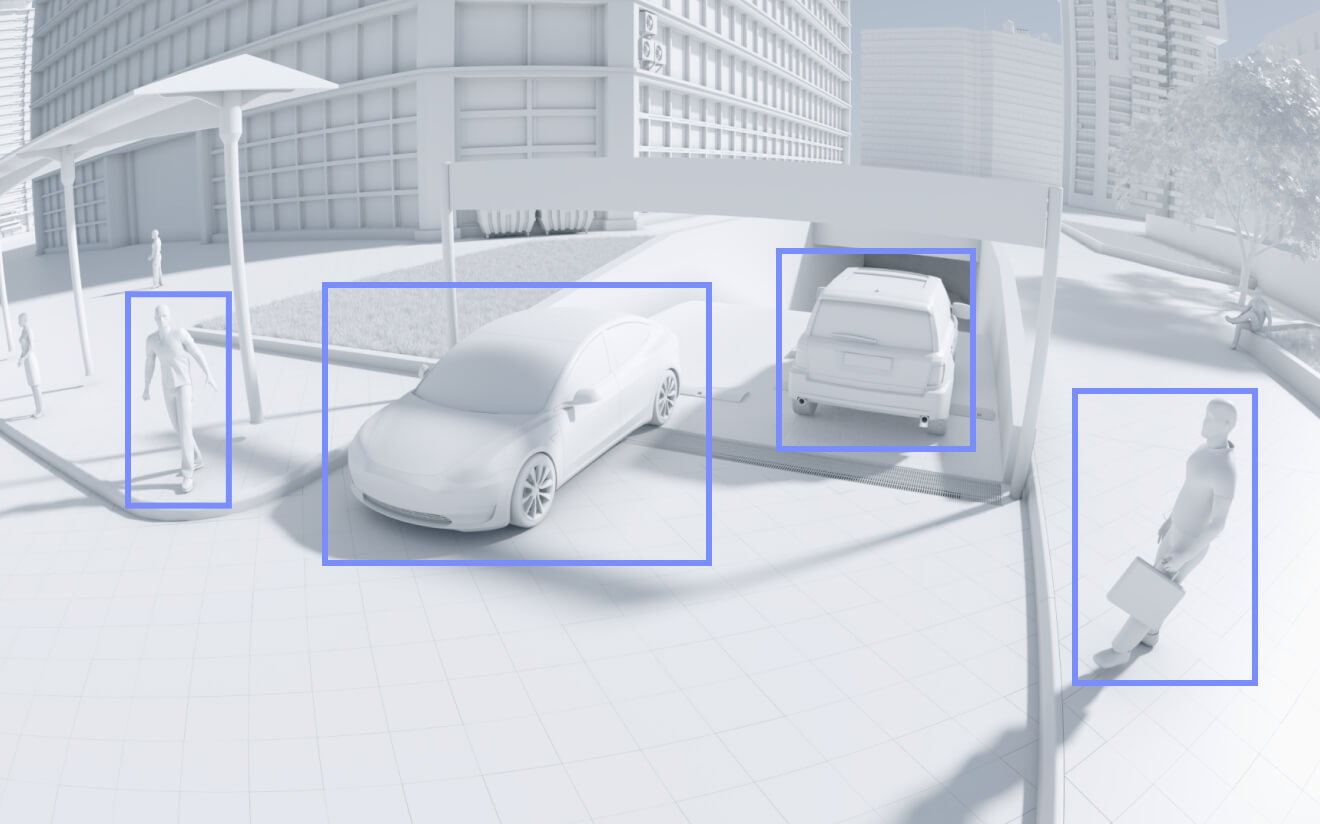
De analyse vindt plaats op de camera zelf in plaats van op uw NAS, waardoor meldingen direct worden verzonden en de processor van uw NAS vrij blijft. De gepubliceerde detectielijst is:
- Detectie van personen en voertuigen — scheidt een persoon of auto van bewegende begroeiing, waardoor de meeste valse alarmen worden voorkomen.
- Inbraakdetectie — vuurt alleen wanneer iets een door jou getekende zone binnenkomt
- Geluidsdetectie — reageert op geluidsgebeurtenissen in plaats van beweging
- Manipulatiedetectie — geeft een melding als de camera bedekt, bespoten of gedraaid is.
- Het tellen van personen en voertuigen — tellingen die een lijn overschrijden
- Automatische tracking — houdt een bewegend onderwerp in het midden van het kader.
- Direct zoeken — filtert opnames op persoon of voertuig binnen Surveillance Station
De term 'Automatisch volgen' verdient een verduidelijking, omdat deze misleidend is. De Synology CC410W heeft een lens met vaste brandpuntsafstand en geen gemotoriseerde pan- of tiltkop – er beweegt fysiek niets aan de camera. Auto Tracking werkt door het onderwerp digitaal bij te snijden en te volgen binnen het brede kader van 125°. Het is echt handig, en het is geen PTZ-camera. Als u een motor verwachtte, dan is dit niet het product dat u zoekt.
Waar past de Synology CC410W eigenlijk?
Huurwoningen zijn het duidelijkste voorbeeld. Als uw huurcontract het boren van kabeldoorvoeren door muren niet toestaat, is de Synology CC410W plus een stopcontact in de buurt de complete installatie. Wanneer u verhuist, neemt u het apparaat mee.
Binnenopnames komen de tweewegsaudiofuncties goed van pas. Een toonbank, een magazijndeur of een receptie profiteert ervan dat er via de camera gesproken kan worden — de bedrade BC510 en TC510 Ze hebben helemaal geen luidspreker, dus deze mogelijkheid is bij hen simpelweg niet beschikbaar.
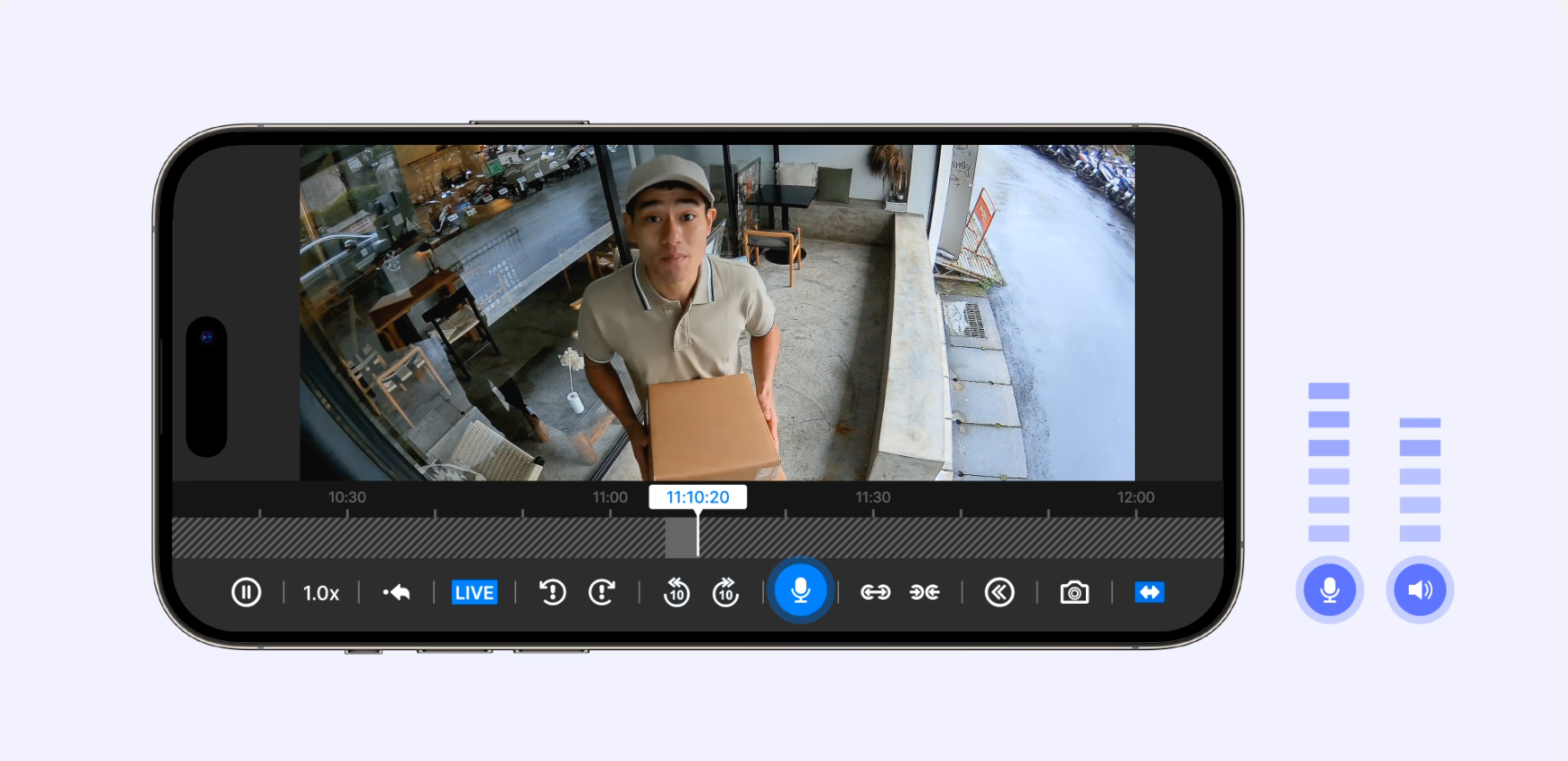
Ook tijdelijke locaties zijn prima. Een pop-upwinkel, een marktkraam, een pand dat gerenoveerd wordt – overal waar de camera drie maanden in plaats van tien jaar moet staan. Combineer het met Surveillance365 en je hoeft ook geen NAS te vervoeren.
Het is vooral ongeschikt voor grote buitenruimtes 's nachts. Tien meter infrarood licht dekt een deuropening, maar geen parkeerplaats. Dat is een klus voor een BC510, en geen enkele hoeveelheid wifi-gemak verandert daar iets aan.
Hoe de licentieverlening werkt
De Synology CC410W volgt dezelfde regel als de rest van de 2026-serie, en het is belangrijk om dit precies te vermelden, omdat de meeste berichtgeving hierover onjuist is. De licentie wordt in rekening gebracht voor opnames naar de Surveillance Station op een NAS. niet omdat ik de camera bezit.
| Hoe je opneemt | Waar de beelden zich bevinden | Apparaatlicentie |
|---|---|---|
| Surveillance Station op een NAS | NAS-schijven | Vereist naast de 2 gebundelde |
| microSD-kaart in de camera, bekeken via Surveillance365 | De geheugenkaart van de camera zelf | Niet vereist |
Uw NAS bevat twee apparaatlicenties, dus de eerste twee camera's op een nieuw systeem kosten niets extra. Daarna heeft u één licentie per camera nodig, en de multi-camera pakketten dekken meerdere camera's met één licentiesleutel. Licenties zijn permanent, worden geregistreerd op de NAS in plaats van op een camera, en kunnen opnieuw worden toegewezen als een apparaat defect raakt. Als u helemaal geen NAS heeft, Surveillance365-handleiding Dit betreft de route waarvoor geen licentie nodig is.
Synology CC410W versus CC400W: Wat is er nu precies veranderd?
Als dit bekend klinkt, is het hetzelfde verhaal als bij de BC510 die de BC500 verving. Onafhankelijke berichtgeving is er heel duidelijk over: het model van de tweede generatie is in alle opzichten identiek aan de CC400W. Dezelfde sensor, dezelfde lens, dezelfde draadloze verbinding, dezelfde behuizing.
| Functie | CC400W | Synology CC410W |
|---|---|---|
| Hardware | 4MP Wi-Fi, 125° H | Identiek |
| Apparaatlicentie | Niet vereist | Vereist |
| Licentie overdraagbaar | Nee — vastgemaakt aan de camera | Ja — woont op de NAS |
| TAA-naleving | Nee | Ja — maakt verkoop in de Amerikaanse publieke sector mogelijk |
Er zijn dus twee belangrijke veranderingen: TAA-conformiteit, waardoor de Amerikaanse overheid en federaal gefinancierde kopers de mogelijkheid krijgen om het product te kopen, en de verandering in de licentieverlening. Net als bij de 510-serie is die verandering niet alleen een nadeel: de oude gebundelde licentie verviel met de camera, terwijl een apparaatlicentie wordt geregistreerd op uw NAS en kan worden overgedragen aan een vervangend product van elk ONVIF-merk. Bestaande CC400W-bezitters hebben dus geen enkele reden om te upgraden.
Waar vind je meer officiële bronnen?
Synology publiceert officiële handleidingen voor de Synology CC410W. Let er nogmaals op dat er een aparte video is voor de Synology NAS-oplossing, die de twee hierboven beschreven implementatiemogelijkheden weergeeft.
Voor het plannen van opslag en bewaring voordat u iets koopt, begin met onze Surveillance Station implementatiehandleiding.
Beperkingen om te kennen voordat u de Synology CC410W koopt
De belangrijkste beperking is hier wifi, en terecht. Een bedrade camera werkt of werkt niet; een draadloze camera presteert stilletjes slechter. Interferentie, de router van de buren, een deur die wordt dichtgeslagen – al deze factoren kunnen je beeldmateriaal dunner maken zonder dat iemand het merkt, tot het moment dat het er echt toe doet.
Ten tweede is er geen PoE en geen ethernetpoort, dus elke camera heeft een stopcontact nodig binnen het bereik van de kabel. Dat klinkt onbelangrijk, totdat je op een ladder staat en naar een dakrand kijkt waar geen stopcontact in de buurt is.
Ten derde is 10 meter infrarood echt kort. In volledige duisternis ziet deze camera een deuropening en de eerste paar meter daarachter. Alles wat verder weg is, is op zijn best een silhouet – voor echte afstanden in het donker kijk je naar de... BC800Z, wat een bereik heeft van 38 m met infrarood en 31 m met wit licht.
Ten vierde is automatische tracking digitaal, niet mechanisch. Het volgen van een onderwerp betekent dat er in het beeld wordt bijgesneden, wat ten koste gaat van de effectieve resolutie tijdens het zoomen. Het is een handige functie, maar geen vervanging voor een PTZ-camera.
Ten vijfde zijn de IP65-classificatie en het temperatuurbereik van -20°C tot 40°C minder sterk dan de IP66/IP67-classificatie en het temperatuurbereik van -30°C tot 50°C van de bedrade modellen. IP65 is bestand tegen regen uit alle richtingen, maar is niet geschikt voor de waterstralen die IP66 wel dekt. Plaats het apparaat daarom liever onder een afdak dan volledig onbeschermd. De garantie van twee jaar is bovendien een jaar korter dan die van de BC510 en TC510.
Tot slot, als u opneemt met de Surveillance Station, houd dan rekening met de aanschaf van een apparaatlicentie naast de camera zelf. Een camera zonder beschikbare licentie wordt gedetecteerd en toont een live preview terwijl er helemaal niets wordt opgenomen – de meest kostbare misvatting in deze productlijn.
Referenties
- Synology — CC410W productspecificaties, de bron voor alle afbeeldingen in deze Synology CC410W review
- Synology Store — Overzicht van de functies van de CC410W
- BlackVoid — Overzicht en generatievergelijking van de CC410W
- BlackVoid CC400W review, identiek aan de vorige generatie
- Synology C2 — Abonnementen en prijzen van Surveillance365
Veelgestelde vragen
Heeft de Synology CC410W een cameralicentie nodig?
Alleen als je opneemt naar Surveillance Station op een NAS. In dat geval wel, en je NAS bevat twee apparaatlicenties, dus de eerste twee camera's kosten niets extra. Als je opneemt naar de microSD-kaart en de beelden bekijkt via Surveillance365, is er geen licentie nodig. De licentie is voor de opname op de NAS, niet voor de camera zelf.
Kan de Synology CC410W fysiek draaien en kantelen?
Nee. De camera heeft een vaste brandpuntsafstand en geen gemotoriseerde kop. De automatische trackingfunctie volgt een onderwerp door digitaal bij te snijden binnen het brede kader van 125 graden, waardoor er niets aan de camera beweegt. Het is geen PTZ-camera.
Kan ik de Synology CC410W aansluiten met een ethernetkabel?
Nee. Er is geen ethernetpoort en geen PoE-ondersteuning. De Synology CC410W maakt alleen verbinding via dual-band wifi en wordt gevoed door een 5V DC-adapter, dus er moet een stopcontact in de buurt zijn.
Hoe verhoudt de Synology CC410W zich tot de BC510?
De BC510 is beter qua pure mogelijkheden: 5 MP in plaats van 4 MP, nachtzicht tot 30 m in plaats van 10 m, IP66 en IP67 in plaats van IP65, 3 jaar garantie in plaats van 2, en PoE via één kabel. De CC410W wint waar bekabeling niet mogelijk is, en het is de enige van de twee met tweewegsaudio.
Is de Synology CC410W beter dan de CC400W?
De hardware is identiek. De twee wijzigingen betreffen de TAA-conformiteit, waardoor verkoop aan de Amerikaanse overheid mogelijk is, en de wijziging van de licentie: van inbegrepen naar verplicht. Bestaande CC400W-bezitters hebben geen reden om te upgraden.
Kan het buiten gebruikt worden?
Ja, met een kanttekening. Het apparaat heeft een IP65-classificatie, wat betekent dat het bestand is tegen regen uit alle richtingen, maar niet tegen waterstralen onder hoge druk, waarvoor IP66 geldt. Monteer het apparaat daarom onder een afdak of een vergelijkbare beschutting in plaats van volledig onbeschut, en houd er rekening mee dat het werkingsbereik stopt bij -20 °C.
Welke maat microSD-kaart heeft het apparaat nodig?
De camera heeft één microSD-sleuf die is geformatteerd als exFAT en ondersteunt kaarten tot 128 GB. Dankzij de opnamefunctie op de camera zelf kan deze op Surveillance365 draaien zonder NAS, en dient deze ook als back-up wanneer de wifi-verbinding wegvalt.
Is de Synology CC410W compatibel met Surveillance365?
Ja. Het is een van de camera's die ondersteund worden door het cloudplatform van Synology. De camera neemt op naar een eigen microSD-kaart en stuurt de beelden door naar het cloudportaal. Hiervoor is geen apparaatlicentie nodig.