

Microsoft 365 Was Down for 11+ Hours. Our Self-Hosted Email Server Wasn’t

On Thursday 12 November 2026, Microsoft 365 spent more than 11 hours unable to do the one job most companies pay it for: email. Outlook on the web, the desktop app, the mobile apps and REST clients all lost their connection to Exchange Online mailboxes. The problem started in the Americas, and Microsoft later warned that users in any region could be affected. Teams meetings, Copilot and Defender went down with it. Our self-hosted email server, Synology MailPlus running on a NAS, kept sending order confirmations through the night. We only learned about the outage from the news.
We are not claiming that a self-hosted email server never fails. Ours can fail, so we plan for it. The point is who can fix it when it does. Below we cover what broke at Microsoft, how a self-hosted email server compares, the exact setup that kept SynoPower Club’s mail flowing, and the fallbacks we keep ready, including Gmail and Cloudflare.
SynoPower Club Point:I didn’t notice the outage at all. Orders kept arriving and license keys kept going out. Only when I saw people online talking about Microsoft 365 did I check whether anything had gone wrong on our side. Nothing had. Our self-hosted email server has run this shop for three years on Synology MailPlus. I worked at Synology until 2020, and in 2016 the company moved email for its staff around the world onto MailPlus. I used it every day and saw how well it held up, so when I opened this shop, I chose MailPlus as our mail server without a second thought. A mail server you own is not magic. But on a bad day, you are the one who can open the console and fix it, instead of refreshing someone else’s status page.
What Happened During the Microsoft 365 Outage?
Microsoft opened incident EX1550543 for Exchange Online and tracked the wider impact under MO1550821. Users could not open their mailboxes through Outlook on the web, Outlook desktop over MAPI, Exchange ActiveSync on phones or the REST API, and incoming mail was delayed. According to Downdetector figures reported by IT-Connect, Outlook problem reports peaked at close to 130,000, from 74 countries and territories.
Microsoft said the cause was neither an attack nor a spike in traffic. Some servers unexpectedly became unavailable, and the remaining ones took on their load. On the overloaded servers, the process that sets up secure connections could not keep up. Restored servers failed their health checks again as soon as traffic came back. To recover, Microsoft paused deployments, shifted traffic between regions, restarted servers and rolled back a recent network configuration change. More than 11 hours after the incident began, some regions had only partly recovered.
One detail matters when choosing an email platform. SecurityWeek reported that some Google Workspace users also lost access to their mail because they read it in Outlook desktop and mobile apps. Their mail provider was working, but the Outlook app was not. Every hosted service in the chain is one more thing that someone else has to fix. A self-hosted email server takes several of those links out of the chain.
What Is a Self-Hosted Email Server?
A self-hosted email server is a mail server that runs on hardware you control, for a domain you own, instead of on a provider’s shared platform. It sends and receives mail over SMTP, stores mailboxes on your own disks, and makes them available to Outlook, Apple Mail, phones and a webmail client over IMAP and HTTPS. You can build one yourself from open-source parts such as Postfix and Dovecot, or install a packaged product.
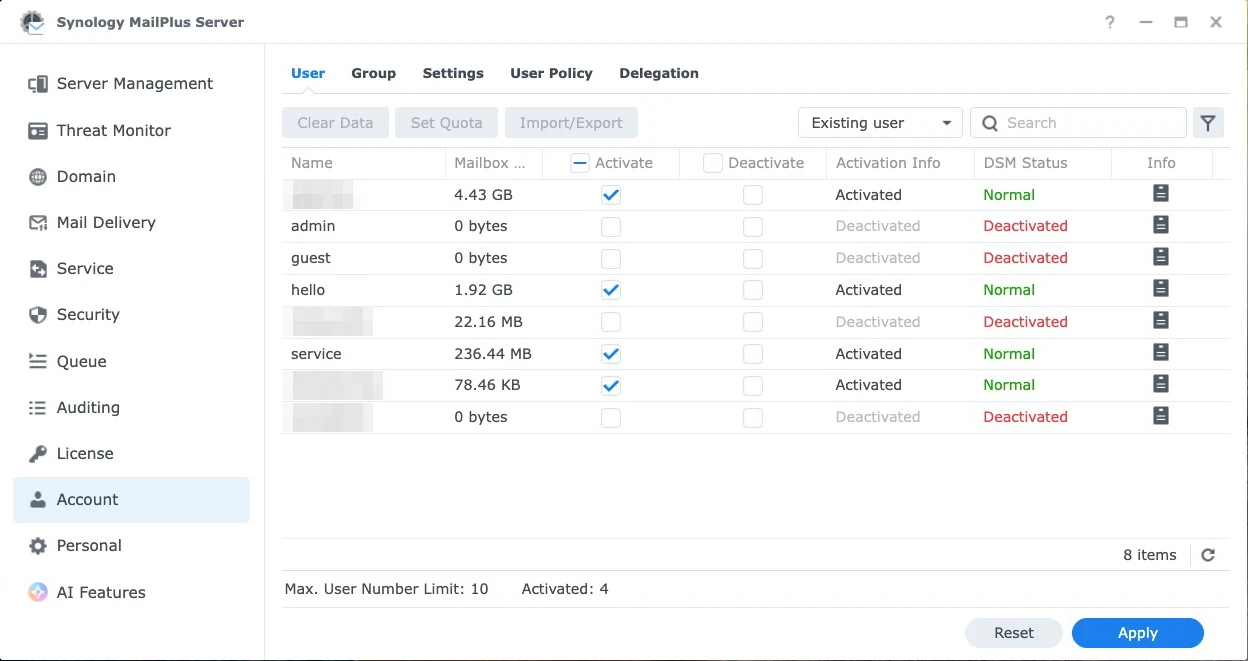
Synology MailPlus is the packaged way to run a self-hosted email server on a Synology NAS. MailPlus Server provides the SMTP and IMAP services, spam and virus filtering, the mail queue, logs and administration. The MailPlus web client and mobile apps give users an inbox that looks like any modern mail service. Every installation includes five free email accounts. For more, you buy perpetual license packs of 5 or 20 accounts. Only activated accounts count against the license, so a deactivated mailbox keeps its mail without taking up a seat. Our complete Synology MailPlus guide covers the package in depth.
Self-Hosted Email Server vs Microsoft 365: Two Kinds of Outage
A hosted suite and a self-hosted email server both go down sometimes. The difference is what you can see and do while it is down.
| Microsoft 365 | Self-hosted email server | |
|---|---|---|
| Who can diagnose it | Microsoft engineers | You, from the MailPlus Server console and logs |
| Who can fix it | Microsoft | You or your integrator |
| Scope of an outage | Many organisations at once | Your organisation only |
| What you can see | A status page and an incident ID | The queue, the transaction log and service status |
| Mail sent to you while you are down | Delayed until the service recovers | Waits on the senders’ servers, which keep retrying for days |
| Cost | A fee per user, every month | Hardware you own plus perpetual licenses |
| Usual causes | Changes and capacity problems on the provider’s platform | Power, the internet line, a failed disk, your own changes |
The last row is where self-hosting costs you something. You give up rare, very large outages that you cannot touch, in exchange for smaller ones that are yours to prevent. Power, the internet connection and your own configuration changes become your responsibility. The rest of this article is about handling that well.
How to Build a Self-Hosted Email Server That Survives Outages in 4 Steps
These are the four layers our self-hosted email server relies on. Each one removes a point where a single failure would stop your mail.
Install MailPlus Server on a NAS or Virtual DSM
Install MailPlus Server and MailPlus from Package Center on a Synology NAS or inside a Virtual DSM guest. Add your domain, create accounts for real people, and use aliases for shared addresses such as info or sales, because aliases do not use a license.
Publish SPF, DKIM, DMARC and DANE records
Host your domain with a DNS provider that supports DNSSEC, such as Cloudflare. Publish an SPF record, the DKIM key that MailPlus Server generates, a DMARC policy with a reporting address, and a TLSA record so that other mail servers can check your certificate with DANE.
Protect the mailbox data with snapshots or high availability
Schedule snapshots of the volume or Virtual DSM guest that holds your mail, and replicate them to a second Synology NAS. If you run on two physical NAS units, a MailPlus Server high availability cluster can keep mail running when one of them fails.
Prepare fallback routes before you need them
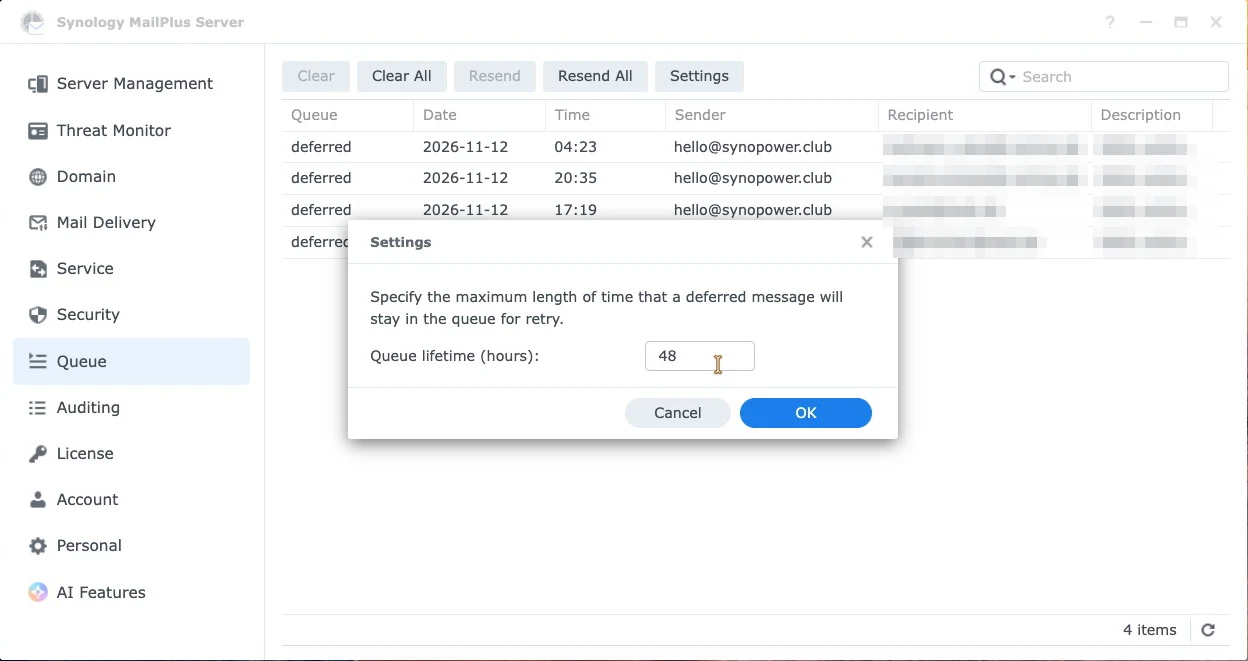
Add an SMTP relay rule for recipient domains that distrust your IP address, keep a Gmail account ready for urgent replies to customers, and set the queue lifetime long enough that deferred mail keeps retrying for several days.
Why Mail Waits Instead of Disappearing
Email was designed for networks that fail. When a sending server cannot deliver a message, it keeps it in a queue and tries again later instead of discarding it. RFC 5321, the standard that defines SMTP, says the give-up time should generally be at least 4 to 5 days. This retry behaviour protects your mail while another provider is down, and it protects the mail other people send you while your own server is down.
On a self-hosted email server, MailPlus Server shows you this queue directly. Each deferred message is listed with the reason the receiving server gave, and once the cause is fixed you can resend messages one by one or all at once. The queue lifetime sets how long MailPlus Server keeps retrying. Ours is 48 hours. If your business cannot risk losing a message over a long weekend, a setting closer to the RFC’s four to five days is safer.
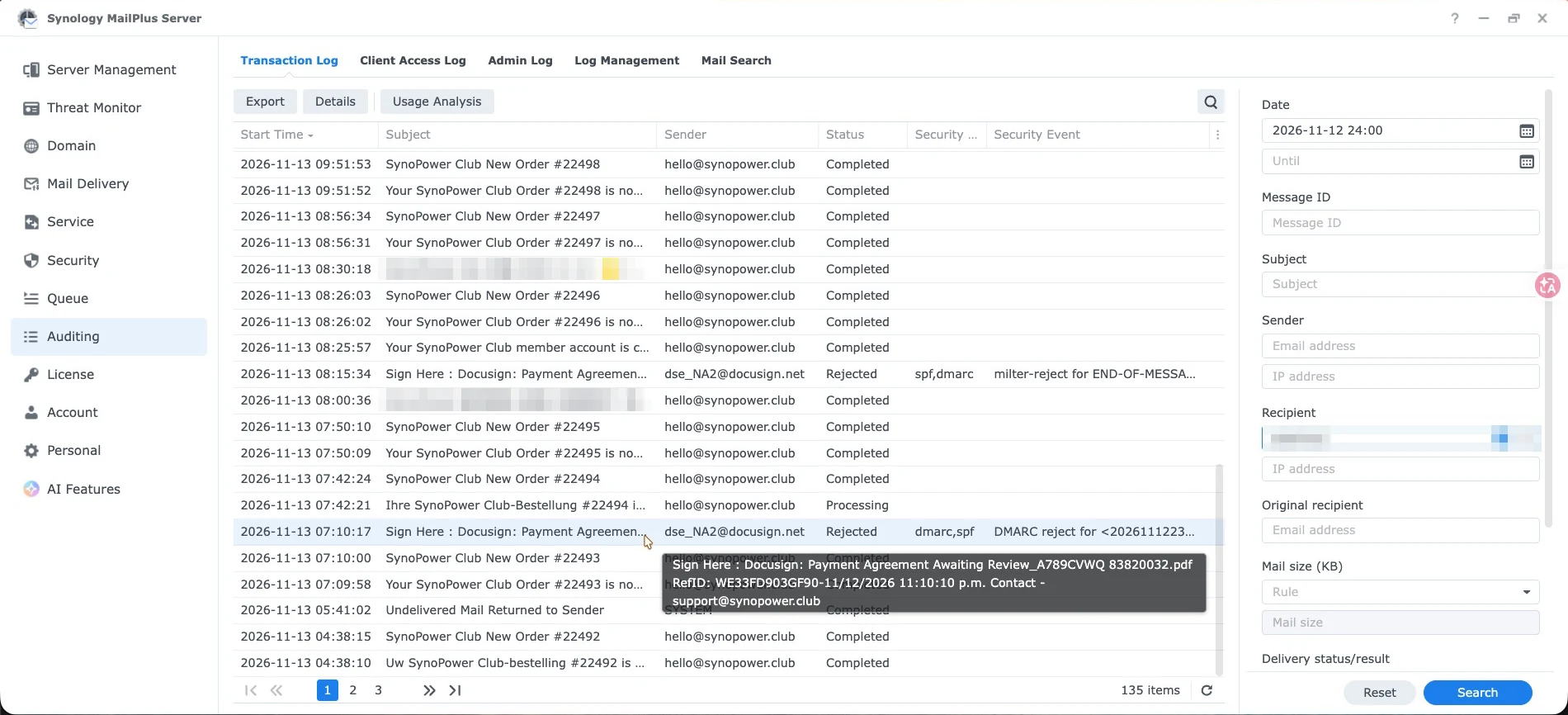
The transaction log is the other useful tool. During the Microsoft outage, it showed us right away that our own mail was unaffected, without waiting for anyone’s status page.
How SynoPower Club Runs Its Self-Hosted Email Server
SynoPower Club’s self-hosted email server is MailPlus Server running inside a Virtual DSM guest. Virtual DSM is a complete copy of DSM that runs as a virtual machine under Synology Virtual Machine Manager, and each guest has its own five free MailPlus accounts on top of the host’s. The store runs in the same guest, so every order confirmation and every license key we send goes out through it.
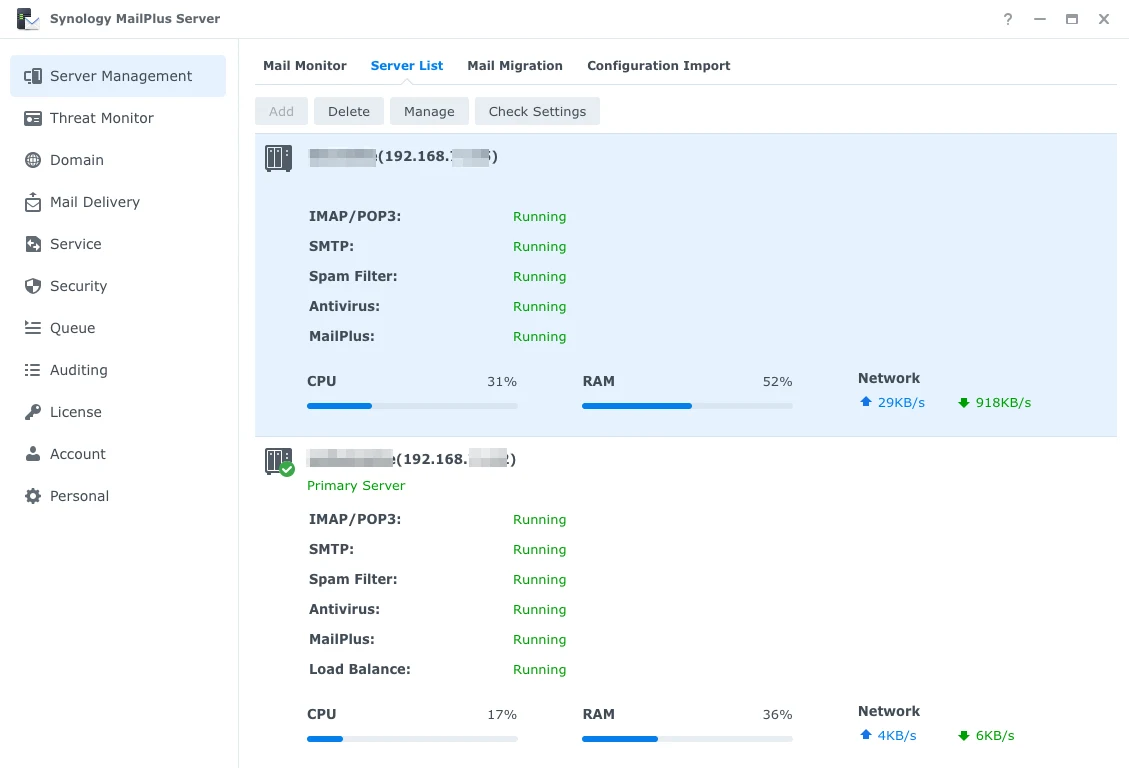
We protect our self-hosted email server at the virtual machine level, not inside the mail software. We take snapshots of the whole Virtual DSM guest and replicate them to a second Synology NAS. If the host fails, we restore or start the replica, so there is no mail server to rebuild from scratch. We do not use the MailPlus Server high availability cluster, because it does not support Virtual DSM.
If you run MailPlus on physical NAS units, the cluster is the stronger choice. Both units run SMTP, IMAP, spam filtering and antivirus, and the primary server balances the load between them.
Users never see any of this. They see the webmail client with our logo on it, and the mobile apps.
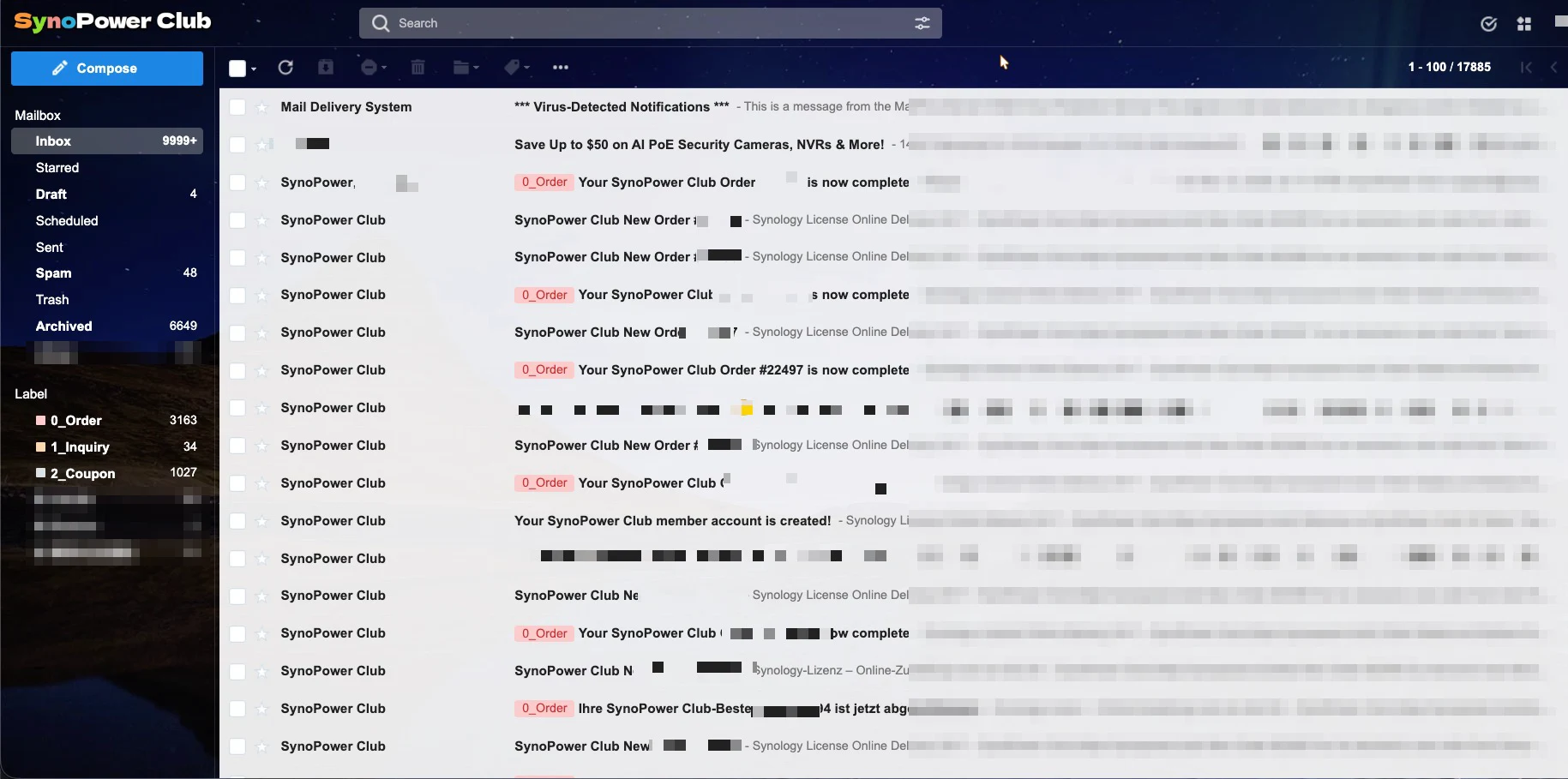
For three years, this setup has sent the email for every order the shop has received. Before that, I used MailPlus every day at Synology, which moved email for its staff around the world onto it in 2016, at a far larger scale than ours. If you are planning your own setup, check which NAS models support MailPlus before you buy hardware.
SynoPower Club sells genuine MailPlus license and Virtual DSM keys, delivered by email from this very server.
On Sale
Original price was: NT$20,555.NT$16,443Current price is: NT$16,443.
On Sale
NT$6,253 NT$33,660Price range: NT$6,253 through NT$33,660
On Sale
Original price was: NT$10,254.NT$8,511Current price is: NT$8,511.
On Sale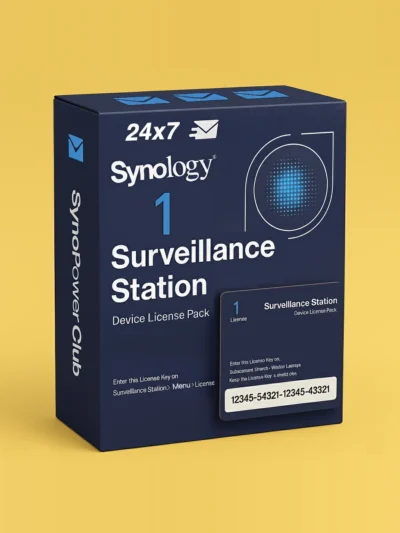
Original price was: NT$2,588.NT$2,200Current price is: NT$2,200.
On Sale
Original price was: NT$10,000.NT$9,000Current price is: NT$9,000.
On Sale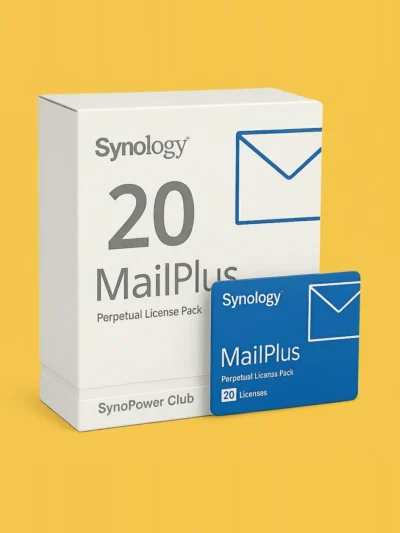
Original price was: NT$40,000.NT$35,000Current price is: NT$35,000.
On Sale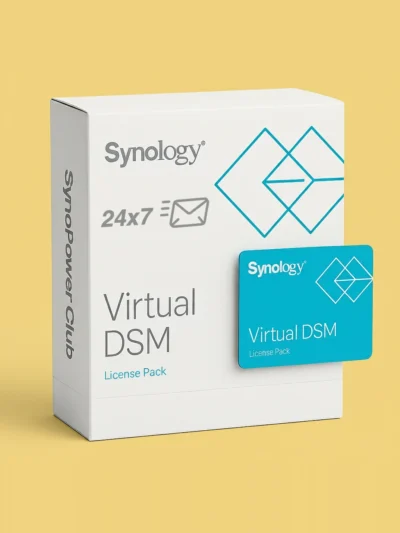
Original price was: NT$5,741.NT$4,909Current price is: NT$4,909.
Hybrid Fallbacks: Gmail and an SMTP Relay
Running a self-hosted email server does not mean you can never use a cloud service. You decide which one is the backup. Ours is Gmail.
In our first months, our self-hosted email server had no sending history. Some customers’ email providers rejected our messages or put them in junk folders, even though our SPF, DKIM and DMARC records were correct. A new IP address has no reputation, and some providers treat that the same as a bad one. When a license key bounced, we resent it to the customer from a Gmail account so that nobody was left waiting after paying. It was manual and rarely needed, and it worked.
Today the same idea is automated. MailPlus Server lets you add SMTP relay rules for specific recipient domains, each with its own server and login. Mail to a few strict European providers goes out through a transactional email service, and everything else is delivered directly. Our MailPlus SMTP relay guide walks through that setup step by step.
The same approach works for a whole company. Keep everyone’s main mailboxes on your self-hosted email server, keep one cloud account ready for each key role, and write down who switches to it and when. If Microsoft or Google has a bad day, you lose nothing. If your own server has a bad day, you lose very little.
What Cloudflare Does for a Mail Server
Cloudflare does not carry the mail of a self-hosted email server. On ordinary plans its proxy cannot pass SMTP traffic, so the MX host and its A record must be set to DNS only, shown as a grey cloud. Turning the proxy on for them is a common mistake that stops mail delivery completely. What Cloudflare does provide is the DNS that other mail servers rely on to trust you.
- DNSSEC with one click. Signed DNS records stop attackers from forging your MX and TXT records, and DNSSEC is required for DANE.
- DANE for SMTP. With DNSSEC turned on, we publish a TLSA record for our mail host. Servers that check DANE will then deliver only to a server that presents our certificate. MailPlus Server generates the record for you.
- DMARC Management. Our DMARC policy sends aggregate reports to Cloudflare, which shows every source that sends mail as our domain and whether each message passed SPF, DKIM and DMARC. Cloudflare offers this on all plans for domains that use Cloudflare DNS.
- Fast DNS changes. If you need to change your MX or SPF records during an incident, Cloudflare publishes the change almost immediately, and with a short TTL other servers pick it up quickly.
- Website protection without touching mail. The store stays behind Cloudflare’s proxy even though the mail host’s IP address is public.
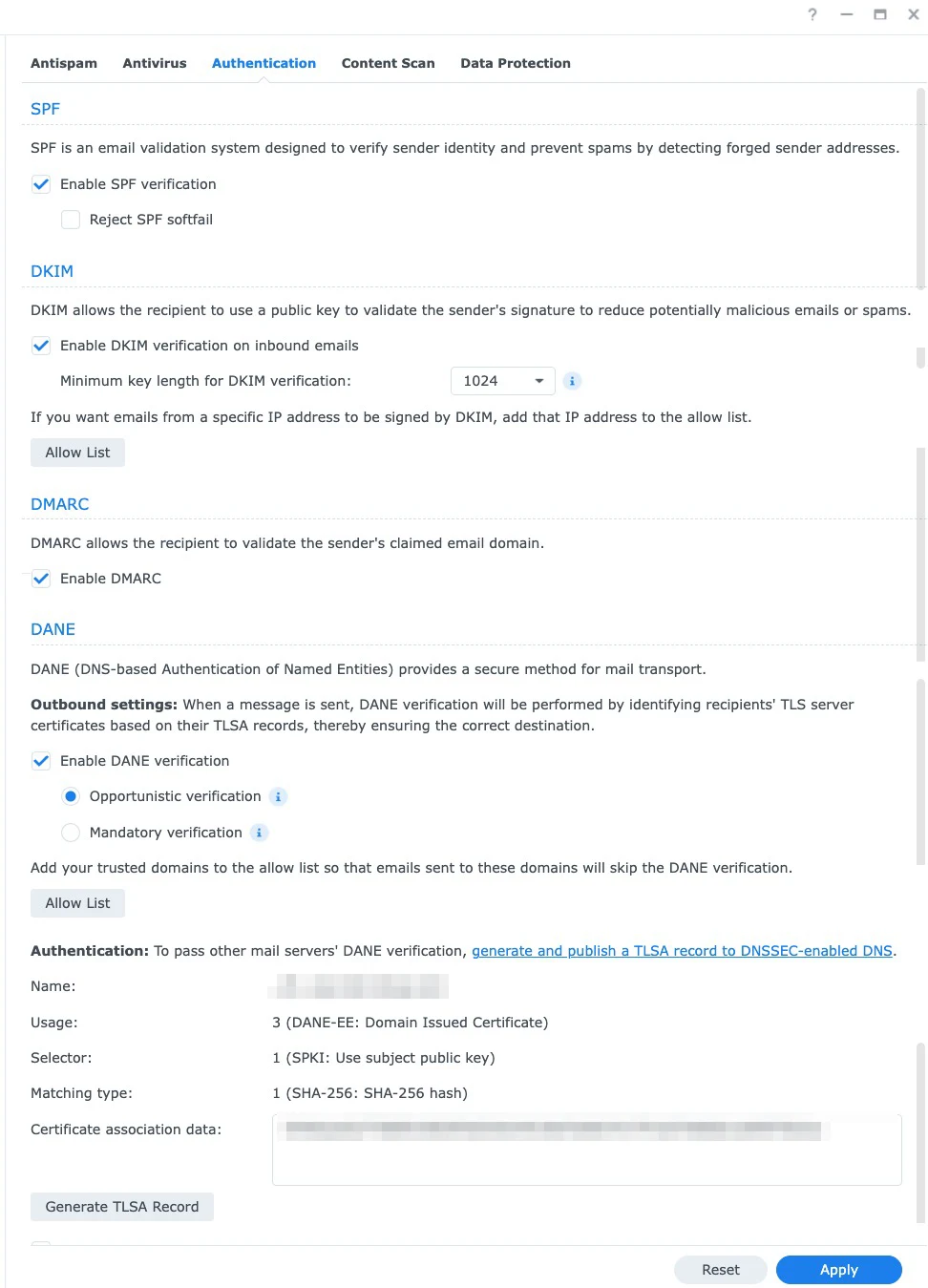
MailPlus Server also checks these records on every message it receives. In the transaction log above, forged DocuSign payment notices were rejected for failing SPF and DMARC before they reached any inbox. Our page on how to tell if an email really came from us explains what to look for.
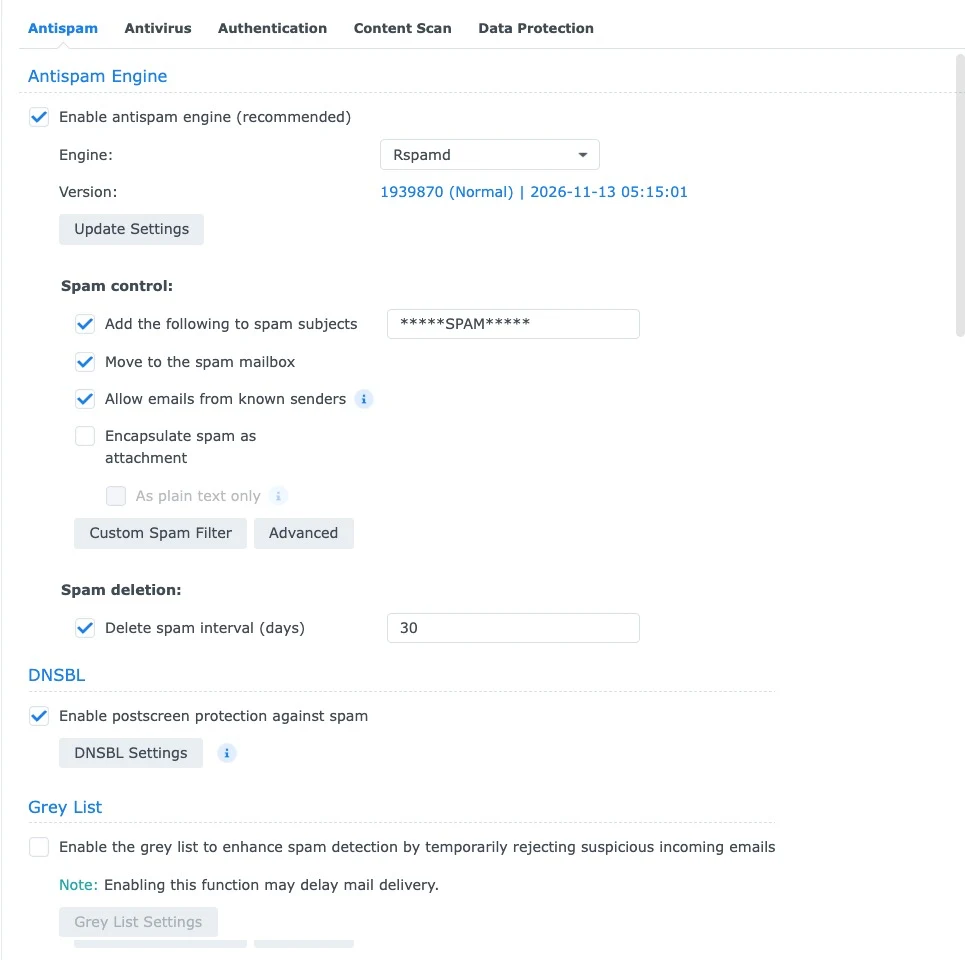
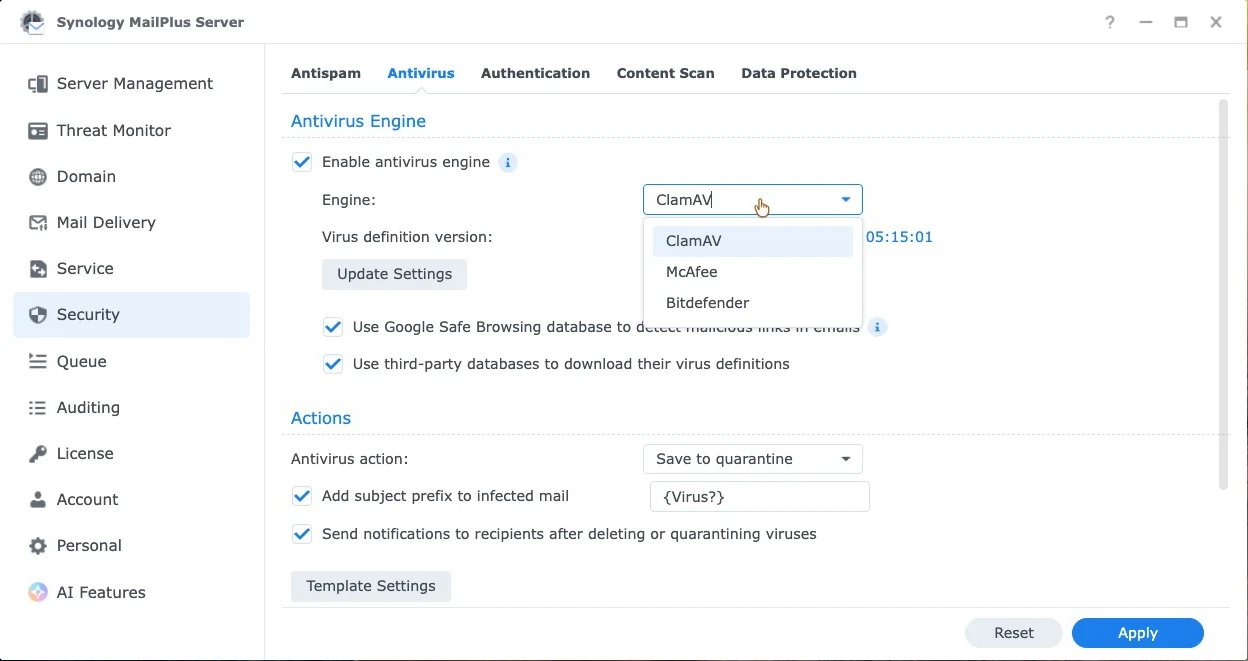
After those checks, the content filters run. Rspamd scores incoming mail for spam, and DNSBL postscreen protection blocks known spam senders before they can deliver anything. For viruses, ClamAV is built in, with McAfee and Bitdefender available as optional engines. Google Safe Browsing checks the links inside messages.
Where to Find More Official Resources
These three videos cover setting up and securing MailPlus Server as a self-hosted email server, following the same steps described above.
Synology’s own walkthrough of setting up MailPlus Server:
Synology on configuring MailPlus Server to protect your mail service:
A step-by-step setup guide from Digital Aloha:
Limits of a Self-Hosted Email Server You Should Plan For
You are on call. When a self-hosted email server stops, nobody else is working on it. Set up DSM notifications for MailPlus Server, and make sure someone besides you knows how to log in to the console.
Power and the internet line are now your responsibility. Put the NAS on a UPS. Use a business internet connection with a static IP address and reverse DNS that matches your mail host. Many internet providers block outbound port 25 on home connections.
A new self-hosted email server has to build a reputation. Expect a few strict mail providers to distrust a new IP address for a while. An SMTP relay rule for those domains, and a cloud mailbox you can fall back on, cover that period.
Backups are not the same as high availability. Snapshots replicated to another NAS let you recover from losing a host, but restoring still takes time, and mail waits in senders’ queues meanwhile. To keep running with no interruption, you need two physical NAS units in a MailPlus high availability cluster.
Updates are your job. When Synology publishes a security advisory, you have to apply it, as many Synology owners did with the recent PHP2Shell patch. Keep DSM and MailPlus Server up to date and take a snapshot before each update.
Know what the license covers. Five accounts are free, and extra accounts come in perpetual packs. The AI writing features in MailPlus connect to an AI provider using your own API key, and that provider bills you separately. They are not a free built-in model.
References
- SecurityWeek: Microsoft 365 outage disrupts Outlook, Exchange Online and Teams
- IT-Connect: Microsoft 365 outage hits Outlook, Teams and Copilot for 11 hours
- Microsoft 365 Status: servers unexpectedly unavailable, incidents EX1550543 and MO1550821
- RFC 5321: Simple Mail Transfer Protocol, retry strategies for a self-hosted email server
- Cloudflare DMARC Management documentation
Frequently Asked Questions
Was the Microsoft 365 outage a cyberattack?
No. Microsoft said it was not aware of any malicious activity. A number of servers became unavailable unexpectedly, the remaining servers were overloaded, and Microsoft rolled back a recent network configuration change while restoring service.
Is a self-hosted email server more reliable than Microsoft 365?
Not automatically. A self-hosted email server can fail too, but its failures affect only your organisation, and you can see the cause and fix it yourself. Reliability depends on power protection, a good internet line, backups and how carefully you make changes.
Do I lose email if my self-hosted email server goes offline?
Usually not. Sending servers keep undelivered mail in a queue and retry it. RFC 5321 says the give-up time should generally be at least four to five days, so mail arrives once your server is back, unless it stays offline longer than that.
Can a self-hosted email server run on Virtual DSM?
Yes. SynoPower Club runs MailPlus Server inside a Virtual DSM guest, and each guest has its own five free accounts. The MailPlus high availability cluster does not support Virtual DSM, so we protect the guest with snapshots replicated to a second NAS.
How many free accounts does Synology MailPlus include?
Five per installation. More accounts come in perpetual license packs of 5 or 20. Only activated accounts count, and aliases do not use a license.
Can Cloudflare proxy my mail server?
No. On ordinary plans the MX host must be set to DNS only. Cloudflare still helps a self-hosted email server with DNSSEC, DANE, DMARC reports and fast DNS changes.
What backup should I keep if my self-hosted email server is down?
Keep a cloud mailbox such as Gmail ready for urgent messages, and set up SMTP relay rules for recipient domains that reject your IP address. Write down who switches to the backup and when, so nobody has to work it out during an outage.
Can I move from Microsoft 365 to Synology MailPlus?
Yes. MailPlus Server has a Mail Migration tool, and Synology describes a wizard for migrating from Microsoft Exchange and Google Workspace. Move a few test mailboxes first, then update your MX records once the copies are complete.
SynoPower Club sells genuine MailPlus and Virtual DSM licenses, with keys delivered by email from our own self-hosted email server.
On Sale
Original price was: NT$20,555.NT$16,443Current price is: NT$16,443.
On Sale
NT$6,253 NT$33,660Price range: NT$6,253 through NT$33,660
On Sale
Original price was: NT$10,254.NT$8,511Current price is: NT$8,511.
On Sale
Original price was: NT$2,588.NT$2,200Current price is: NT$2,200.
On Sale
Original price was: NT$10,000.NT$9,000Current price is: NT$9,000.
On Sale
Original price was: NT$40,000.NT$35,000Current price is: NT$35,000.
On Sale
Original price was: NT$5,741.NT$4,909Current price is: NT$4,909.