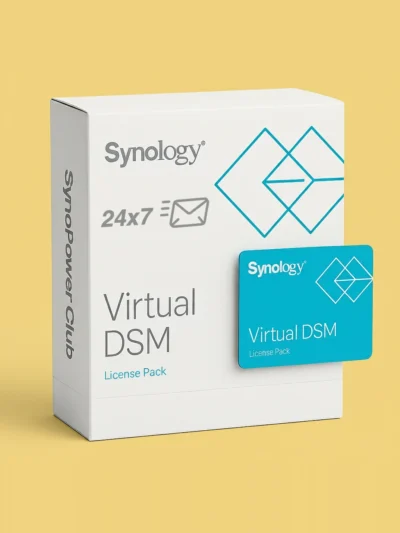
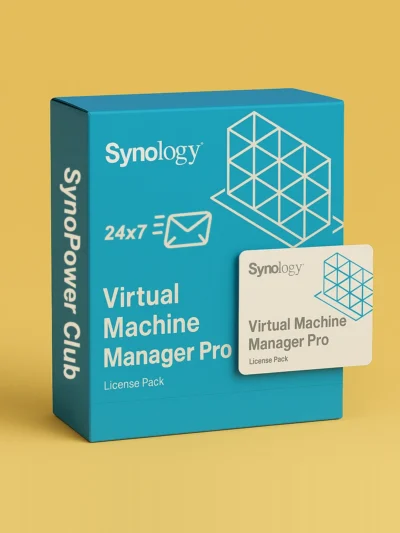
Synology Virtualization License: VMM Pro & Virtual DSM (VDSM)
Official Synology Virtual Machine Manager Pro (VMM Pro 3-Node & 7-Node) and Virtual DSM (VDSM) license packs for your NAS. Every key is shown on screen and emailed 24×7, and can be transferred to another Synology later.
Select options
This product has multiple variants. The options may be chosen on the product page
Which Synology virtualization license do I need?
Synology Virtual Machine Manager uses two different licenses for two different jobs. A Virtual DSM (VDSM) license adds one more Virtual DSM guest beyond the free instance included with your NAS, while a VMM Pro license unlocks cluster-wide High Availability, live migration and remote replication across up to 3 or 7 Synology hosts:
What you want to do
License pack
Price
Term & coverage
Run 1 additional Virtual DSM guest
Virtual DSM 1-Instance Pack (VDSM1)
US $145.24
1 VDSM instance, includes 3 years of DSM version upgrades
Unlock Pro features on up to 3 NAS hosts
VMM Pro 3-Node (1 Year / 3 Years)
US $185.00 / US $588.94
Subscription for a cluster of up to 3 Synology hosts
Unlock Pro features on up to 7 NAS hosts
VMM Pro 7-Node (1 Year / 3 Years)
US $375.43 / US $995.88
Subscription for a cluster of up to 7 Synology hosts
You only need the license that matches your goal: buying a Virtual DSM license does not require VMM Pro, and enabling VMM Pro on a cluster does not require buying extra Virtual DSM licenses unless you run more than one VDSM per host. Ordering 2 or more licenses takes an extra 3% off at checkout.
What does Virtual Machine Manager include for free?
Every Synology NAS that supports Virtual Machine Manager includes 1 free Virtual DSM instance out of the box (plus each Virtual DSM comes with its own 5 free MailPlus email accounts).
Windows and Linux virtual machines require zero licenses in both the free edition and VMM Pro, limited only by your NAS CPU cores and RAM.
The free edition already lets you join up to 7 Synology NAS hosts into a cluster, take up to 32 snapshots per VM, and create up to 4 virtual switches.
Upgrading a host or multi-NAS cluster to VMM Pro enables enterprise continuity and protection features across all Windows, Linux and Virtual DSM guests in the cluster:
Feature
VMM Free
VMM Pro
Virtual DSM instances
1 free per NAS host (add more with VDSM1)
1 free per NAS host (add more with VDSM1)
Windows & Linux VMs
Unlimited (hardware-bound)
Unlimited (hardware-bound)
Live migration & storage migration
Not included
Included (move running VMs without downtime)
High Availability (HA) auto-failover
Not included
Included (requires 3 or more NAS hosts in the cluster)
Remote replication & protection plans
Local snapshots only
Scheduled replication to another Btrfs NAS (2 or more hosts)
Your license key appears on the order confirmation screen and arrives by email at the same time, 24 hours a day including weekends.
In DSM, open Virtual Machine Manager, go to License, choose either the Virtual Machine Manager Pro tab or the Virtual DSM tab, click Add, and paste the key.
Do I need VMM Pro to run a second Virtual DSM, or Windows and Linux VMs?
No. Windows and Linux VMs never require a license. To run a second or third Virtual DSM on the same NAS, you only need a Virtual DSM 1-Instance license (VDSM1); VMM Pro is only needed for cluster features like High Availability, live migration and remote replication.
What happens after the 3-year upgrade period on a Virtual DSM license?
Your Virtual DSM instance continues to run normally and never shuts down. The 3-year period only covers major DSM operating system upgrades for that virtual instance; after 3 years, it stays on its current DSM version unless you add a new VDSM key.
Does VMM Pro include additional Virtual DSM instances?
No. VMM Pro licenses cluster-wide management and protection features for up to 3 or 7 Synology NAS hosts, while each additional Virtual DSM guest beyond the 1 built-in free instance per host is licensed separately with a VDSM pack.
How many Synology NAS hosts do I need for High Availability and remote replication?
Remote replication and scheduled protection plans require at least 2 Synology NAS hosts with Btrfs volumes in the cluster. High Availability (HA) automatic failover requires at least 3 hosts so the cluster can maintain quorum when one node goes down. Details: What happens when a VMM cluster node goes down
Can I transfer a Virtual DSM or VMM Pro license to another Synology NAS?
Yes. Both purchased Virtual DSM licenses and VMM Pro subscriptions can be migrated when you replace hardware or reorganize your cluster, whereas the 1 built-in free Virtual DSM stays with its original NAS. Migration walkthrough: How to migrate a VMM Pro license
How fast will I receive my VMM Pro or Virtual DSM key?
Immediately after payment. Your license key is displayed on screen and emailed 24×7, and you can also request a photo of the physical license card. Details: Instant delivery and physical proof service
How can I back up virtual machines off-site without a second NAS?
Even on a single NAS without VMM Pro replication, you can export virtual machines on a schedule and sync them to cloud storage. Full guide: VMM backup to Google Drive with Cloud Sync