

Guida alla ricezione e installazione della licenza Synology MailPlus (2026)

Aggiornato il 29 Ottobre 2026
Dispositivi NAS Synology che supportano il pacchetto server MailPlus (controlla qui gli ultimi modelli supportati) includere 5 account di posta elettronica MailPlus gratuiti.
Inoltre, i modelli NAS che supportano Virtual Machine Manager vieni con 1 Virtual DSM gratuito, che comprende anche un altro 5 account di posta elettronica gratuiti(Un vantaggio meno noto!)
Cosa aggiunge effettivamente una licenza MailPlus #
È possibile acquistare licenze aggiuntive per account di posta elettronica aggiuntivi in base alle esigenze aziendali.
Per le aziende che necessitano di account aggiuntivi, Pacchetti di licenze Synology MailPlus può essere acquistato per espandere la capacità dell'account di posta elettronica.
Il codice di licenza Synology MailPlus è perpetuo e disponibile in 5 conti, 20 conti di due formati:
- pacchetto di carte di carta
- file pdf elettronico
■ pacchetto di carte di carta
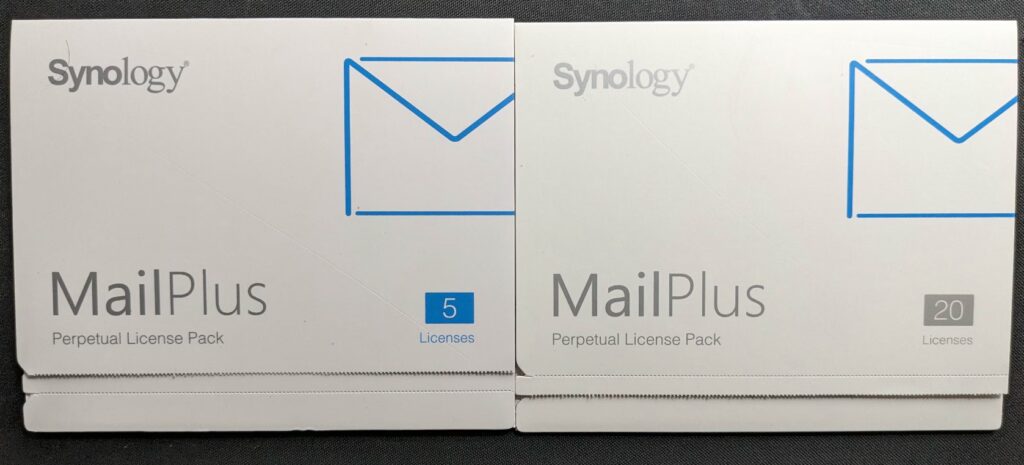
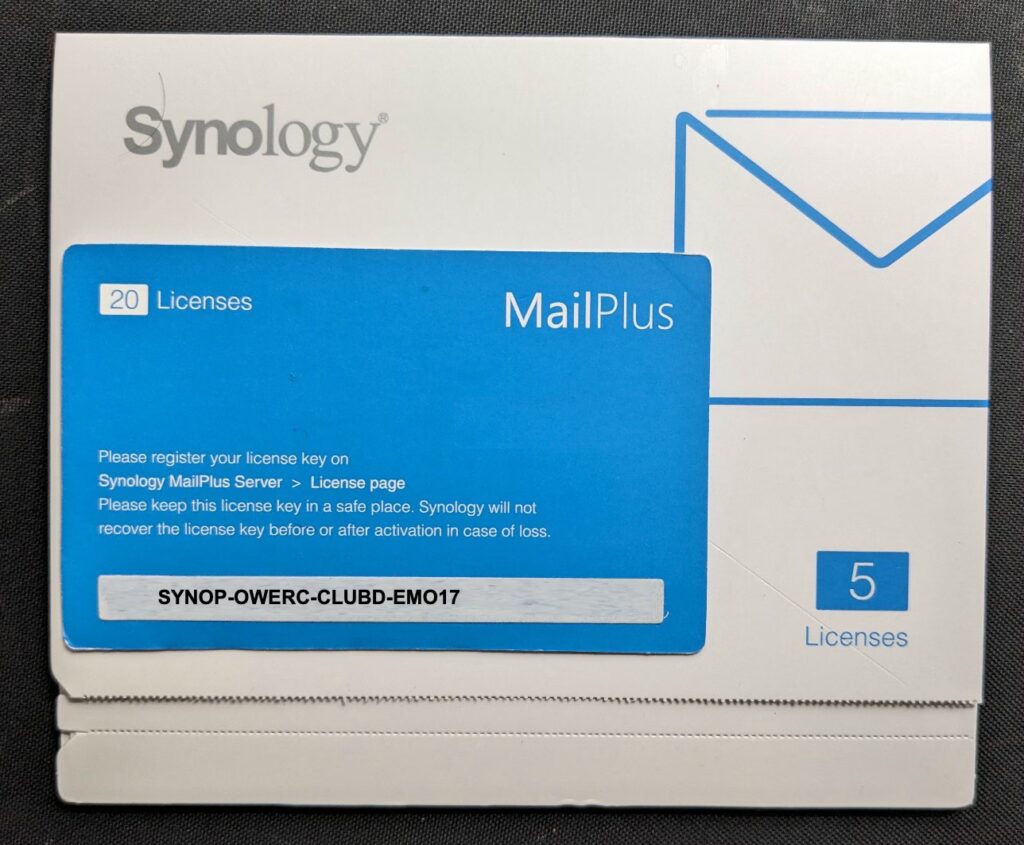
Ogni confezione contiene una carta con una chiave all'interno, ad esempio ecco una demo:
■ file pdf elettronico: (Synology fornisce solo al distributore o al rivenditore)
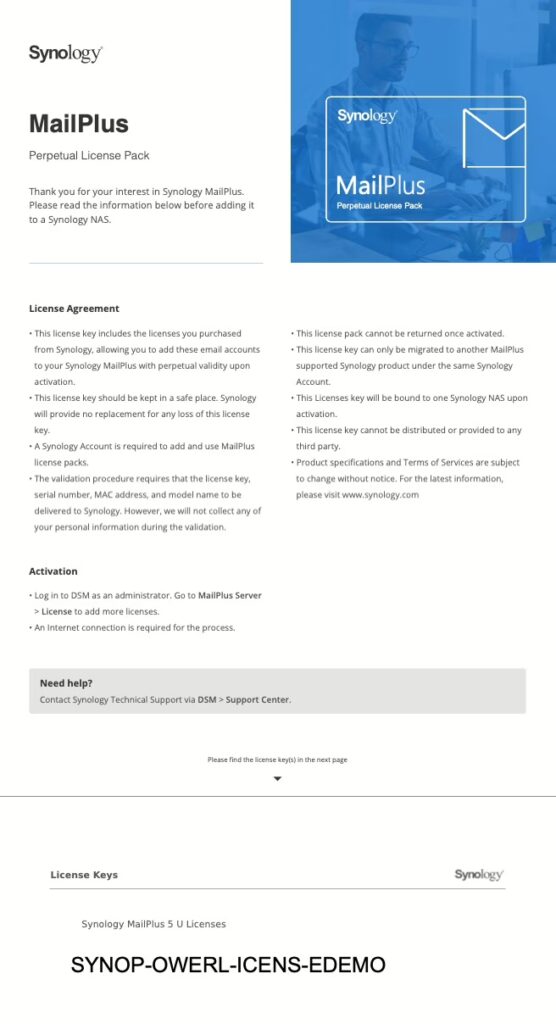
Each license includes a unique 20-digit key (format: xxxxx-xxxxx-xxxxx-xxxxx). Licenses can be combined to add multiple email accounts based on your requirements.
Ad esempio, per collegare altri 30 account, aggiungi una licenza da 20 account e due licenze da 5 account.
La chiave di licenza MailPlus è in modo permanente valido con aggiornamento a vita. Potresti anche migrarli su un altro NAS Synology.
Note importanti:
- Soltanto account di posta elettronica attivi necessitano di licenze. Puoi riutilizzare le licenze da account disattivati.
- Alias di posta elettronica NON sono necessarie licenze separate.
- Controllo Qui o il tuo NAS pagina del prodotto Sotto Specifiche > Specifiche software per il numero massimo di account attivi consigliati.
Conta prima gli account gratuiti che hai già #
Prima di acquistare qualsiasi cosa, scopri cosa ti offre già l'hardware. La maggior parte delle persone acquista un Licenza MailPlus un pacchetto troppo presto perché contano solo i primi cinque.
- Cinque account con ogni installazione di MailPlus Server. Non scadono mai e non sono un periodo di prova.
- Altri cinque su un'istanza gratuita Virtual DSM. Qualsiasi NAS che supporti Virtual Machine Manager include una licenza Virtual DSM e tale macchina virtuale è un DSM completo, quindi esegue il proprio server MailPlus con i propri cinque account gratuiti. Questo è un vantaggio che quasi nessuno considera.
- Dieci in un cluster ad alta disponibilità. Collega due unità NAS in un cluster SHA e ciascun membro contribuisce con la propria quota, quindi il cluster inizia con dieci unità anziché cinque.
- Gli alias non costano nulla. Gli indirizzi come sales@ o support@ che recapitano messaggi a una casella di posta esistente sono alias, non account, e non consumano mai una licenza.
- Vengono conteggiati solo gli account attivi. Disattivando un utente che lascia l'incarico, il posto assegnato torna disponibile per la successiva assunzione.
Somma questi valori prima di dimensionare l'ordine. Un piccolo team che utilizza un NAS con una macchina virtuale Virtual DSM ha già dieci caselle di posta senza spendere nulla e ha bisogno solo di un Licenza MailPlus pacchetto a partire dall'undicesimo utente.
Come aggiungere una licenza MailPlus in DSM #
Segui questi semplici passaggi per aggiungere licenze al tuo server Synology MailPlus:
- Accesso al server Synology MailPlus nel DSM.
- Vai a Licenza scheda.
- Clic MailPlus > Aggiungi licenza.
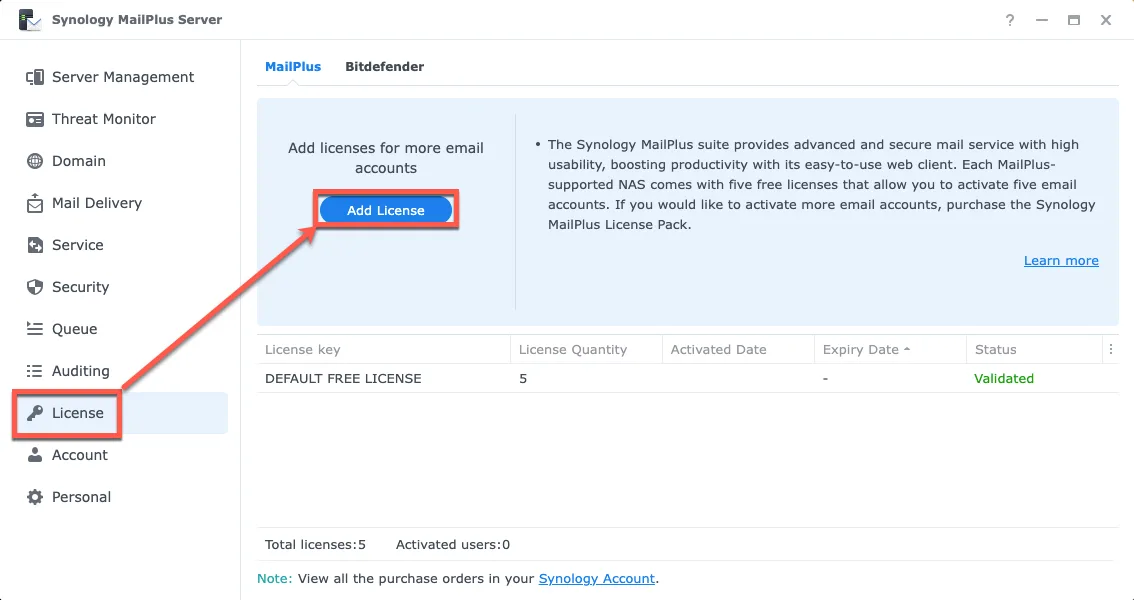
- Accetto la dichiarazione di licenza.
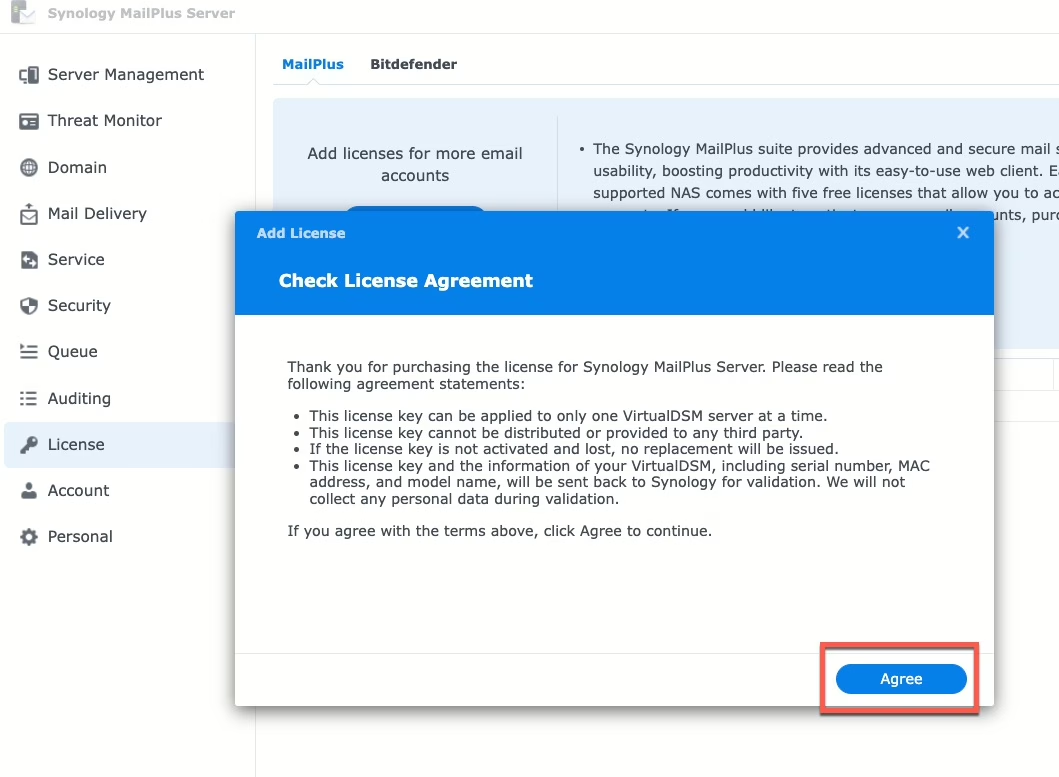
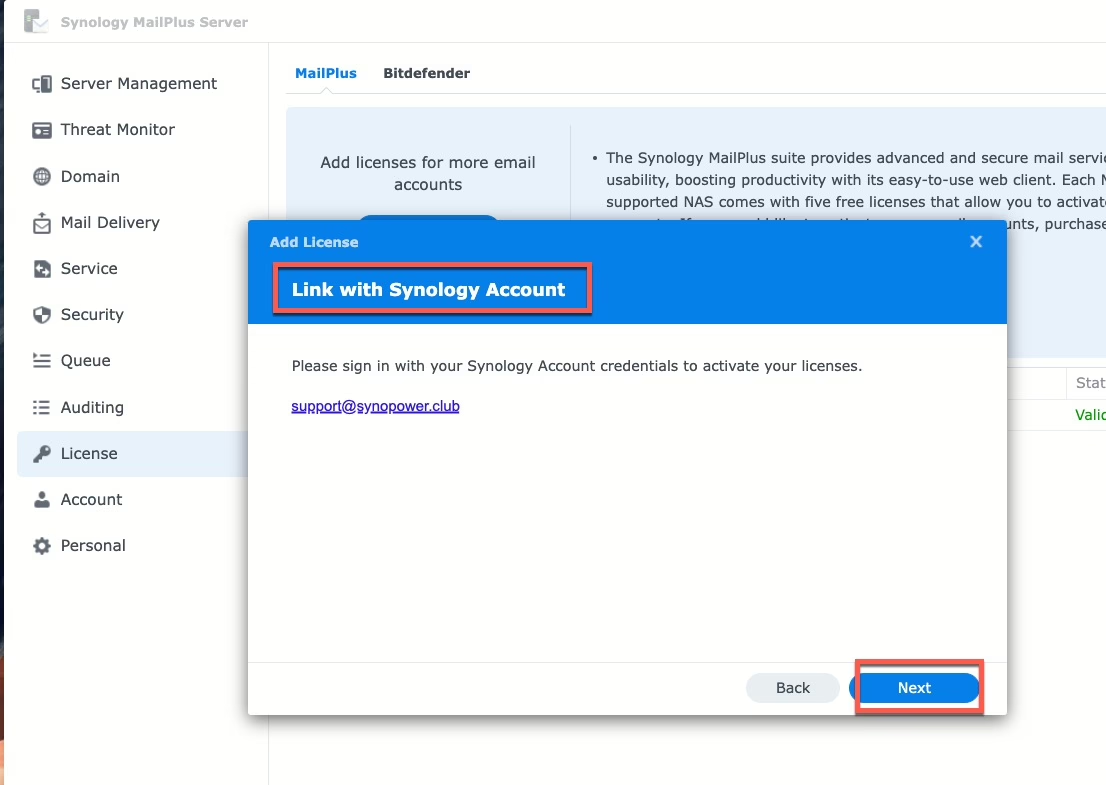
- Assicurati di avere una connessione Internet stabile e accedi al tuo account Synology per l'attivazione
- Scegli un'opzione:
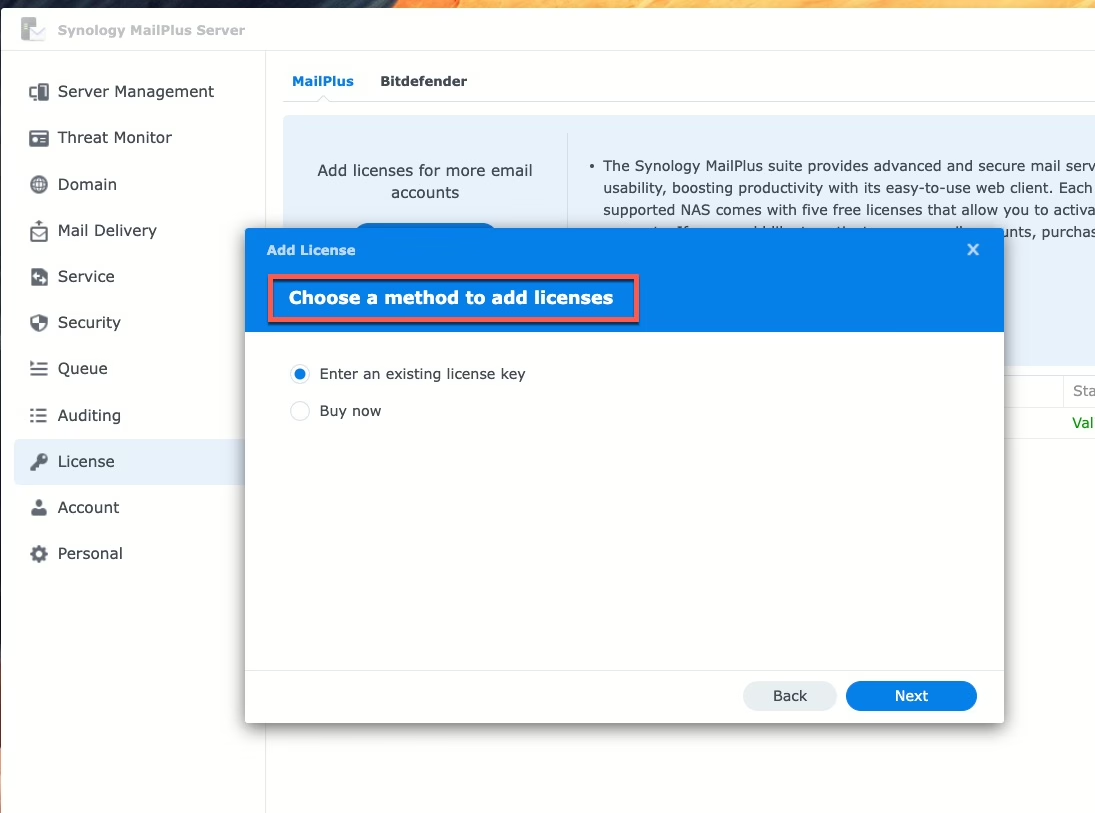
- Inserisci una chiave di licenza esistente (licenze ordinate da rivenditori ufficiali come SynoPower Club)
- Acquista ora (utilizza la carta di credito registrata sul tuo account Synology)
- Inserisci la/le chiave/e di licenza e fai clic su Avanti per terminare
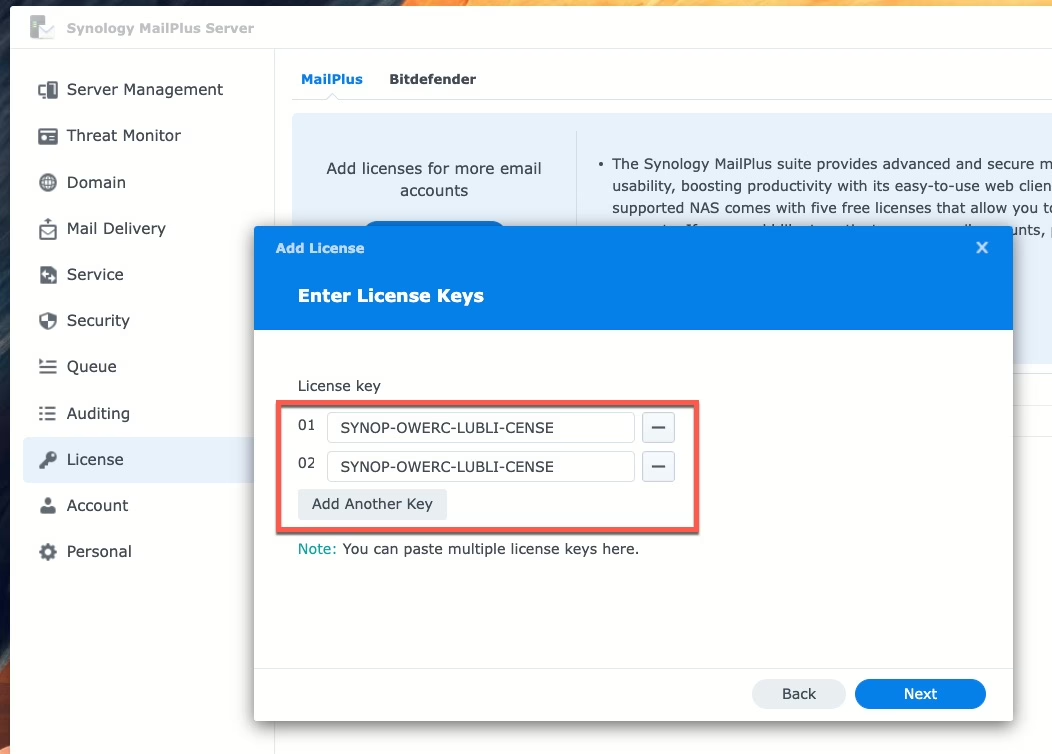
Una volta aggiunta la licenza, l'account attivo MailPlus verrà aggiornato automaticamente.
Come funziona SynoPower Club esattamente su questa configurazione #
Questa non è una configurazione che consigliamo soltanto. SynoPower Club stesso funziona come uno stack Docker su un Virtual DSM ad esempio, e l'e-mail che contiene la tua chiave di licenza — a qualsiasi ora, in qualsiasi parte del mondo — viene inviata da MailPlus su quello stesso NAS, utilizzando i cinque account gratuiti con cui l'ospite è arrivato. Non abbiamo mai acquistato un Licenza MailPlus per la nostra posta in uscita.
Ci affidiamo inoltre alle funzionalità di scrittura basate sull'intelligenza artificiale integrate nel client MailPlus per collaborare con clienti in sedici lingue diverse: redazione intelligente, controllo grammaticale, regolazione del tono e traduzione, il tutto applicato direttamente nella casella di posta elettronica anziché dover copiare e incollare il testo in un browser.
Un avvertimento importante da tenere presente prima di pianificare. Queste funzionalità di intelligenza artificiale sono un'integrazione, non un modello incluso: l'amministratore deve fornire una chiave API da un fornitore esterno (OpenAI, Azure OpenAI, Amazon Bedrock, Google Gemini o Baidu AI Cloud) e tale fornitore fattura separatamente l'utilizzo. Il server di posta è di proprietà dell'amministratore e viene pagato una sola volta; l'intelligenza artificiale sottostante viene invece fatturata dal fornitore a cui viene indirizzata.
Perché una licenza MailPlus è meglio di un abbonamento #
- Scalabilità conveniente: Aggiungi account man mano che la tua attività cresce.
- Validità perpetua: Non è richiesto alcun rinnovo.
- Migrazione senza soluzione di continuità: Sposta facilmente le licenze tra i dispositivi.
Stai pianificando un'implementazione più ampia anziché limitarti ad aggiungere una chiave? Ad esempio, DNS, deliverability, modelli, migrazione da Google Workspace o Microsoft 365? Inizia da qui: Synology MailPlus: la guida completa per gestire il proprio server di posta.
Acquistare le confezioni singole: Licenza MailPlus per 5 utenti e Licenza MailPlus per 20 utenti. Le chiavi vengono visualizzate sullo schermo e inviate via e-mail, 24/7.
Domande frequenti correlate: #
- Che cos'è la consegna automatica online delle licenze 24 ore su 24, 7 giorni su 7?
Modo immediato per ricevere le licenze Synology e la fattura con garanzia e supporto completi. - 💡 Quale modello di NAS Synology supporta MailPlus? 🤔 Quanti account di posta elettronica supporta?
- Le licenze Synology acquistate qui possono essere trasferite o migrate?
- Come migrare Synology Licenza MailPlus?
Pronti a ottenere le vostre licenze in pochi secondi? 👉 Raccoglilo Qui con Miglior valore #

In vendita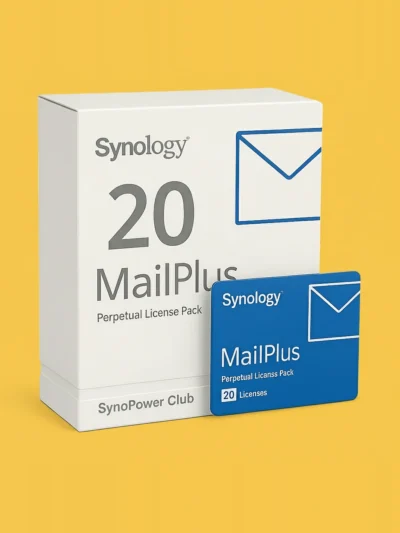
Licenza Synology MailPlus per 20 utenti #
Il prezzo originale era: NT$35,892.NT$31,585Il prezzo attuale è: NT$31,585.
In vendita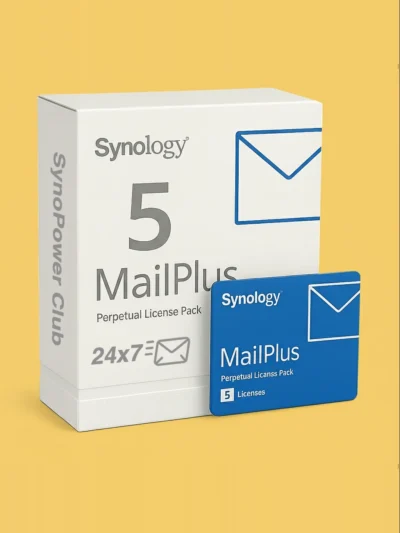
Licenza Synology MailPlus per 5 utenti #
Il prezzo originale era: NT$9,045.NT$8,140Il prezzo attuale è: NT$8,140.