“Synology Surveillance Station License 4-Camera Pack” has been added to your cart. View cart
-10%
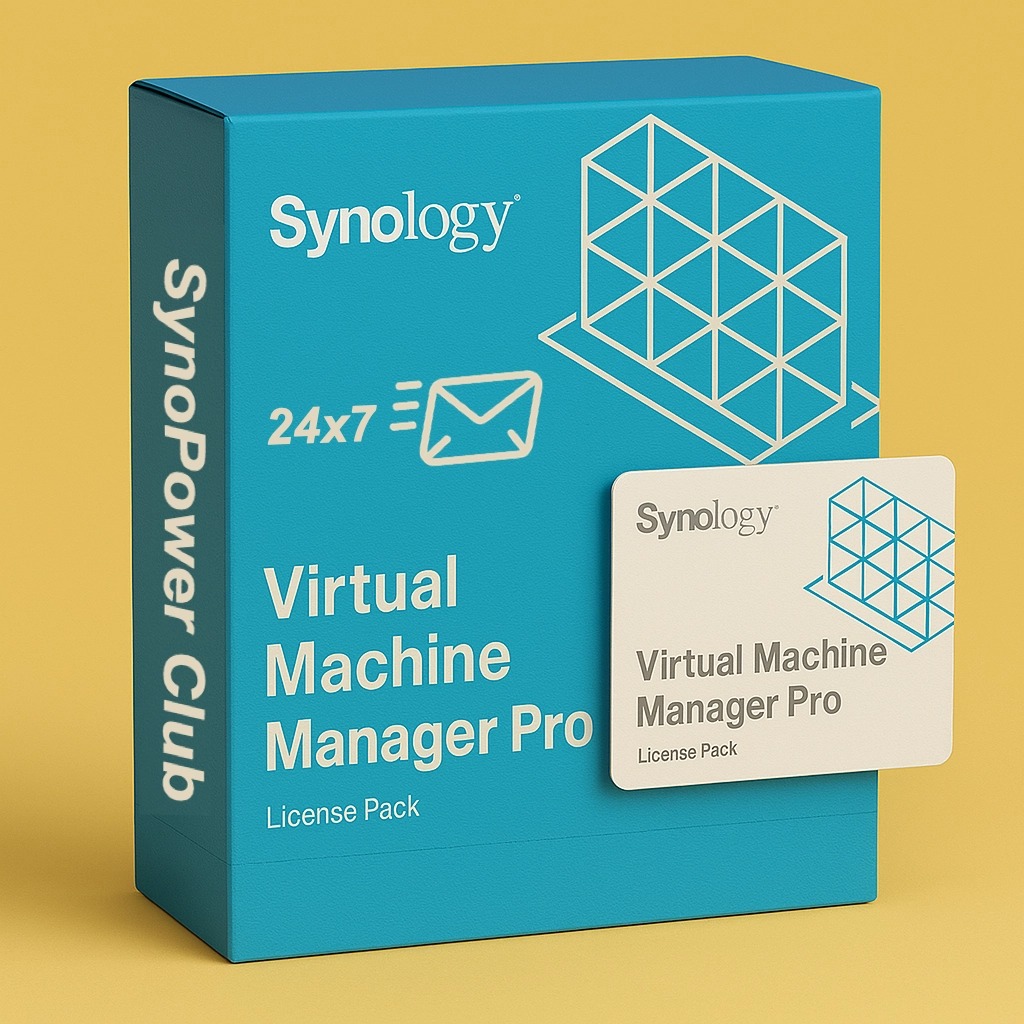
Virtual Machine Manager Pro (VMM Pro) License
US $185.00 – US $995.88Preisspanne: US $185.00 bis US $995.88
1-Minute Instant Delivery: 24/7 automated system display and email license key
Official & Global Valid: 100% genuine licenses compatible with Synology NAS models worldwide
Enterprise Virtualization: Enables advanced cluster management, VM Snapshot replication, High Availability (HA), and live VM migration for your Synology cluster
Activate Your Synology Licenses in Minutes, Guaranteed.
Get your official license instantly on-screen and by email from SynoPower Club
Synology VMM Pro License: The Enterprise Solution for High-Availability VM Cluster Management
Looking to build a high-availability virtualization cluster across multiple Synology NAS devices with live migration and advanced resource control? Synology VMM Pro License unlocks the full power of Virtual Machine Manager. Run Windows, Linux, and Virtual DSM instances with enterprise-grade performance — all from your NAS.
Through Synology Virtual Machine Manager (VMM), you can manage a VMM cluster of up to 7 Synology NAS nodes, enabling seamless live migration, load balancing, and failover for business-critical workloads.
Key Features of VMM Pro
High Availability & Live Migration
With Synology VMM Pro License, you can enable high availability clusters and perform live VM migration between nodes without downtime. Whether you’re running production Windows servers, Linux services, or Virtual DSM instances, VMM Pro ensures your workloads keep running even during hardware maintenance or unexpected failures.
Advanced Resource Control
VMM Pro elevates resource management with CPU overcommit up to 4× physical CPU threads and up to 4,096 virtual switches per cluster — compared to just 4 on the free VMM edition. This gives you the flexibility to scale VM workloads efficiently across your entire NAS cluster.
Comprehensive Snapshot & Replication
VMM Pro supports up to 255 snapshots per VM and includes remote replication and remote storage migration. Protect critical VMs with rapid point-in-time snapshots, and replicate your virtual machines to an offsite NAS for robust disaster recovery.
Why Choose Synology VMM Pro License?
Cluster-Grade Virtualization: Build a VMM cluster with up to 7 Synology NAS nodes, enabling enterprise-level scalability and resource pooling across your infrastructure.
Zero-Downtime Operations: Live Migration moves running VMs between cluster nodes without interruption, keeping services online during maintenance or load balancing.
Multi-OS Support: Run Windows, Linux, and Virtual DSM instances all on the same platform — one license, full flexibility.
Instant License Delivery: We offer 24/7 immediate license key delivery, so you don’t have to wait for physical copies to arrive. Activate anytime, anywhere!
Globally Valid: No matter where you are located, our license keys are valid worldwide, offering ultimate flexibility.
30-Day Refund Guarantee: If the license is not activated within 30 days, we offer a full refund, making your purchase worry-free.
Use Cases for Synology VMM Pro License
Enterprise IT Teams: Organizations running multiple production VMs (Windows Server, Linux) that require high availability, live migration, and automated failover to eliminate downtime.
SMB Infrastructure: Small and medium businesses building a cost-effective on-premises virtualization cluster without investing in dedicated hypervisor hardware.
Developers & DevOps Teams: Teams needing isolated, reproducible VM environments with snapshot-based rollback, remote replication, and flexible resource allocation.
How to Buy?
Through SynoPower Club website, you can easily purchase the Synology VMM Pro License and enjoy instant serial number delivery, valid worldwide. Order now and take advantage of our 30-day refund guarantee — no activation, full refund — ensuring a stress-free purchasing decision.
Virtual Machine Manager Pro licenses come as 3-Node and 7-Node packs and are valid for one, three, or five years. Each VMM cluster can consist of a maximum of seven Synology NAS devices.
This license cannot be returned once activated.
Before purchasing this license, check the compatibility of your Synology NAS with Virtual Machine Manager. Learn more about applied models
Each license can only be applied to one Synology VMM cluster at a time.
Purchased licenses can be migrated to a different cluster.
License periods cannot be extended by activating multiple licenses simultaneously. To continue using VMM Pro features after expiration, a new license must be activated.
VMM vs. VMM Pro Feature Comparison
Feature
VMM (Free)
VMM Pro
Supported OS
Windows, Linux, Virtual DSM
Windows, Linux, Virtual DSM
Cluster Management
—
✓
High Availability
—
✓
Live Migration
—
✓
Remote Replication
—
✓
CPU Overcommit
Physical threads ×2
Physical threads ×4
Max Virtual Switches
4
4,096
Max Snapshots per VM
32
255
VM Share Links per Host
1
16
QoS Settings
—
✓
Activation and Mapping
In Virtual Machine Manager, go to License > Virtual Machine Manager and click Add. Your Synology NAS must be connected to the Internet when you add the license.
Sizing Recommendations
Model
Max System Memory Installed
Recommended Maximum Instances
FS6400
512 GB (32 GB x 16)
32
FS3600
128 GB (32 GB x 4)
24
FS3410
128 GB (32 GB x 4)
16
FS2500
32 GB (16 GB x 2)
8
HD6500
512 GB (32 GB x 16)
40
SA6400
1024 GB (64 GB x 16)
24
SA3610
128 GB (32 GB x 4)
24
SA3410
128 GB (32 GB x 4)
16
SA3400D
64 GB (16 GB x 4)
16
SA3200D
64 GB (16 GB x 4)
8
RS4021xs+
64 GB (16 GB x 4)
16
RS3621xs+
64 GB (16 GB x 4)
16
RS3621RPxs
64 GB (16 GB x 4)
12
RS3618xs
64 GB (16 GB x 4)
8
RS2825RP+
32 GB (16 GB x 2)
8
RS2423RP+
32 GB (16 GB x 2)
8
RS2423+
32 GB (16 GB x 2)
8
RS1619xs+
64 GB (16 GB x 4)
8
RS1221RP+
32 GB (16 GB x 2)
8
RS1221+
32 GB (16 GB x 2)
8
RS822RP+
32 GB (16 GB x 2)
8
RS822+
32 GB (16 GB x 2)
8
DS3622xs+
48 GB (8 GB x 2 + 16 GB x 2)
12
DS2422+
32 GB (16 GB x 2)
8
DS1825+
32 GB (16 GB x 2)
8
DS1823xs+
32 GB (16 GB x 2)
8
DS1621+
32 GB (16 GB x 2)
8
DS1525+
32 GB (16 GB x 2)
8
DS925+
32 GB (16 GB x 2)
8
DS725+
32 GB (16 GB x 2)
4
DS620slim
6 GB (2 GB + 4 GB)
2
DS425+
6 GB (2 GB + 4 GB)
2
DS225+
6 GB (2 GB + 4 GB)
2
DS224+
6 GB (2 GB + 4 GB)
2
License Period
3 Node – 1 Year, 3 Node – 3 Years, 7 Node – 1 Year, 7 Node – 3 Years
Reviews
There are no reviews yet
Only logged in customers who have purchased this product may leave a review.



Reviews
There are no reviews yet