Reviewer received an unconditional discount coupon on future purchases
(0)(0)
Rated 5 out of 5
Abraham de Boer (verified owner)–
Professionele en snelle support
Reviewer received an unconditional discount coupon on future purchases
(0)(0)
Rated 5 out of 5
adairhsu (store manager)–
This website and its all mail services are running under a virtual DSM of one DS1621xs+.
This pack could add one more Virtual DSM in your NAS ( if it supports Virtual Machine Manager of Synology ).
If your NAS supports Virtual Machine Manager of Synology, it already includes one free Virtual DSM.
This means you could run a virtual DSM in Synology NAS.
The benefit is that you could snapshot the whole DSM. If your applications is very critical, this is very useful. Just like this website and its mail server.
(0)(0)
Only logged in customers who have purchased this product may leave a review.
Activate Your Synology VSDM License in Minutes, Guaranteed.
Get your official license instantly on-screen and by email from SynoPower Club
60-Second Automatic Delivery Video
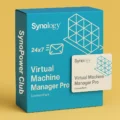
Synology Virtual DSM License: The Perfect Solution for Managing Multiple DSM Instances
Looking to run multiple DSM instances on a single NAS and manage hardware resources efficiently? Synology Virtual DSM License makes it easy. Even this site SynoPower Club is docker containers running on Virtual DSM.
Through Synology Virtual Machine Manager (VMM), you can run multiple virtual DSM instances on one NAS, increasing resource efficiency and simplifying service separation.
Key Features of Virtual DSM
Efficient Resource Management With Synology Virtual DSM License, you can allocate CPU, RAM, and storage space precisely through VMM, ensuring each virtual DSM instance performs at its best. Whether you're running multiple Docker containers or hosting websites, Virtual DSM provides a stable system and efficient resource management.
Quick Snapshot Backup Virtual DSM supports quick snapshot functionality, allowing you to instantly back up websites, MailPlus Server, or other applications, ensuring your data is never lost. This is critical for businesses or users who depend on data security.
Instant Deployment and Management Through Synology’s virtualization platform, you can easily deploy and manage multiple virtual DSM instances without needing a specialized IT background. This makes virtualization simple and accessible, fitting the needs of both small businesses and larger organizations.
Why Choose Synology Virtual DSM License?
Flexible Resource Management: Allocate CPU, RAM, and storage space as needed to optimize the performance of each virtual DSM and maximize NAS usage efficiency.
Simplified Backup Process: Quick Btrfs snapshot backup ensures your data is safe and can be restored at any time, reducing risks from system failures.
Instant License Delivery: We offer 24/7 immediate license key delivery, so you don't have to wait for physical copies to arrive. Activate anytime, anywhere!
Globally Valid: No matter where you are located, our license keys are valid worldwide, offering ultimate flexibility.
30-Day Refund Guarantee: If the license is not activated within 30 days, we offer a full refund, making your purchase worry-free.
Use Cases for Synology Virtual DSM License
Website Operators: Users who need a reliable virtual environment to manage multiple websites and applications with easy snapshot backups. Each Virtual DSM license even includes 5 email account in MailPlus package.
Docker Container Users: Those running multiple Docker containers on NAS and wanting to allocate resources flexibly for enhanced efficiency.
Enterprise Users: Businesses requiring multiple DSM instances to run separate services while ensuring data security with backup solutions.
How to Buy?
Through SynoPower Club website, you can easily purchase the Synology Virtual DSM License Pack and enjoy instant serial number delivery, valid worldwide. Order now and take advantage of our 30-day refund guarantee — no activation, full refund — ensuring a stress-free purchasing decision.
Each Virtual DSM license pack adds one Virtual DSM instance to Virtual Machine Manager. A license supports Virtual DSM upgrades within a three-year period.
This license pack cannot be returned once opened.
Before purchasing this license pack, check the compatibility of your Synology NAS with Virtual Machine Manager. Learn more about applied models
This license pack can only be applied to one Synology product at a time.
This license pack can be used to extend the Virtual DSM upgrade support of an existing instance.
Each Virtual DSM license entitles you to three years of software upgrades for one Virtual DSM package. You can continue to use Virtual DSM after your license expires, but no updates will be provided. You can extend the upgrade period by activating a new Virtual DSM license key.
Activation and Mapping
In Virtual Machine Manager, go to License > Virtual DSM and click Add. Your Synology NAS must be connected to the Internet when you add the license.
Maximum Virtual DSM Instances
Model
Max System Memory Installed
Max Virtual DSM Instances (1 vCPU / 1 GB)
FS6400
512 GB (32 GB x 16)
32
FS3600
128 GB (32 GB x 4)
24
FS3410
128 GB (32 GB x 4)
16
FS2500
32 GB (16 GB x 2)
8
HD6500
512 GB (32 GB x 16)
40
SA6400
1024 GB (64 GB x 16)
24
SA3610
128 GB (32 GB x 4)
24
SA3410
128 GB (32 GB x 4)
16
SA3400D
64 GB (16 GB x 4)
16
SA3200D
64 GB (16 GB x 4)
8
RS4021xs+
64 GB (16 GB x 4)
16
RS3621xs+
64 GB (16 GB x 4)
16
RS3621RPxs
64 GB (16 GB x 4)
12
RS3618xs
64 GB (16 GB x 4)
8
RS2821RP+
32 GB (16 GB x 2)
8
RS2423RP+
32 GB (16 GB x 2)
8
RS2423+
32 GB (16 GB x 2)
8
RS1619xs+
64 GB (16 GB x 4)
8
RS1221RP+
32 GB (16 GB x 2)
8
RS1221+
32 GB (16 GB x 2)
8
RS822RP+
32 GB (16 GB x 2)
8
RS822+
32 GB (16 GB x 2)
8
DS3622xs+
48 GB (8 GB x 2 + 16 GB x 2)
12
DS2422+
32 GB (16 GB x 2)
8
DS1823xs+
32 GB (16 GB x 2)
8
DS1821+
32 GB (16 GB x 2)
8
DS1621+
32 GB (16 GB x 2)
8
DS1522+
32 GB (16 GB x 2)
4
DS923+
32 GB (16 GB x 2)
4
DS723+
32 GB (16 GB x 2)
4
DS620slim
6 GB (2 GB + 4 GB)
2
DS423+
6 GB (2 GB + 4 GB)
2
DS224+
6 GB (2 GB + 4 GB)
2
💡 Quick Answers
Q: What if I don't receive the email?
A: Please check your spam folder or log in to "My Account" (if registered) on our site to view your order history.
Q: Can I transfer this license to another NAS?
A: Yes. Simply delete the license from the old NAS, and you can activate it on the new one.
Q: Which payment methods are supported?
A: We support Apple Pay, Google Pay, Stripe Link, PayPal and all major Credit Cards for a secure and fast checkout.
The checkout process was clean, the key arrived fast, and the follow-up email had actual useful setup tips. Good experience overall. Highly recommended!
SynoPower Club is a real authorized expert that helped me resolve my camra license issues way faster than expected. Their professionalism far exceeds other companies I’ve dealt with before. If you need quick and relible help with licenses, SynoPower Club is definitely the way to go!
"SynoPower Club delivers top‑notch technology and outstanding service. Every time I have a request, their team responds quickly and professionally.
Highly recommended to everyone looking for reliable support and expertise!"
Excellent NAS tech support! They helped me set up a secure VPN connection smoothly and efficiently. The technician was knowledgeable, patient, and explained the whole process clearly. Everything works perfectly now. Highly recommended!
Kind and helpful staff and the lowest price I could find for Synology MailPlus licenses! Licenses were delivered by mail quickly and as a Synology registered partner they worked without issue. The website can be a little slow and quirky but it's worth it!



 Rating


永宗 陳 (verified owner) –
這是真的,非常即時的服務與機制。
Abraham de Boer (verified owner) –
Professionele en snelle support
adairhsu (store manager) –
This website and its all mail services are running under a virtual DSM of one DS1621xs+.
This pack could add one more Virtual DSM in your NAS ( if it supports Virtual Machine Manager of Synology ).
If your NAS supports Virtual Machine Manager of Synology, it already includes one free Virtual DSM.
This means you could run a virtual DSM in Synology NAS.
The benefit is that you could snapshot the whole DSM. If your applications is very critical, this is very useful. Just like this website and its mail server.