

🤔 다양한 계정(Gmail, Yahoo! 등)의 이메일을 백업 및 관리를 위해 Synology NAS에 저장하려면 어떻게 해야 하나요?📂

업데이트됨 2026년 9월 27일
3분 읽기
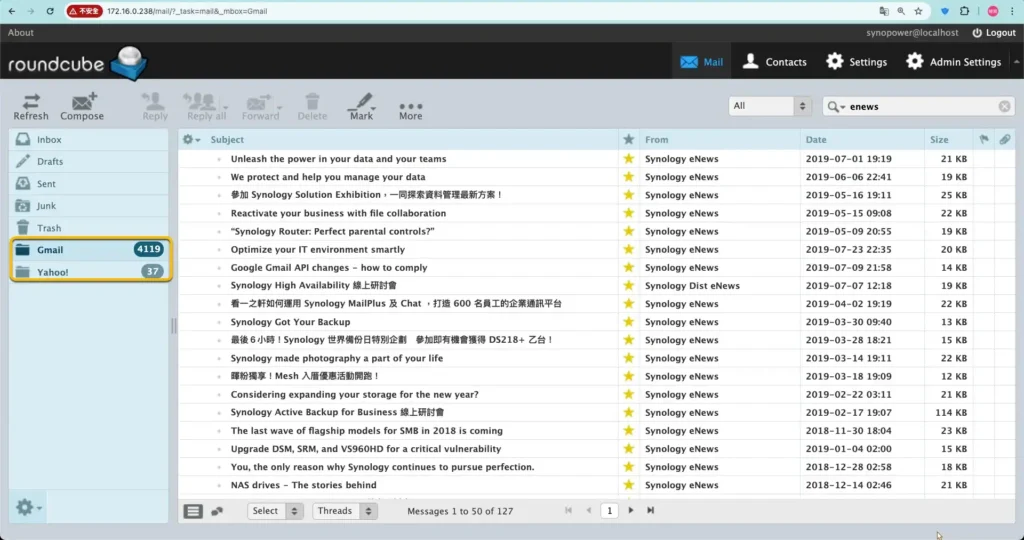
Mail Station is the quickest way to get a copy of your email onto a Synology NAS. It signs in to an existing mailbox over POP3, pulls the messages down, and gives you one web client to read all of them. It is worth setting up when any of these apply:
- 여러 이메일 계정(Yahoo, Gmail, 학교 이메일, 직장 이메일)을 한곳에서 관리해야 합니까?
- 이메일 계정의 저장 공간은 제한되어 있으므로 첨부 파일을 포함한 모든 이메일을 정기적으로 다운로드해야 합니다.
- 모든 개인 비즈니스 이메일을 안전하게 백업하고 필요할 때 언제든지 접근할 수 있게 하려고 합니다.
Synology NAS 소유자로서, 우리는 다양한 공급업체의 모든 이메일을 NAS로 다운로드할 수 있습니다.
그런 다음 하나의 웹 메일 클라이언트에서 쉬운 관리 및 백업을 수행합니다. 다음은 예입니다.
Synology 메일 솔루션 제품군 중 하나를 설치하세요. #
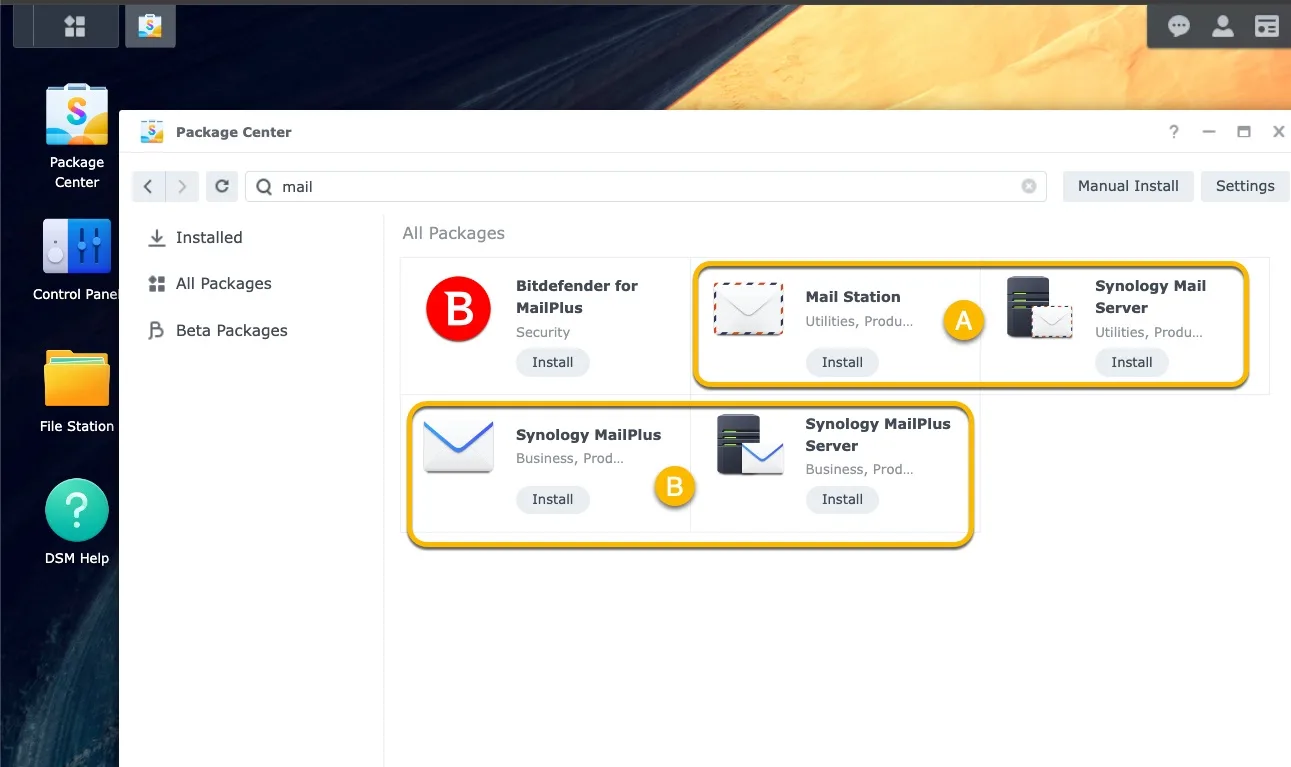
아래에 Synology 메일 솔루션 모음 두 개를 설치할 수 있습니다. 이렇게 하면 POP3를 통해 이메일을 가져오는 데 도움이 될 수 있습니다.
- [에이] 메일 스위트: Synolgoy 메일 서버 + 메일 스테이션
- [비] MailPlus Suite: Synology MailPlus 서버 + Synology MailPlus
여기서 우리는 suite를 사용합니다 [A] -Synology 메일 서버 제품군– Synology 메일 서버는 거의 모든 Synology NAS 모델에서 사용 가능하므로 패키지 센터에 설치하세요.
첫 번째 버전은 2012년부터 지금까지 출시되었습니다. MailPlus 제품군은 2016년부터 출시되었으며, 상위급 NAS 모델에서 사용할 수 있습니다.
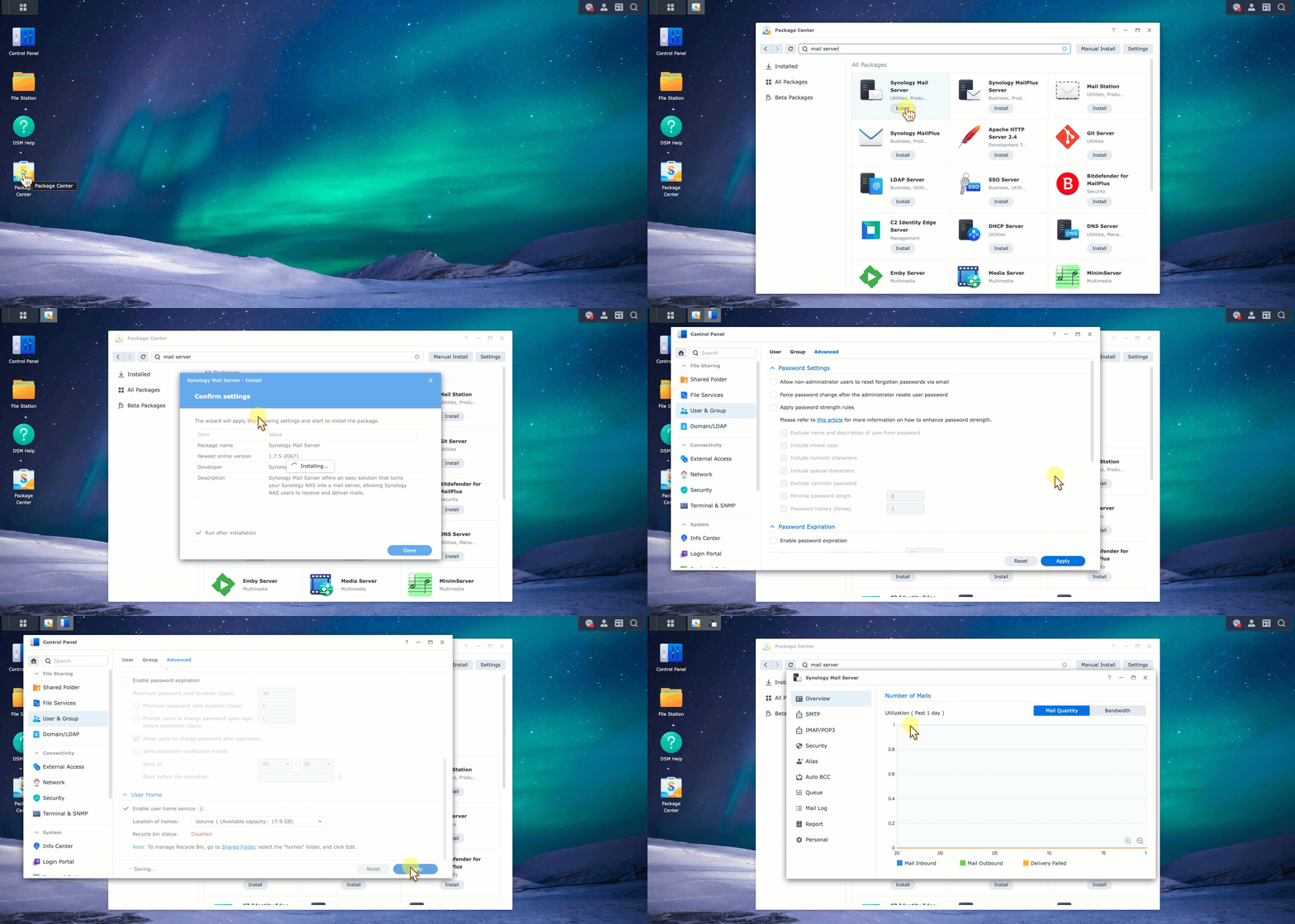
Synology 메일 서버를 클릭하여 설치를 시작합니다. 사용자 홈을 활성화하면 Synology 메일 서버가 잘 작동할 수 있습니다.
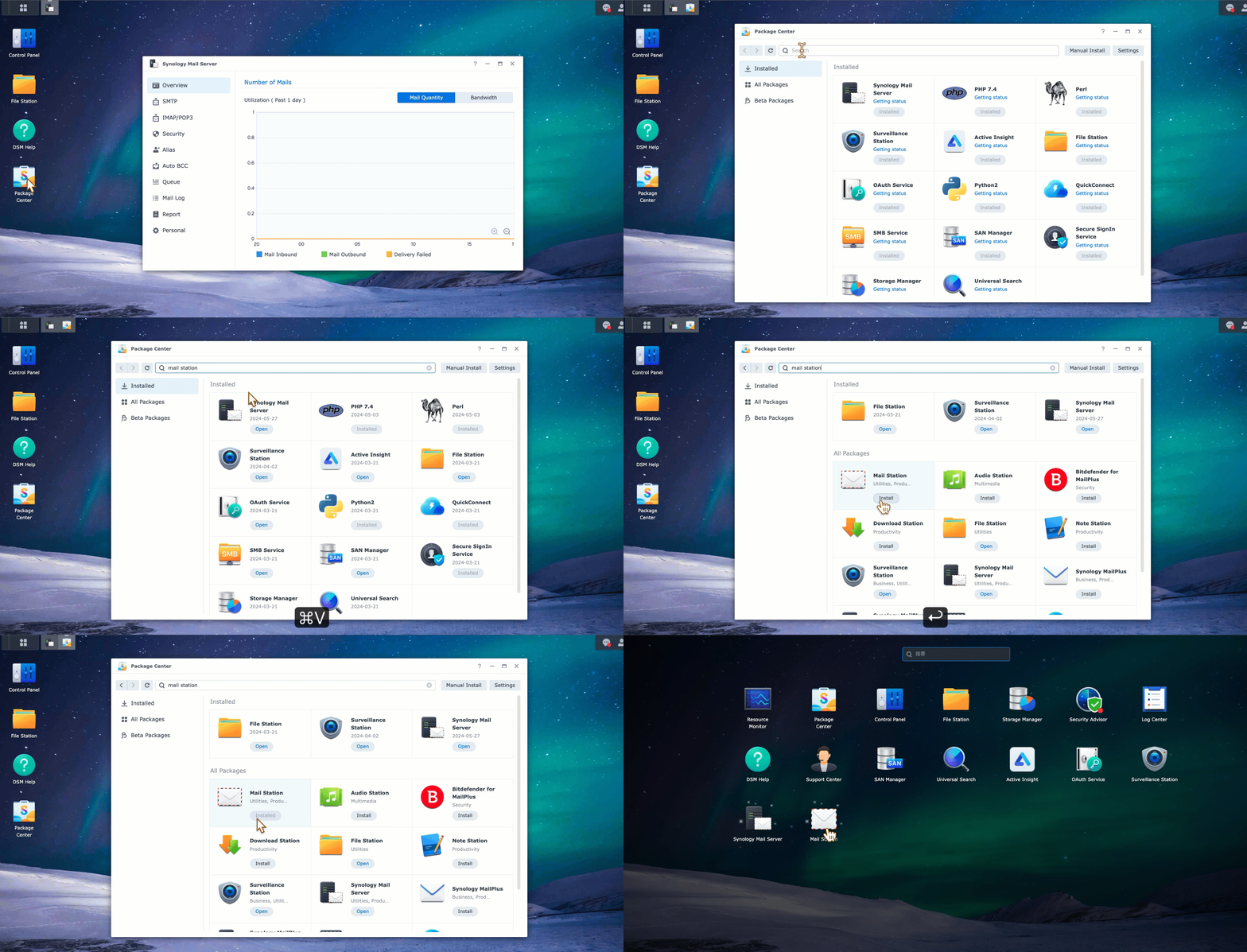
여기서 두 스위트의 비교도 볼 수 있습니다. Synology MailPlus 서버와 Synology 메일 서버의 차이점은 무엇인가요?
Mail Station 웹 메일 클라이언트에서 POP3 가져오기 기능을 활성화합니다. #
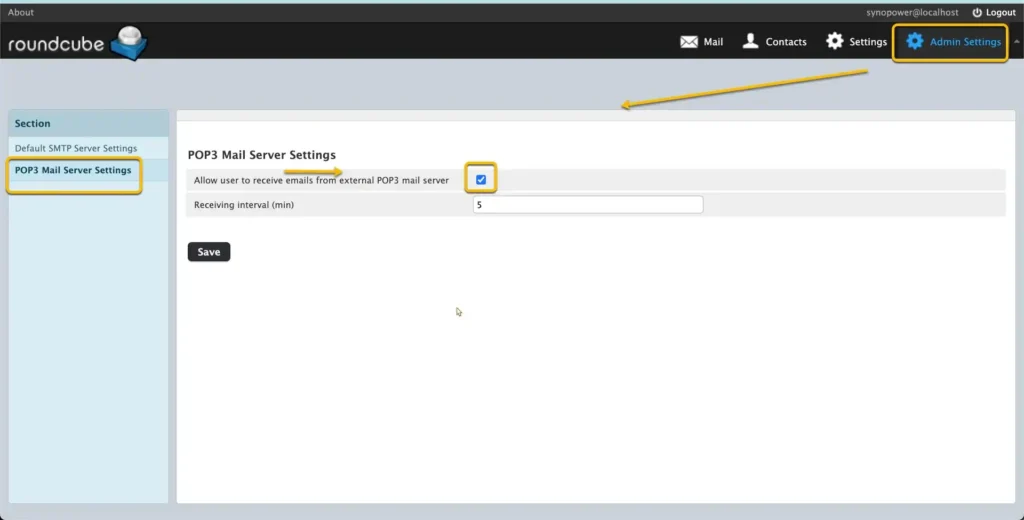
Mail Station 웹 클라이언트에서 POP3를 활성화해야 합니다. 이 옵션은 관리자 설정에서 찾을 수 있습니다.
활성화되면 POP3 구성 필드를 볼 수 있습니다. [설정] 옆에 [관리자 설정].
Yahoo, Gmail 및 기타 이메일 제공자에 대한 POP3 액세스를 활성화합니다. #
외부 이메일 계정의 POP3 설정을 구성합니다. 나중에 Synology 메일 서버가 액세스하여 가져올 수 있습니다.
- Google:
- 야후!:
- Outlook.com: Outlook.com에서 POP3 설정.
- 기타: 자세한 지침은 공식 문서를 참조하세요.
POP3를 사용하여 이메일을 가져오도록 Mail Station을 구성합니다.
#
a. Synology NAS에서 Mail Station을 엽니다.
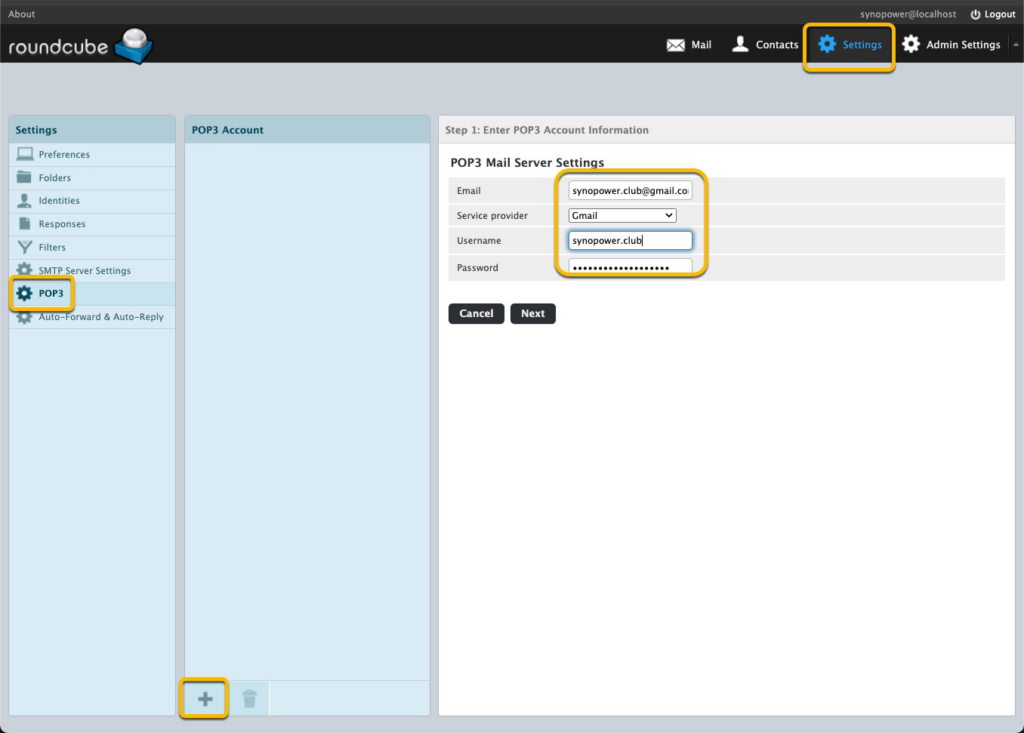
b. 설정 → POP3로 이동합니다. 클릭합니다. ➕.
c. 각 이메일 계정에 대해 다음 정보를 입력합니다. 여기서는 테스트할 Gmail 계정 하나를 사용합니다.
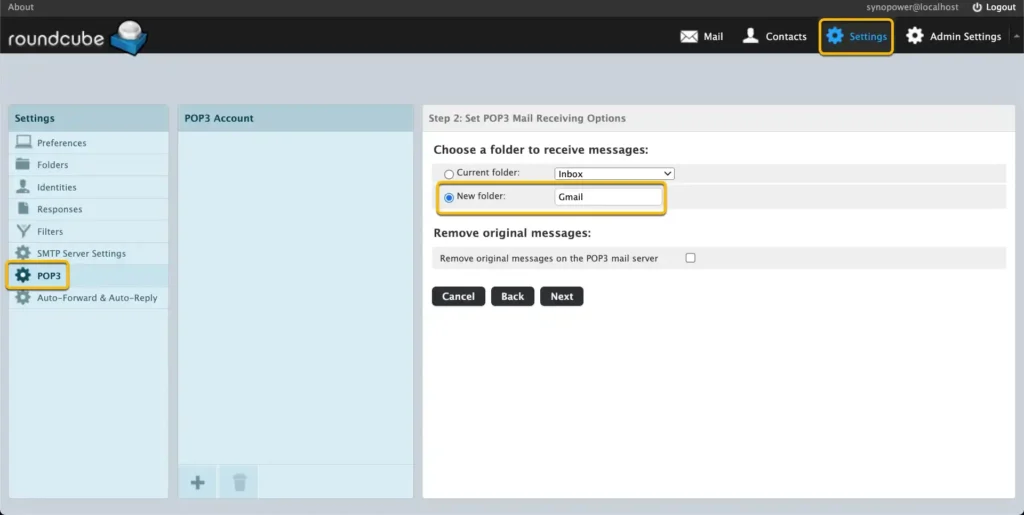
d. 새 메일 폴더를 구성합니다. 「Gmail」 이 Gmail 테스트 계정에 대해서요.
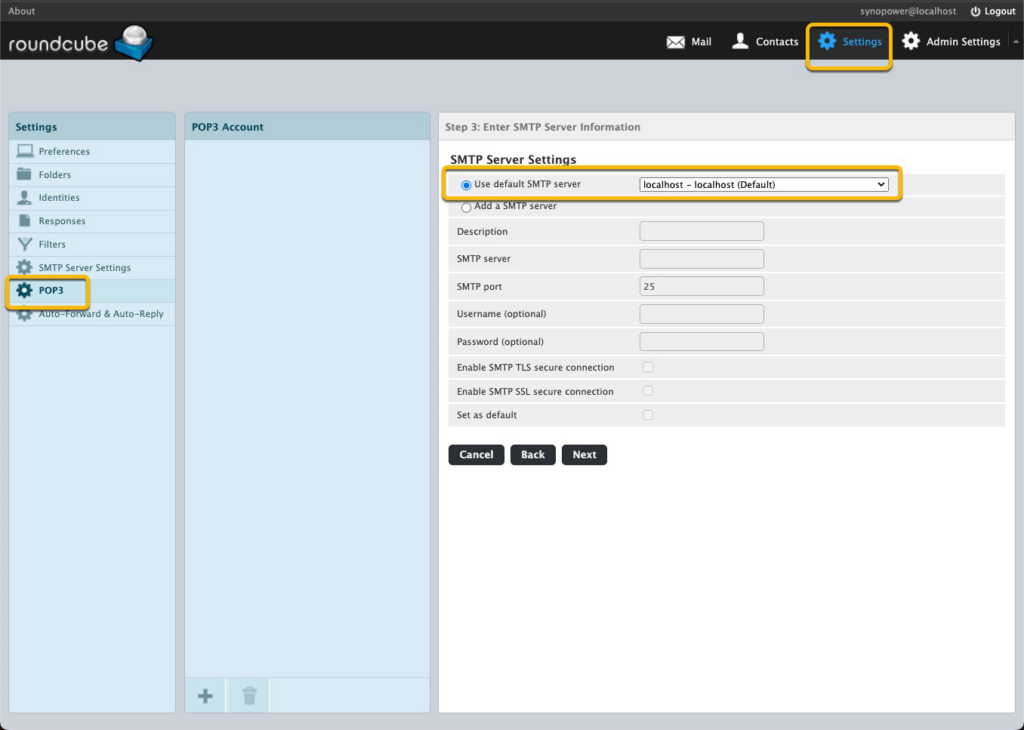
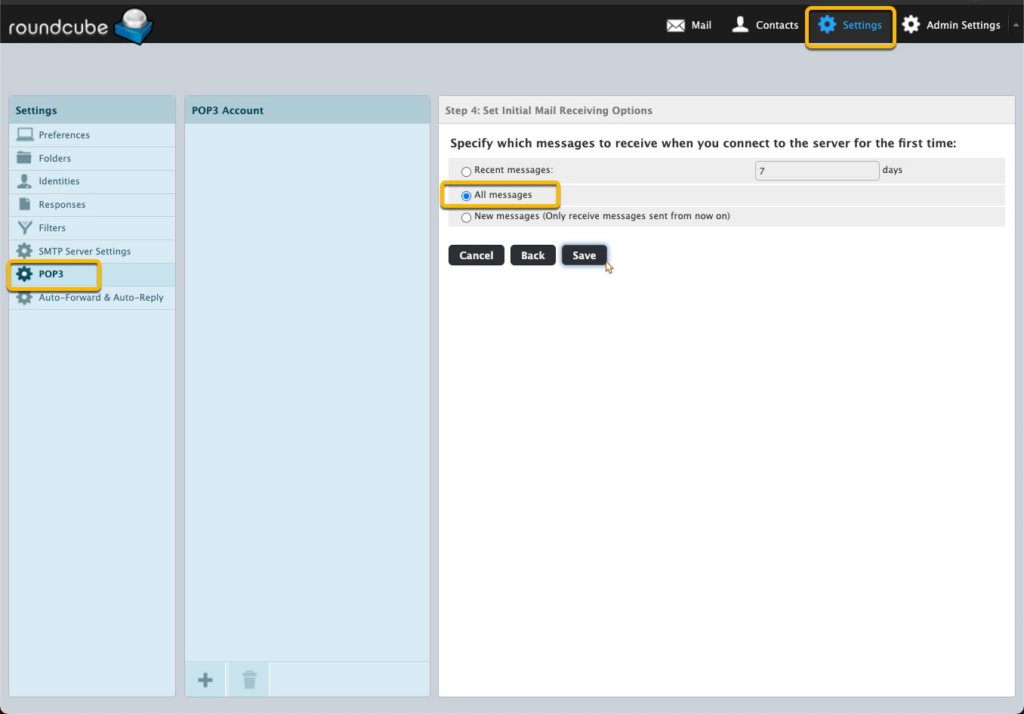
e. SMTP 설정을 건너뛰고 수신을 선택하세요. 모든 메시지.
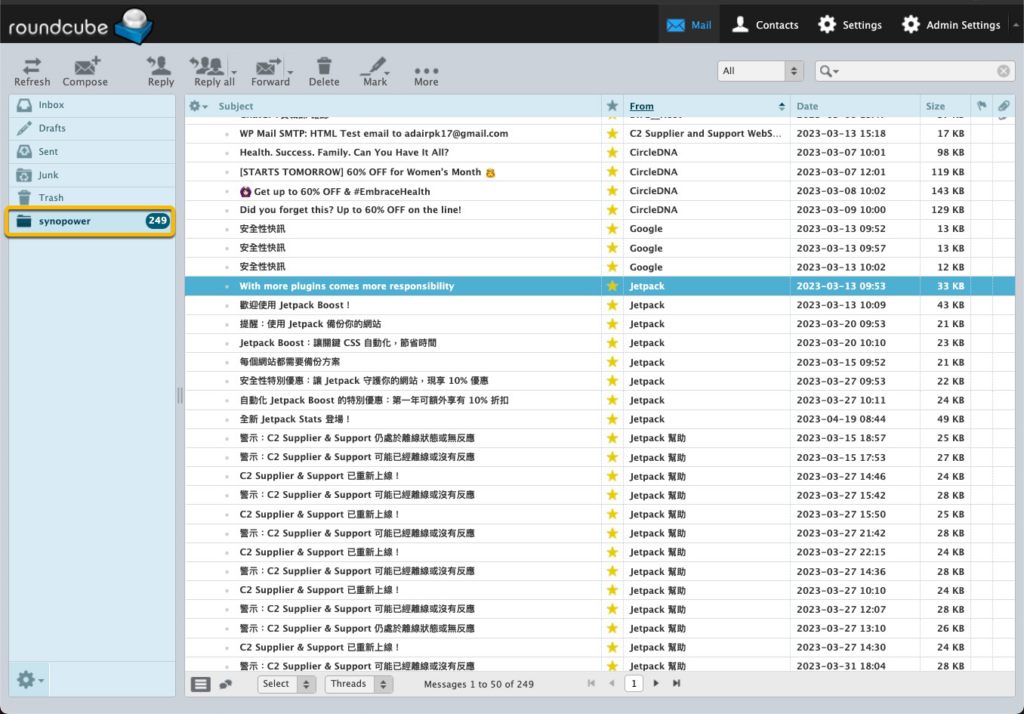
잠깐만요. 메시지가 synopower 폴더로 오는 것을 볼 수 있습니다.
우리의 Synology에는 Outlook이나 Tunderbird가 있는 것 같습니다.
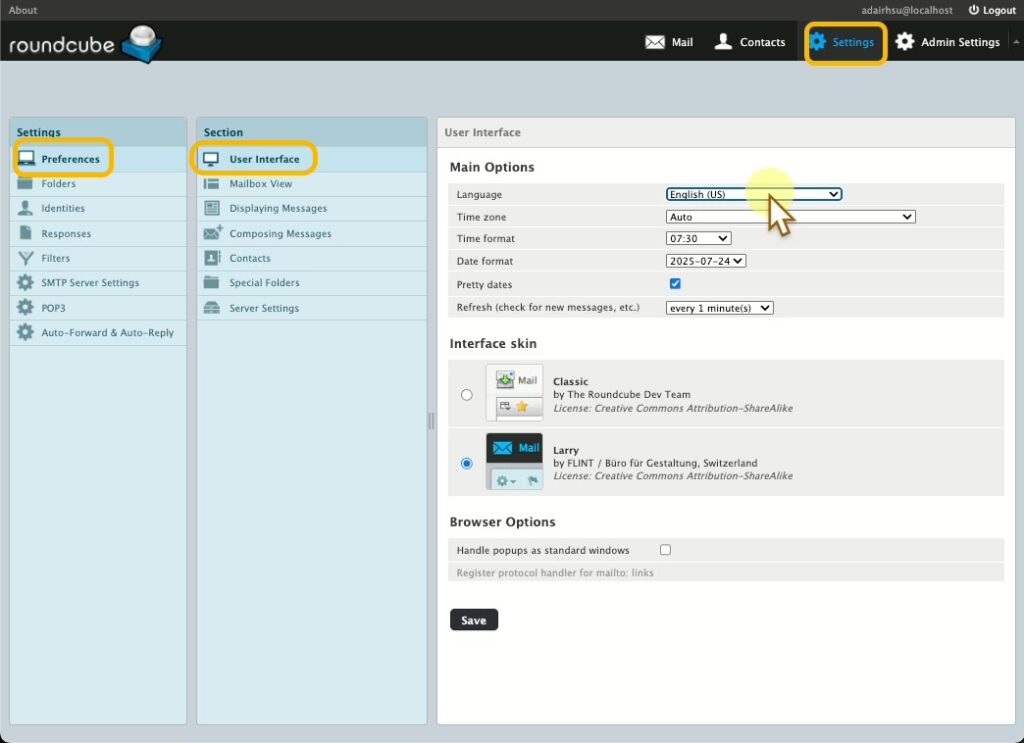
우리는 선호하는 언어를 변경할 수 있습니다:
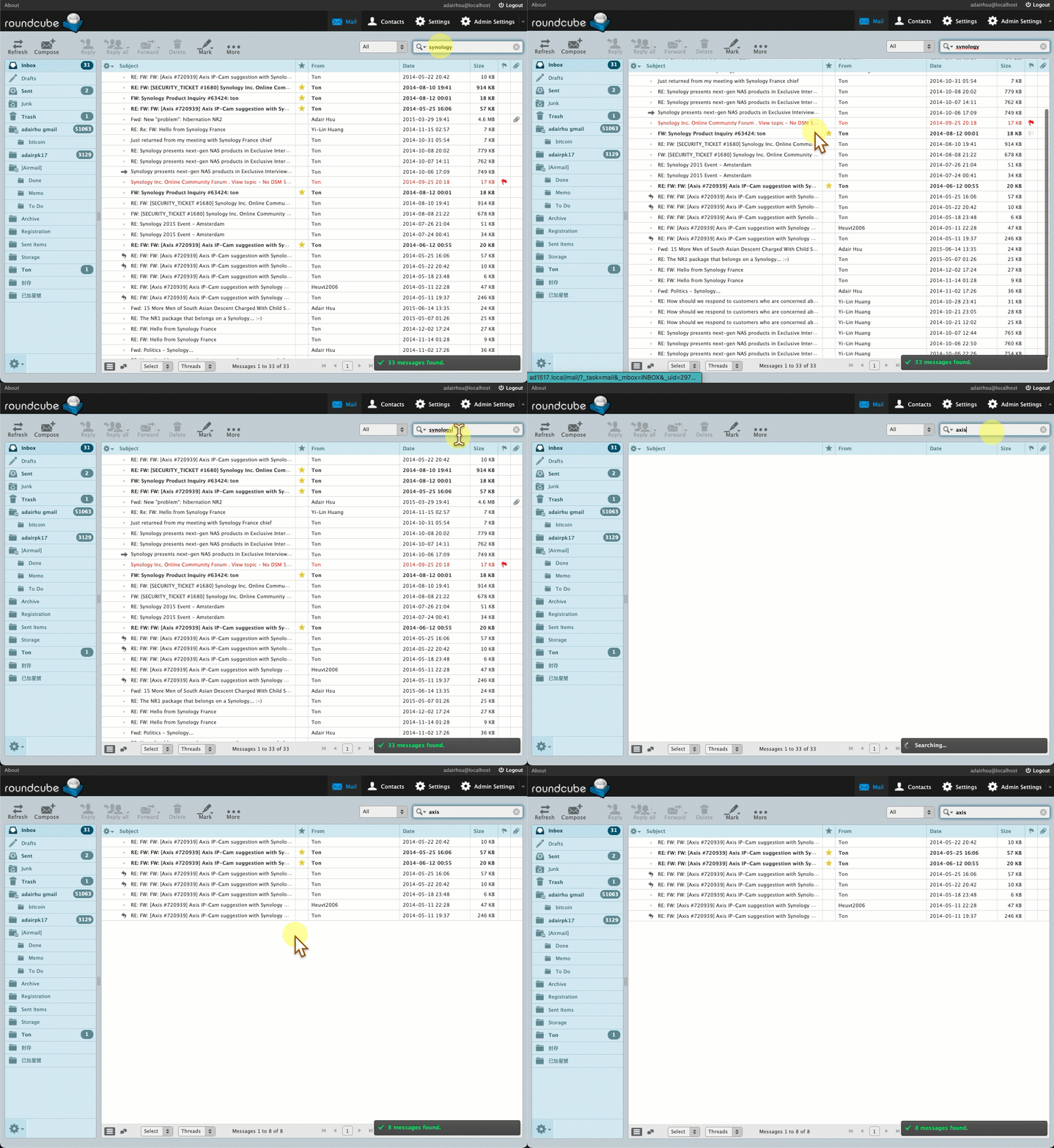
또는 백업 메일 검색을 시작하세요.
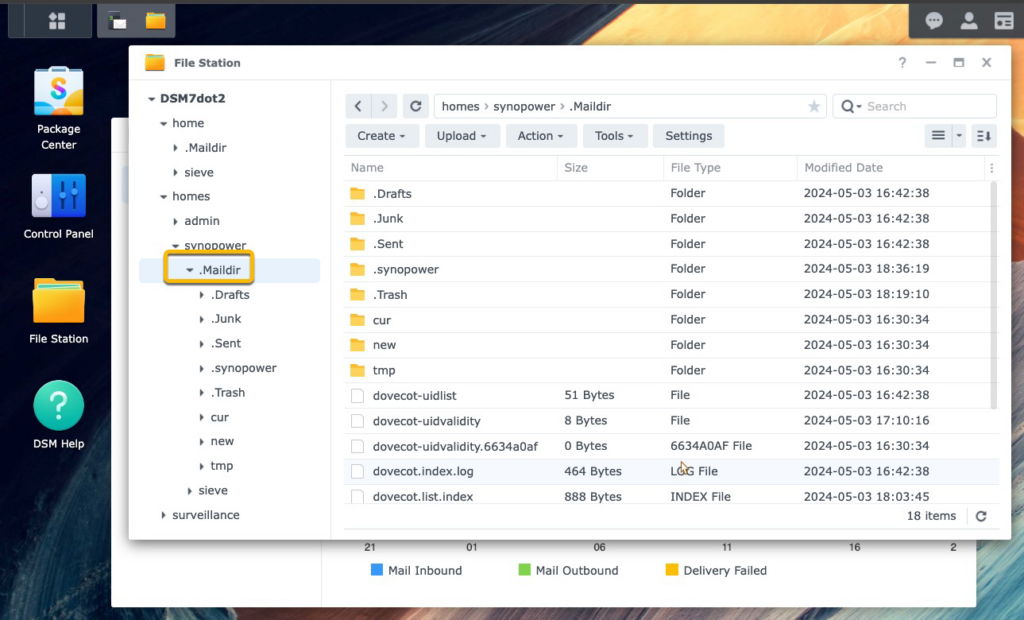
실제 메일 주소 데이터는 모든 사용자 홈 폴더의 .Maildir에 저장됩니다. 이 폴더를 백업하는 것은 메일 데이터를 백업하는 것과 같습니다.
이론적으로, 앞으로 Synology 솔루션을 더 이상 사용하지 않게 되더라도 이 폴더를 다른 컴퓨터로 모드화하여 다른 유사한 클라이언트에서 읽을 수 있도록 할 수 있습니다.
추가 참고 사항:
- Synology 메일 서버와 메일 스테이션 대신 Synology MailPlus 서버와 Synology MailPlus를 사용할 수도 있습니다. MailPlus는 고급 Synology NAS 모델에서 사용할 수 있는 보다 진보된 메일 서버 및 웹메일 애플리케이션입니다. 이 목적을 위한 가이드는 여기에서 찾을 수 있습니다.
최고의 가성비를 자랑하는 Synology 라이선스가 필요하신가요? 👉 SynoPower Club에서 하나 구입하세요

세일 중
Synology Surveillance Station 라이선스 8-카메라 #
원래 가격: US $553.89.US $491.05현재 가격: US $491.05.
세일 중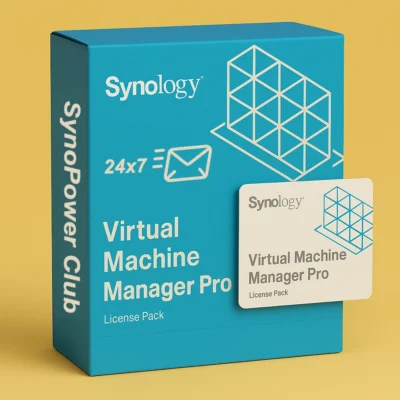
Virtual Machine Manager Pro (VMM Pro) 라이선스 #
US $185.00US $995.88가격 범위: US $185.00~US $995.88
세일 중
Synology Surveillance Station 라이선스 4-카메라 #
원래 가격: US $276.63.US $246.10현재 가격: US $246.10.
세일 중
Synology Surveillance Station 라이선스 1-카메라 #
원래 가격: US $69.00.US $62.10현재 가격: US $62.10.
세일 중
Synology MailPlus 라이선스 5인 사용자 #
원래 가격: US $276.90.US $241.73현재 가격: US $241.73.
세일 중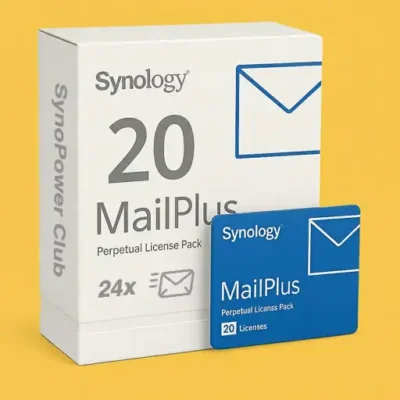
Synology MailPlus 라이선스 20인 사용자 #
원래 가격: US $1,137.59.US $937.94현재 가격: US $937.94.
세일 중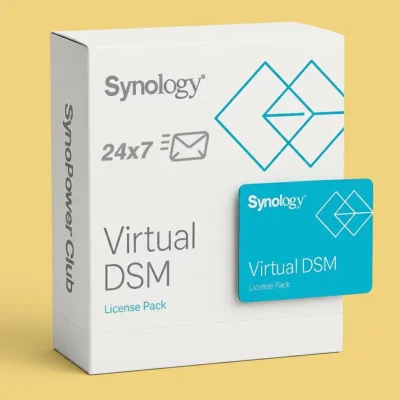
Virtual DSM(VDSM) 라이선스 1개 인스턴스 #
원래 가격: US $169.87.US $145.24현재 가격: US $145.24.
Synology Mail Backup FAQ #
Which Synology package should I use to back up email? #
Mail Station is the lightweight option and is what this guide uses: it fetches from an existing mailbox over POP3 and keeps a copy on the NAS. MailPlus Server is the full mail server and is the better choice if you also want to host your own domain’s mail rather than just archive it.
Can I back up Gmail to a Synology NAS? #
Yes. Enable POP3 access in the Gmail settings, then add the account in Mail Station as a POP3 fetch source. Google requires an app password rather than your normal account password once two-step verification is on.
Does fetching by POP3 delete the mail from the server? #
Only if you tell it to. POP3 can either leave a copy on the server or remove it after download, and the choice is a setting on the fetch account. For archiving, leave the copy in place.
Does Mail Station need a licence? #
No. Mail Station is free. MailPlus Server includes 5 accounts free and needs licence packs beyond that, which is a different product from the Surveillance Station camera licences.
How far back will it fetch? #
POP3 only pulls what the provider still exposes, so very old mail that the provider has already moved out of the POP3 view will not appear. Check the provider’s POP3 settings before assuming a full history.