

🤔 How can I save emails of different accounts ( Gmail、Yahoo! …) to a Synology NAS for backup and management 📂 ?

Updated on September 27, 2026
3 min read
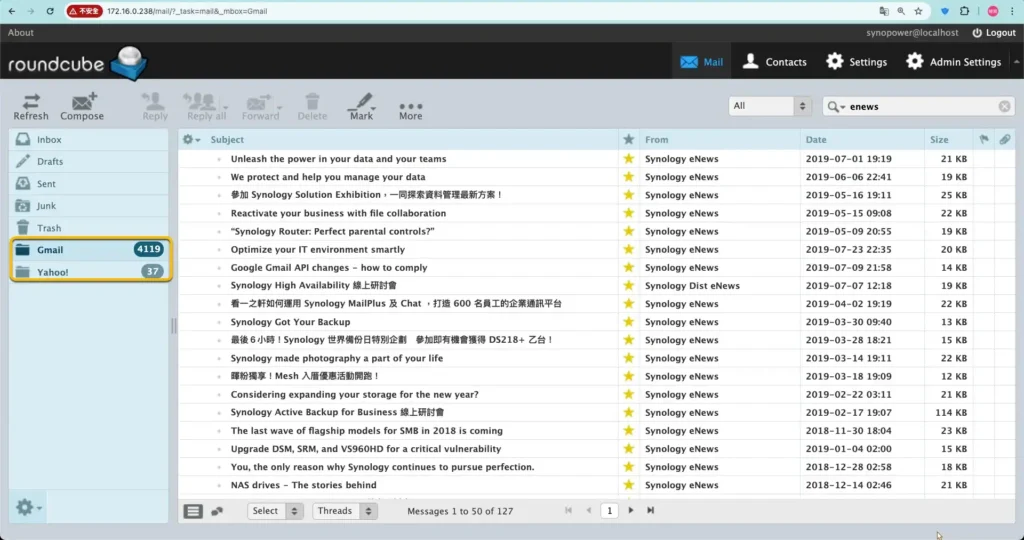
Mail Station is the quickest way to get a copy of your email onto a Synology NAS. It signs in to an existing mailbox over POP3, pulls the messages down, and gives you one web client to read all of them. It is worth setting up when any of these apply:
- Need to manage multiple email accounts ( Yahoo, Gmail, school email, work email ) all in one place.
- Email accounts have limited storage space, and you need to regularly download all of your emails, including attachments.
- Want to securely back up all personal business emails and access anytime if necessary.
As a Synology NAS owner, we can download all emails of different providers to a NAS.
Then perform easy management and backup under one web mail client. Here is an example:
Install either one Synology mail solution suite #
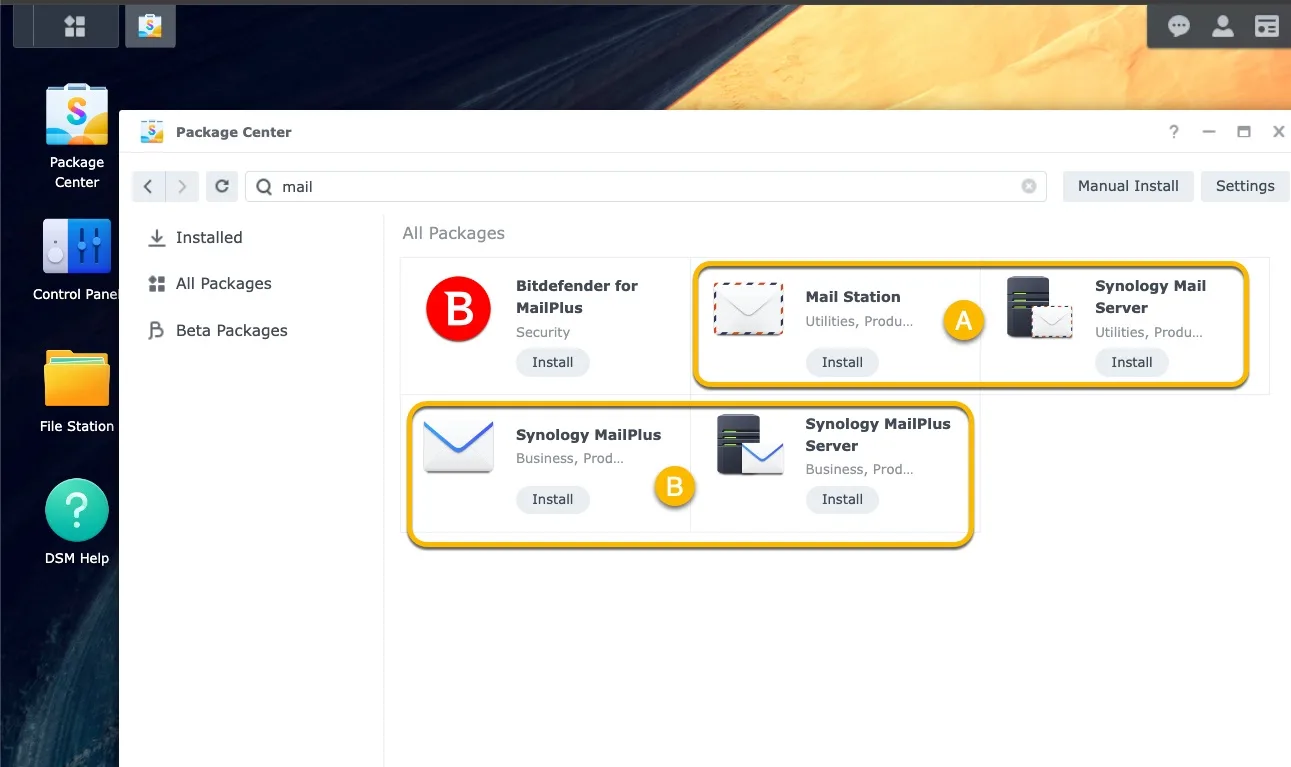
We could install one suite of two Synology mail solution suites below. This could help fetch emails via POP3:
- [A] Mail Suite: Synolgoy Mail Server + Mail Station
- [B] MailPlus Suite: Synology MailPlus Server + Synology MailPlus
Here we use suite [A] -Synology Mail Server suite– to install in Package Center, because Synology Mail Server is almost available in each Synology NAS model.
Its first version was release since 2012 until now. MailPlus suite was released since 2016, available for higher-end NAS models.
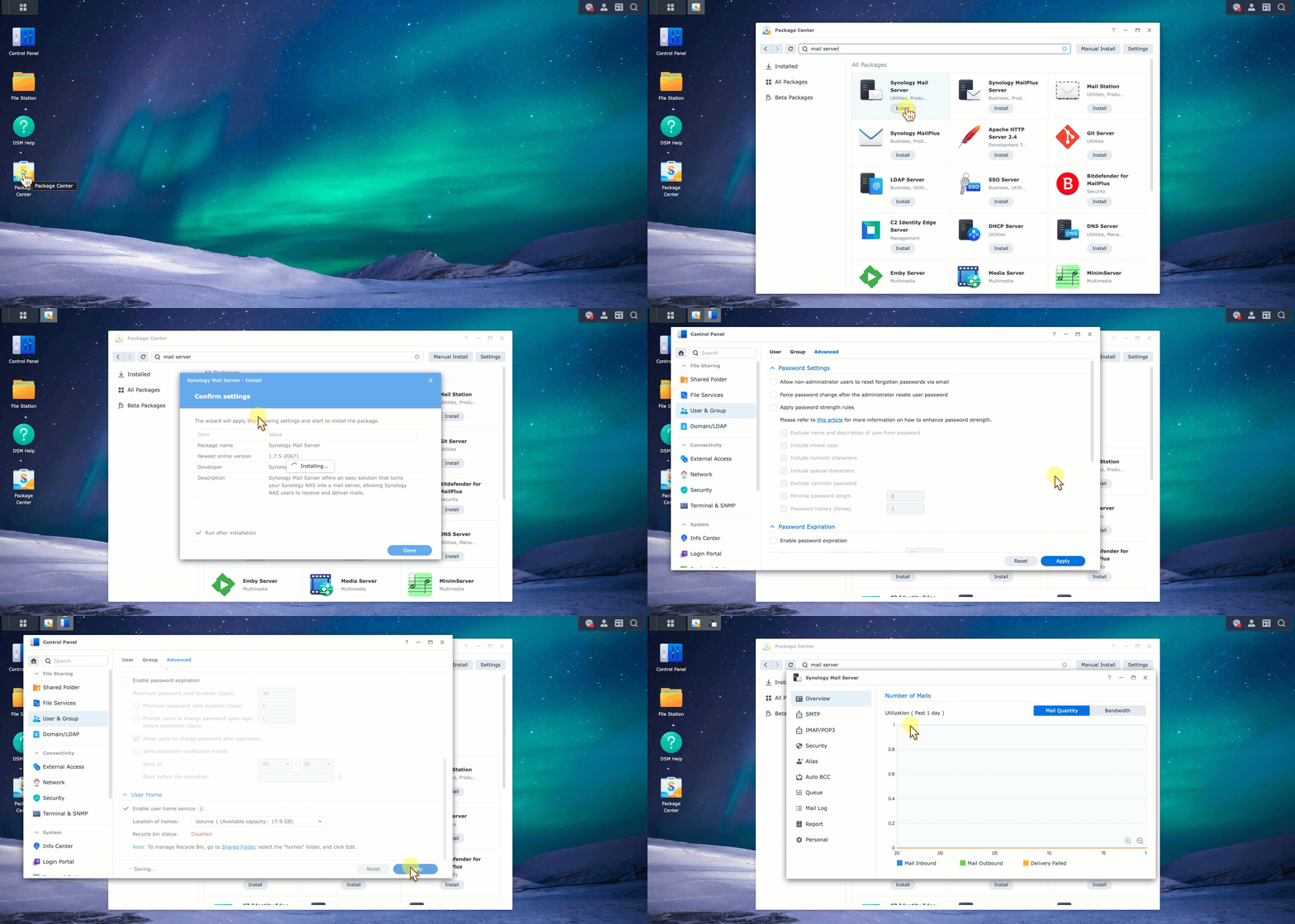
Click Synology Mail Server to start installation. Enable User home then Synology Mail Server could work well.
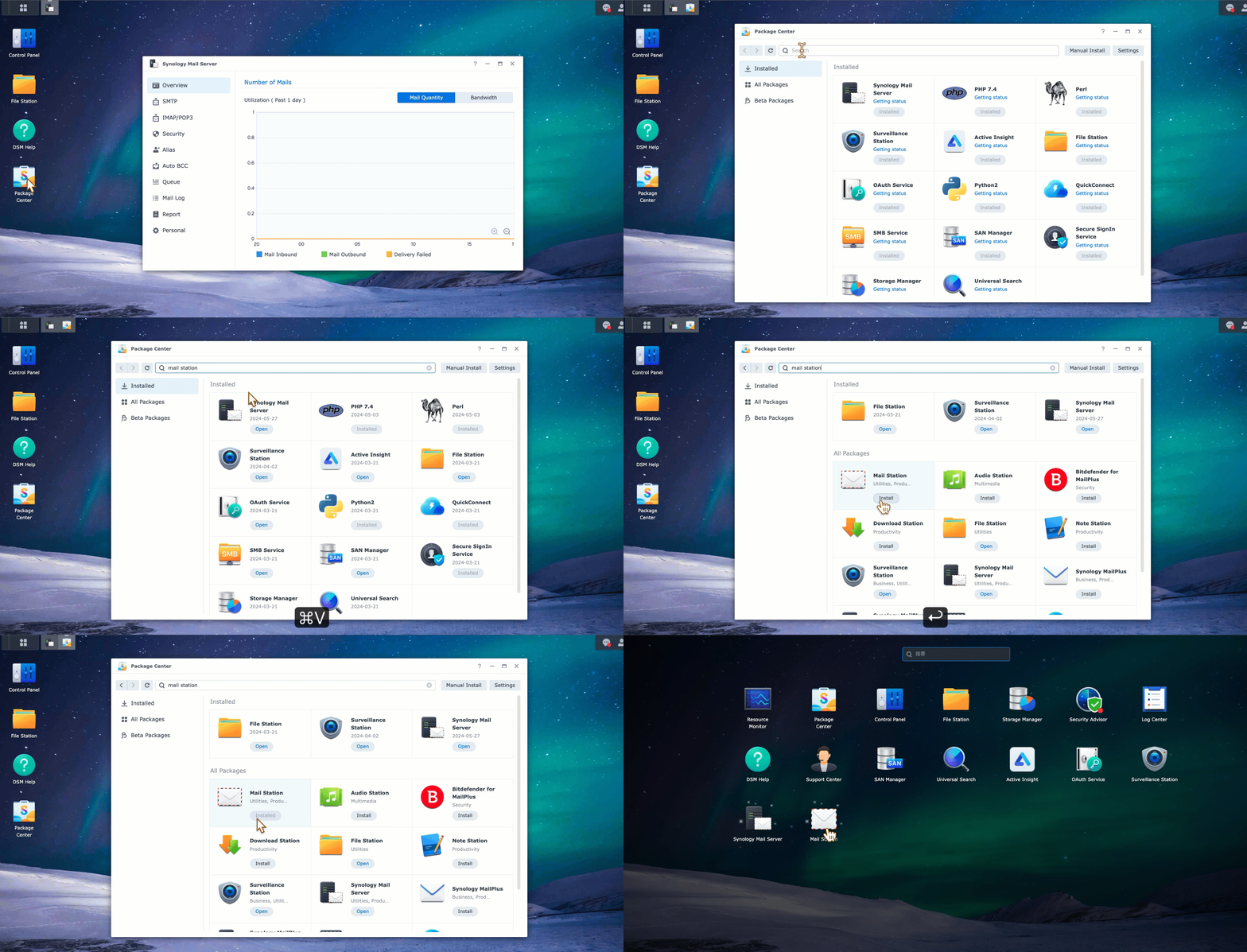
We could also see the comparison between two suites here: What are the differences between Synology MailPlus Server and Synology Mail Server?
Enable POP3 fetching function in Mail Station web mail client. #
We need to enable POP3 in Mail Station web client. This option could be found in Admin Settings.
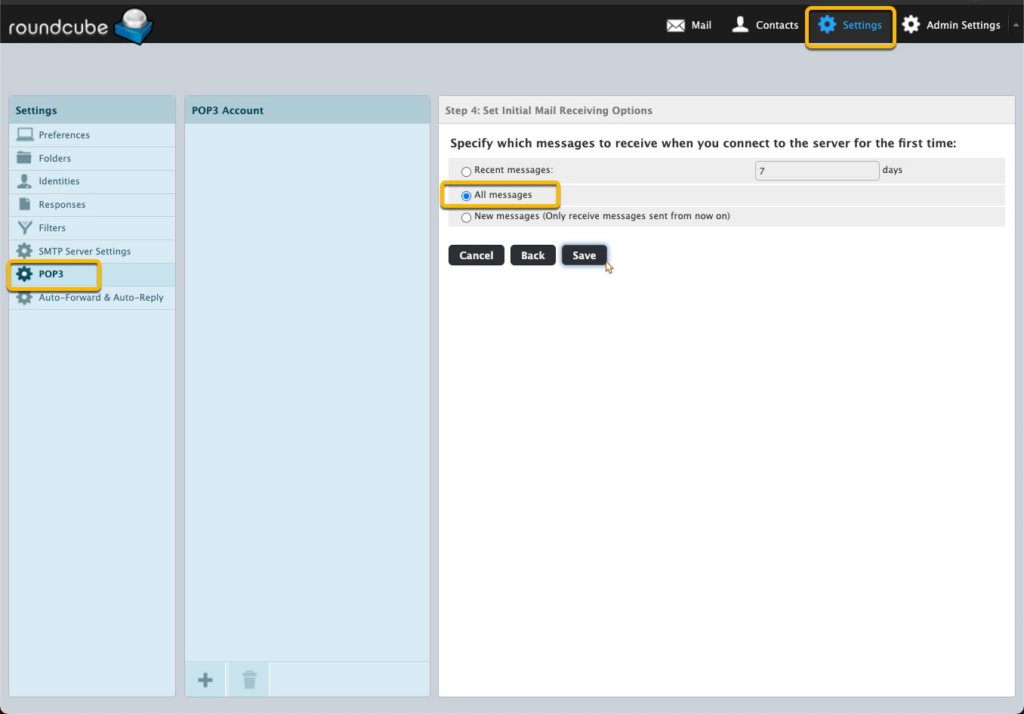
Once it is enabled, we could see POP3 configuration field in [Settings] next to [Admin Setting].
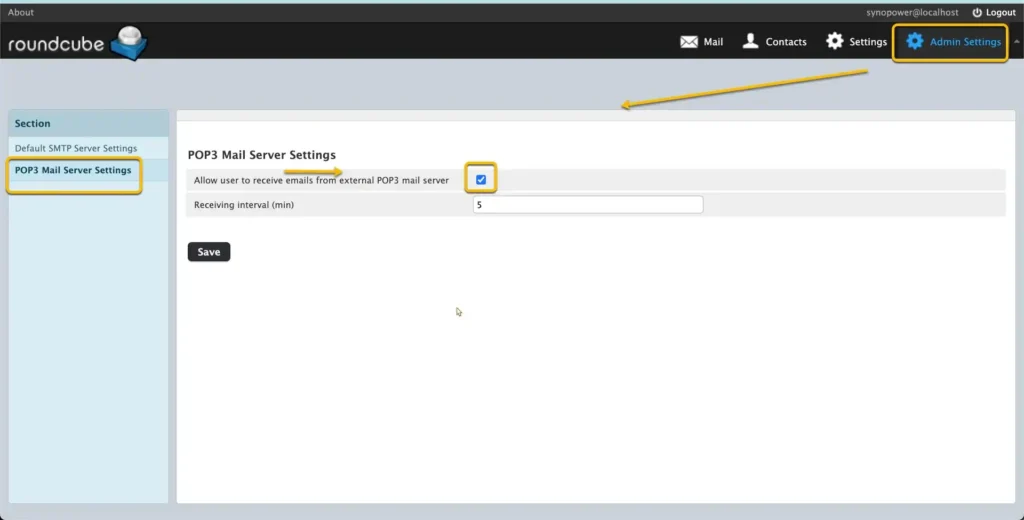
Enable POP3 access for Yahoo, Gmail, and other email providers. #
Configure the POP3 settings of your external email account. Later then Synology Mail Server could access and fetch.
- Google:
- Yahoo!:
- Outlook.com: Set up POP3 in Outlook.com.
- Others: Refer to their official documentation for instructions.
Configure Mail Station to fetch emails using POP3.
#
a. Open Mail Station on your Synology NAS.
b. Go to Settings → POP3. Click ➕.
c. Enter the following information for each of your email accounts. We use one Gmail account to test here.
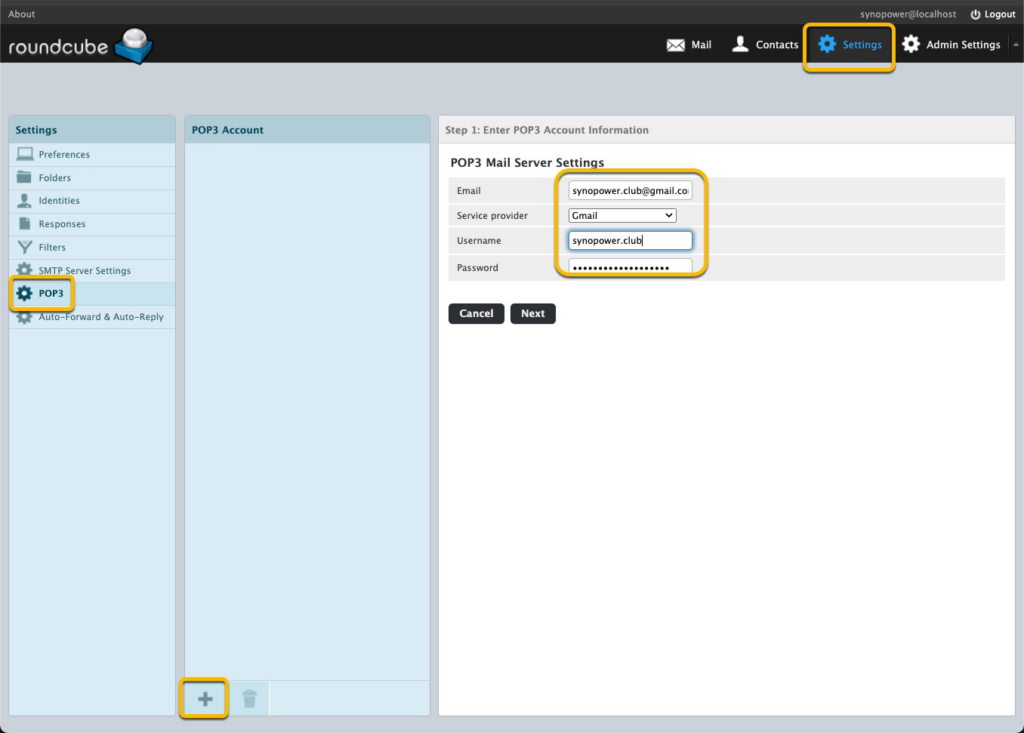
d. Configure a new mail folder called 「Gmail」 for this Gmail testing account.
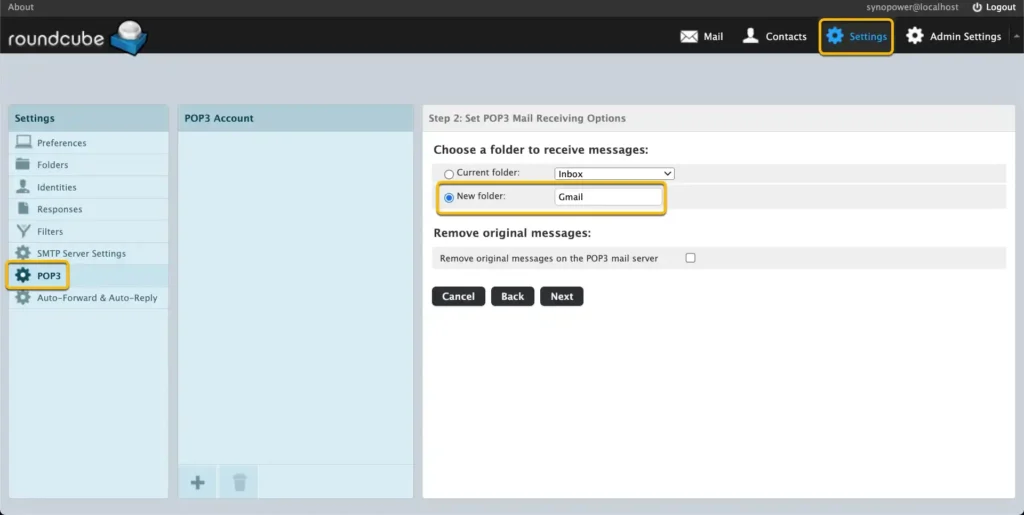
e. Skip SMTP setting and choose to receive All Messages.
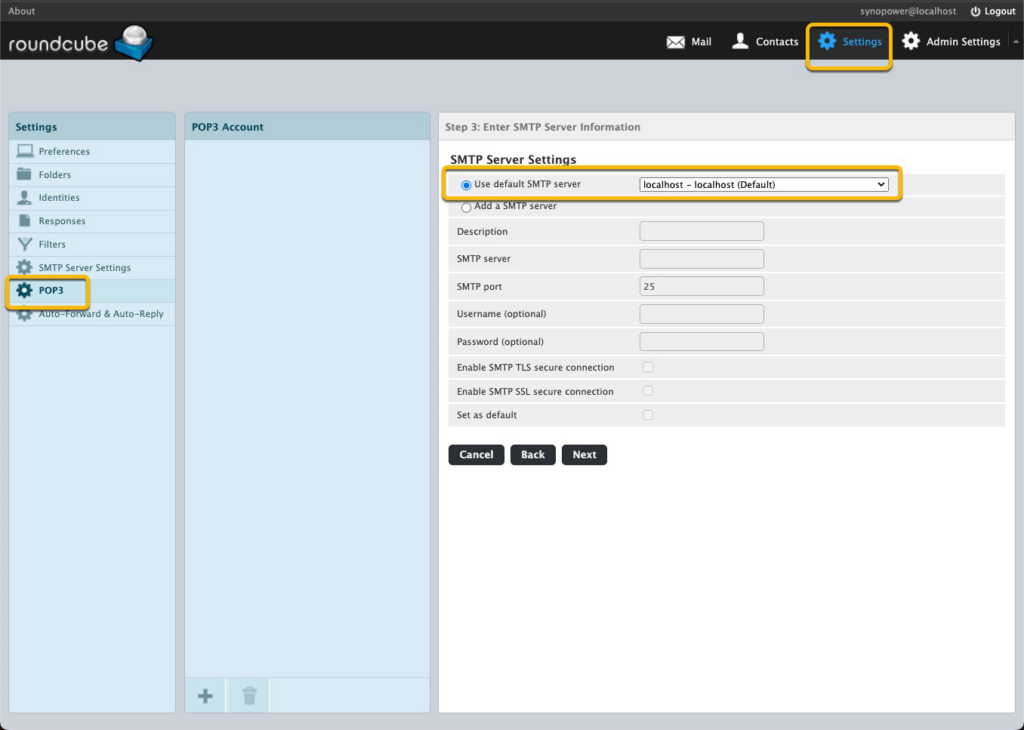
Wait for a moment, we could see messages come to synopower folder.
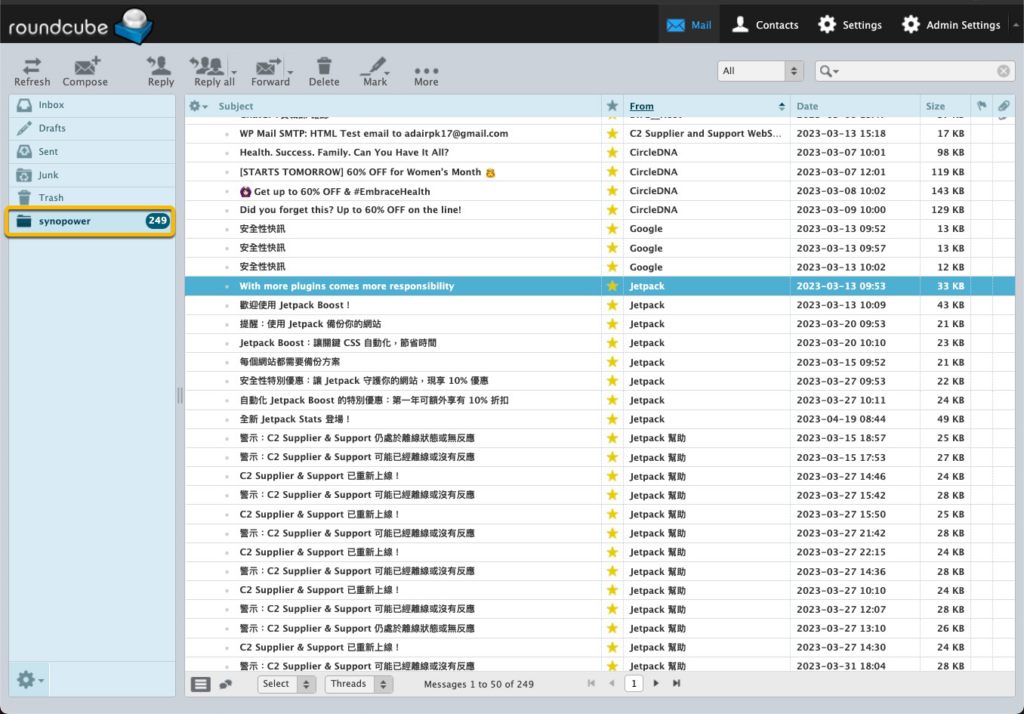
It looks like we have an Outlook or Tunderbird in our Synology.
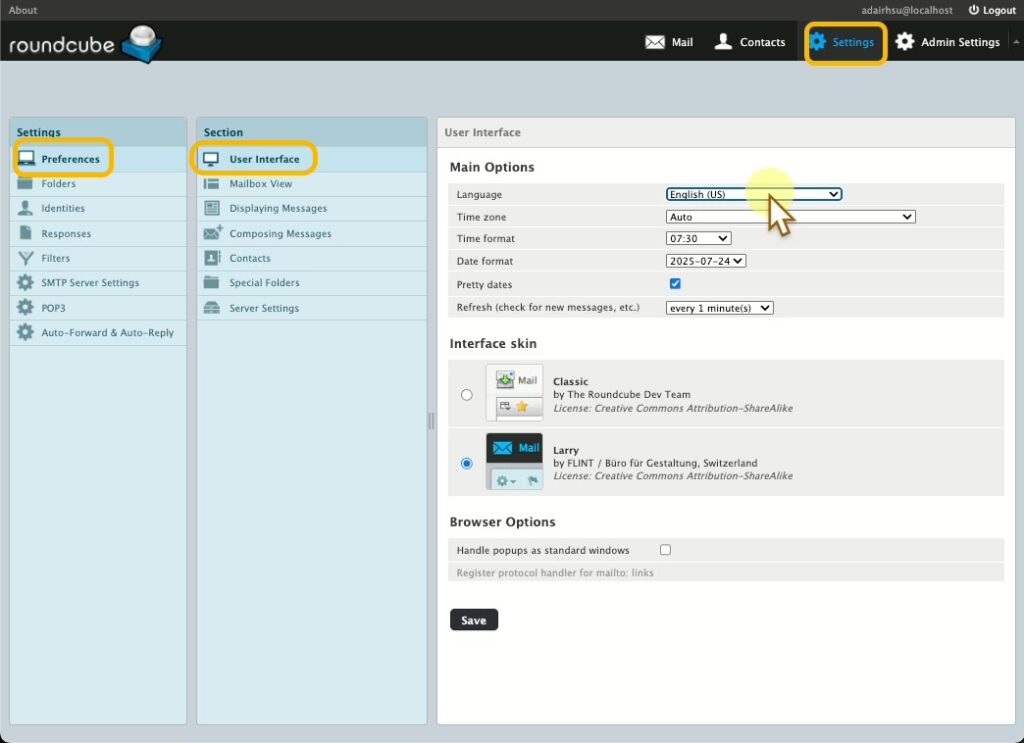
We could change our preferred language:
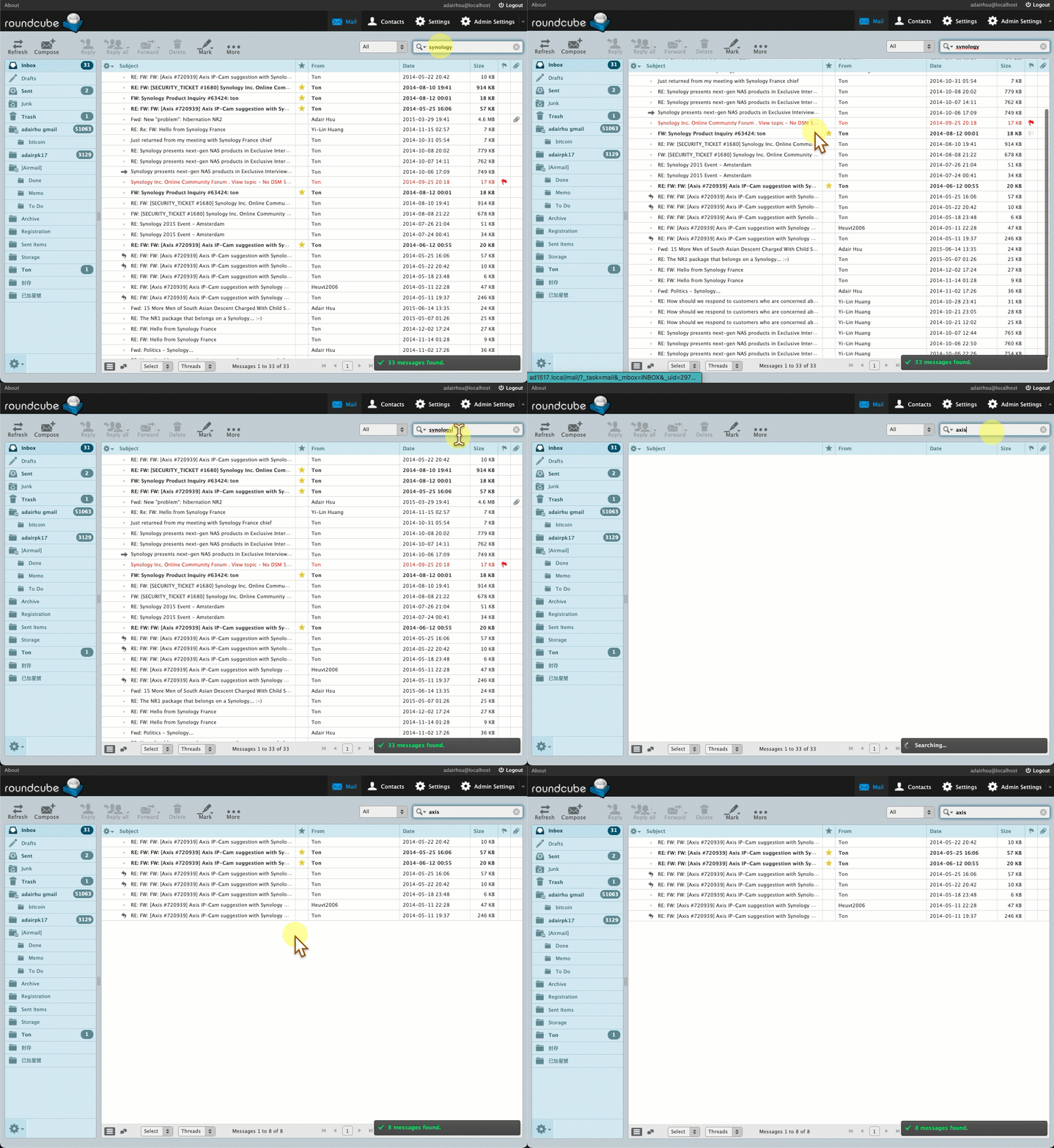
or start searching backup mail:
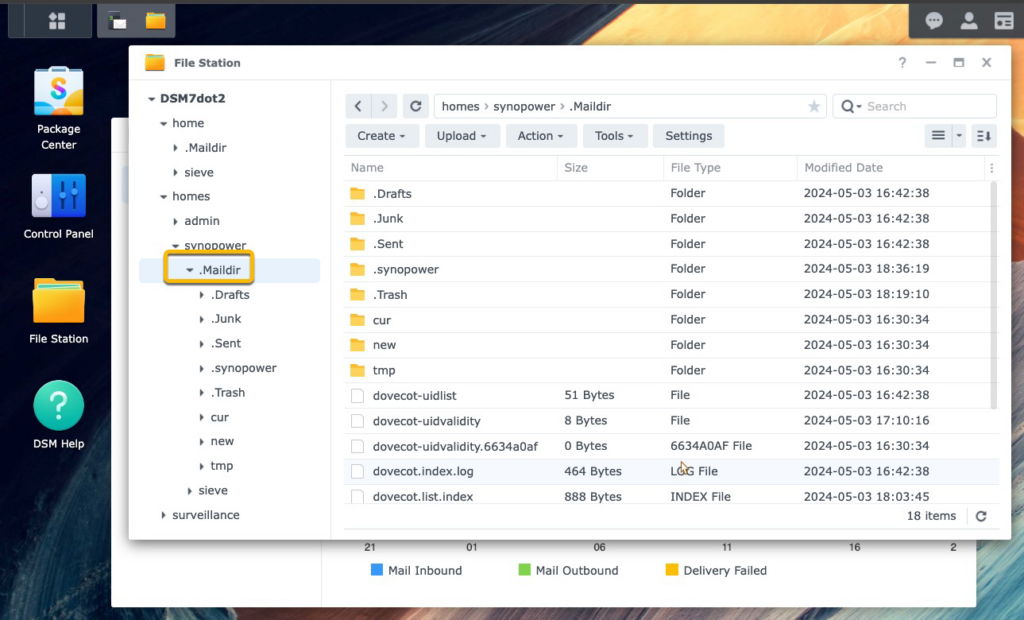
The real mail address data is stored in .Maildir in every user home folder. Backup this folder is equal to backup your mail data.
Theoretically, if in the future we don’t use Synology solution anymore, we could mode this folder to other machine and it is readable by other similar client.
Additional Notes:
- You can also use Synology MailPlus Server and Synology MailPlus instead of Synology Mail Server and Mail Station. MailPlus is a more advanced mail server and webmail application that is available on higher-end Synology NAS models. Its guide for this purpose could be found here.
Need a Synology license with best value? 👉 Get one from SynoPower Club

On Sale
Synology Surveillance Station License 8-Camera #
Original price was: €481.61.€426.97Current price is: €426.97.
On Sale
Virtual Machine Manager Pro (VMM Pro) License #
€160.86 €865.92Price range: €160.86 through €865.92
On Sale
Synology Surveillance Station License 4-Camera #
Original price was: €240.53.€213.98Current price is: €213.98.
On Sale
Synology Surveillance Station License 1-Camera #
Original price was: €60.00.€54.00Current price is: €54.00.
On Sale
Synology MailPlus License 5-User #
Original price was: €240.76.€210.18Current price is: €210.18.
On Sale
Synology MailPlus License 20-User #
Original price was: €989.13.€815.54Current price is: €815.54.
On Sale
Virtual DSM (VDSM) License 1-Instance #
Original price was: €147.70.€126.29Current price is: €126.29.
Synology Mail Backup FAQ #
Which Synology package should I use to back up email? #
Mail Station is the lightweight option and is what this guide uses: it fetches from an existing mailbox over POP3 and keeps a copy on the NAS. MailPlus Server is the full mail server and is the better choice if you also want to host your own domain’s mail rather than just archive it.
Can I back up Gmail to a Synology NAS? #
Yes. Enable POP3 access in the Gmail settings, then add the account in Mail Station as a POP3 fetch source. Google requires an app password rather than your normal account password once two-step verification is on.
Does fetching by POP3 delete the mail from the server? #
Only if you tell it to. POP3 can either leave a copy on the server or remove it after download, and the choice is a setting on the fetch account. For archiving, leave the copy in place.
Does Mail Station need a licence? #
No. Mail Station is free. MailPlus Server includes 5 accounts free and needs licence packs beyond that, which is a different product from the Surveillance Station camera licences.
How far back will it fetch? #
POP3 only pulls what the provider still exposes, so very old mail that the provider has already moved out of the POP3 view will not appear. Check the provider’s POP3 settings before assuming a full history.