

Surveillance365 Plus vs Surveillance Station for Multi-Site Monitoring

Running cameras at many locations used to mean one recorder per site, one VPN per recorder and one very busy IT person. Synology Surveillance365 Plus changes the arithmetic: a one-time perpetual license adds sub-account permissions, multi-site management and audit logs to the free Surveillance365 cloud portal, so a branch office can go live with cameras and nothing else. This guide explains what Surveillance365 Plus costs, how it compares with Surveillance Station licenses, and how the two now work side by side in one hybrid deployment, with headquarters on a NAS and branches in the cloud.
SynoPower Club Point:After years of answering Synology support tickets, my rule of thumb for multi-site surveillance is simple: put recording where the bandwidth and the IT staff already are, and put management where the people are. Surveillance365 Plus is the management half for sites that have neither a server room nor a technician. Do not buy it because it is cheap, and do not skip it because it is cloud. Count your sites, count your users, and decide whether each branch really needs its own recorder.
What Is Surveillance365 Plus?
Surveillance365 is Synology’s cloud portal for managing supported Synology cameras, and the base Standard plan is free. Surveillance365 Plus is the paid tier on top of it. Synology’s pricing page describes it as an upgrade for growing teams, and its licenses never expire, so there is no subscription to renew.
Plus adds three things to everything in Standard:
- Sub-account permission management, so each person sees only the cameras their role needs.
- Multi-site camera management, so cameras are organized by location instead of one flat list.
- Activity logs and history, the audit trail that answers who did what and when.
Standard already covers camera setup, multi-camera live view and playback, AI detection with real-time notifications, continuous recording to a microSD card in the camera, and secure remote access. The difference shows up in how long you can watch remotely: on the free plan, remote viewing through the relay is limited to one hour per day for each camera. Once a camera carries a Plus license, you can view live video and play back recordings remotely at any time.
Surveillance365 Plus vs Surveillance Station: Which Do You Need?
The two products solve different problems. Surveillance Station is a full recording and management suite that runs on a Synology NAS. Surveillance365 Plus is a cloud management layer for cameras that record to their own microSD cards. Our Surveillance365 tutorial covers the basics of the cloud side.
| Surveillance Station | Plus | |
|---|---|---|
| Where it runs | On your Synology NAS | Synology’s cloud portal |
| Where footage lives | NAS drives | microSD card in each camera |
| License model | Device licenses beyond the 2 included per NAS | US$52.5 for 5 perpetual licenses |
| Camera support | Synology cameras and ONVIF third-party cameras | Supported Synology cameras only |
| Sub-accounts and multi-site | Managed per NAS | Built into Plus |
| Best for | Long retention, mixed camera brands, a site with IT staff | Many small sites without a local server |
The deciding factor is where the license applies. A camera licensed in Surveillance Station is recorded to a NAS. The same camera, recording to its own microSD card and managed in Surveillance365, needs no Surveillance Station device license at all. If you want the details of the NAS side, read our guide to Surveillance Station license costs.
How Much Does Surveillance365 Plus Cost?
Synology’s Surveillance365 pricing page lists Surveillance365 Plus at US$52.5 for 5 perpetual licenses, which works out to US$10.5 per camera. The listing we checked is the Taiwan price list and states that 5% VAT is included. Tax is calculated from your billing address at checkout, so your final price may differ.
Each license is applied to one supported Synology camera. Cameras without a license stay on the free Standard plan, which means you can license only the cameras that need unlimited remote viewing and leave the rest alone. Licenses are sold in packs of five, so the cost of a fleet is easy to estimate:
| Cameras to license | Packs of 5 | One-time cost (US$52.5 per pack) |
|---|---|---|
| 5 | 1 | US$52.5 |
| 12 | 3 | US$157.5 |
| 20 | 4 | US$210 |
| 50 | 10 | US$525 |
For comparison, a Surveillance Station device license from SynoPower Club costs about US$65 for a CLP1, US$252 for a CLP4 and US$487 for a CLP8, before you buy the NAS and drives that do the recording. Twenty cameras on one NAS would need two CLP8 packs and two CLP1 licenses on top of the two included licenses, about US$1,103 at current list prices, versus US$210 for Surveillance365 Plus. That is not a like-for-like comparison, because the NAS route gives you local recording, ONVIF support and long retention, while the cloud route needs a microSD card in every camera. It does show why the choice should be made per site, not per company.
Cloud backup is priced separately. It is a C2 OneStorage subscription billed by total storage capacity, and you can assign it to only your most critical cameras.
On Sale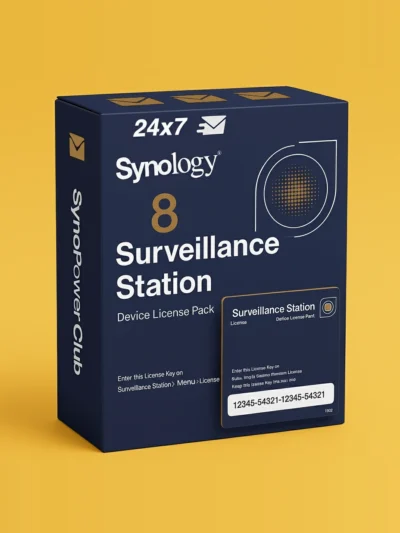
Original price was: NT$20,555.NT$16,443Current price is: NT$16,443.
On Sale
NT$6,253 NT$33,660Price range: NT$6,253 through NT$33,660
On Sale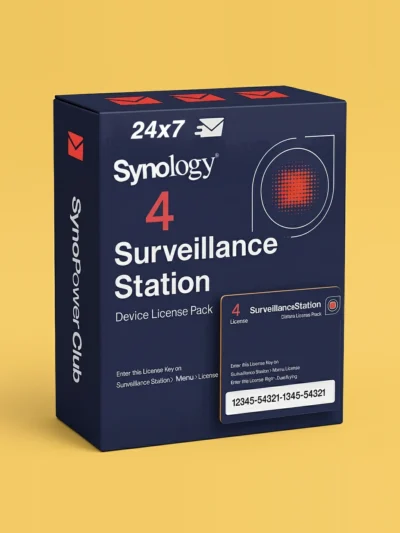
Original price was: NT$10,254.NT$8,511Current price is: NT$8,511.
On Sale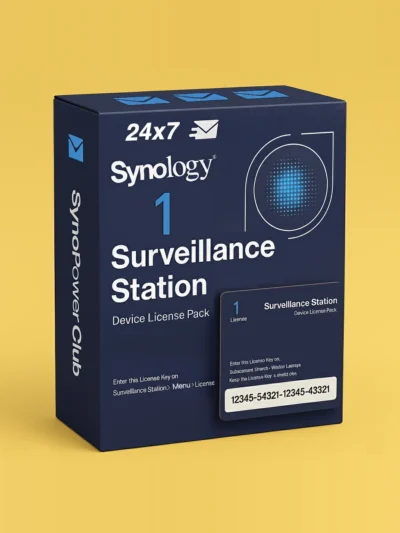
Original price was: NT$2,588.NT$2,200Current price is: NT$2,200.
On Sale
Original price was: NT$10,000.NT$9,000Current price is: NT$9,000.
On Sale
Original price was: NT$40,000.NT$35,000Current price is: NT$35,000.
On Sale
Original price was: NT$5,741.NT$4,909Current price is: NT$4,909.
SynoPower Club sells genuine Surveillance Station device licenses, with keys delivered by email.
Surveillance365 Plus Setup in 4 Steps
Getting Plus running takes a few minutes per site because there is no server to size or configure. The steps below follow the order Synology’s portal uses.
Add supported Synology cameras
Sign in to your Surveillance365 account and connect your supported Synology cameras. The free Standard plan already gives you live view, playback, AI detection notifications and continuous recording to the microSD card.
Start the trial or buy Surveillance365 Plus
Start the 30-day free trial from your Surveillance365 account to test the features, or buy Plus. Licenses are sold in packs of 5 at US$52.5 per pack on the Taiwan price list, and they never expire.
Apply licenses to your cameras
Apply a license to each camera that needs remote viewing and playback at any time. Cameras without a license stay on the free plan with one hour of remote viewing per day.
Organize sites and create sub-accounts
Group cameras by site, then create sub-accounts with permission profiles that match each role. Review the activity logs regularly to see who viewed or changed what.
How Do Sub-Accounts Work Across Sites?
Sub-accounts are the feature that turns a shared password into proper access control. With Surveillance365 Plus, you give each team member a permission profile that matches their role, so people see only what they need to. A store manager can watch the cameras in one shop, a regional manager can see ten, and the owner sees everything.
This matters most when staff change. Removing one sub-account is cleaner than rotating a password everyone memorized, and it leaves a record. It also supports the principle of least privilege, which auditors and insurers increasingly ask about.
How Do Multi-Site Businesses Use the Plus License?
Multi-site management lets you organize cameras by location, so a chain with thirty branches does not scroll through a single list of three hundred cameras. Synology’s own examples of multi-site deployments include a motorsport team, a state transportation department and a parking operator. The common thread is that sites vary in size and nobody wants to run a server at the smallest ones.
Typical fits for Plus include retail shops, franchise outlets, construction sites, EV charging stations and any space with no room for an equipment closet. A new location can be online in minutes, and a temporary site can be shut down without leaving hardware behind.
What Do Audit Logs Add for Multi-Site Teams?
The activity logs and history in Surveillance365 Plus give you a record of actions taken in the portal. For a business with several managers and sub-accounts, that record is what makes the permissions enforceable instead of decorative. If footage is exported or a camera setting changes, you can find out who did it and when.
We recommend treating the log as part of your security process, not a compliance checkbox. Review it after staff changes, after an incident, and before an audit. Synology also points to standards such as NDAA and GDPR, which apply across hybrid deployments, as a reason to keep access records.
Can You Mix Surveillance Station and Surveillance365?
Yes. Synology first said in September that support for hybrid Surveillance Station deployments was coming, and it is now available. In its 4 November newsletter, Synology describes the target setup: lightweight, cloud-based video surveillance at small branch offices, with a full-scale recording server at headquarters. You do not have to move every site to the cloud, and you do not have to start from scratch.
A practical layout looks like this. Headquarters and the largest sites keep a NAS running Surveillance Station for long retention and third-party ONVIF cameras. Small branches use supported Synology cameras that record to microSD and are managed in Plus.
You can also back up recordings from a local NAS to the cloud. This needs only a C2 OneStorage subscription, not a Plus license, and the backed-up footage can then be viewed through the cloud portal. Retention can be set from 30 to 3,650 days. For a deeper look at where Synology is taking this, see our Solution Day 2026 surveillance roadmap write-up.
Where Can You Find Official Surveillance365 Resources?
Synology’s Surveillance365 pricing page is the source for current plans and prices, and it includes a deployment evaluation tool for estimating storage and bandwidth. Synology also publishes two different setup videos for the same camera, one for the Surveillance365 route and one for the Synology NAS route. That is a useful reminder that these are two deployment paths, and that Plus belongs to only one of them.
If you are choosing cameras first, our Synology BC510 review explains the 510-series licensing change in detail.
What Are the Limits of Surveillance365 Plus?
Surveillance365 Plus works only with supported Synology cameras. Surveillance Station accepts many third-party ONVIF cameras, so a site with mixed brands belongs on a NAS.
The free relay allowance is one hour per day per camera. If you rely on remote viewing, license those cameras. If you do not, Standard may be enough.
Plus licenses cover management features only. Recording still needs a microSD card in each camera, or a NAS if you choose Surveillance Station. Plan for card capacity, because the card is your retention.
Cloud backup is a separate C2 OneStorage subscription billed by capacity. When your capacity runs out, uploads are suspended across all services that use the plan, so size it with headroom. Keep the encryption key safe, because the key holder is the account owner and a lost key cannot be recovered.
Prices vary by region and tax. The US$52.5 figure is from the Taiwan list with 5% VAT included, so confirm your own price at checkout.
Finally, licensing and features change quickly in this product line. Check Synology’s pricing page before you budget, and read our guide to free Surveillance Station licenses if you are weighing the NAS route.
On Sale
Original price was: NT$20,555.NT$16,443Current price is: NT$16,443.
On Sale
NT$6,253 NT$33,660Price range: NT$6,253 through NT$33,660
On Sale
Original price was: NT$10,254.NT$8,511Current price is: NT$8,511.
On Sale
Original price was: NT$2,588.NT$2,200Current price is: NT$2,200.
On Sale
Original price was: NT$10,000.NT$9,000Current price is: NT$9,000.
On Sale
Original price was: NT$40,000.NT$35,000Current price is: NT$35,000.
On Sale
Original price was: NT$5,741.NT$4,909Current price is: NT$4,909.
References
- Synology C2: Surveillance365 pricing and plans, the authoritative source for Plus features and prices
- Synology: Surveillance solutions overview
- PR Newswire: Synology unveils Surveillance365, the official launch announcement
- TechPlugged: Synology launches Surveillance365
- Security Brief: Synology launches Surveillance365 for multi-site firms
Frequently Asked Questions
How much does Surveillance365 Plus cost?
Synology lists Plus at US$52.5 for 5 perpetual licenses on its Taiwan price list, with 5% VAT included. That is US$10.5 per camera, paid once, with no subscription. Tax and price can differ by region.
Is Surveillance365 Plus a subscription?
No. Synology states that the licenses never expire and no subscription is required. Cloud backup is different: it is a separate C2 OneStorage subscription billed by storage capacity.
What does the Plus license add to the free plan?
It adds sub-account permission management, multi-site camera management and activity logs. Once licensed, a camera can also be viewed remotely and played back at any time, instead of one hour per day on the free plan.
Can Surveillance365 Plus work with Surveillance Station?
Yes. Hybrid deployment is available, so headquarters can run Surveillance Station on a NAS while small branches use Plus with cameras that record to microSD.
Do I need Plus to back up my NAS to the cloud?
No. Backing up local NAS recordings needs only a C2 OneStorage subscription. You can then view the backed-up recordings through the cloud portal.
Does a camera in Surveillance365 need a Surveillance Station license?
No. Surveillance Station device licenses apply when you record to a NAS. A supported Synology camera that records to its own microSD card and is managed in Surveillance365 does not need one.
Can I use third-party cameras with Surveillance365 Plus?
No. Surveillance365 works with supported Synology cameras only. If you need ONVIF third-party cameras, use Surveillance Station on a NAS and add device licenses.
Can I try Plus before buying?
Yes. Synology offers a 30-day free trial that you start from your Surveillance365 account, so you can test sub-accounts, multi-site management and logs on your own cameras.
Everything we have written on the cloud side sits here: Surveillance365 guides.