

Zero Delay, Zero Risk: Instant Delivery + Physical Proof Service

Updated on September 20, 2026
2 min read
Synology license delivery here is instant, and it still leaves you holding proof of the original card. Your key appears on the confirmation screen the second payment clears and lands in your inbox at the same moment — 24 hours a day, weekends and public holidays included.
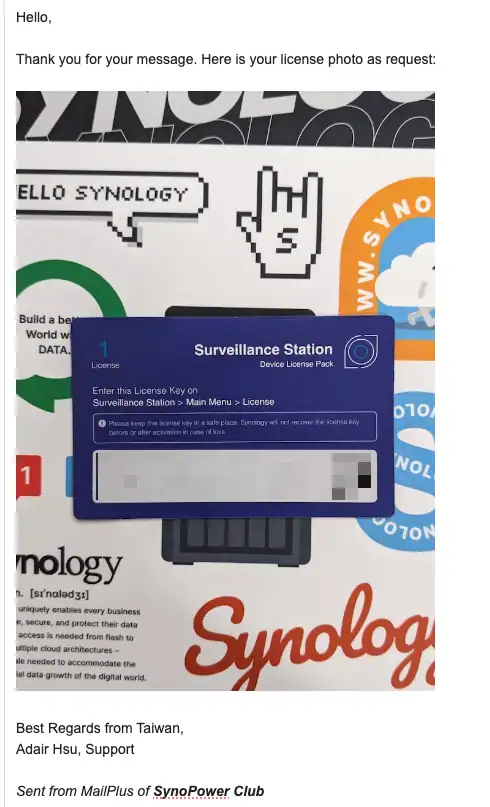
What makes Synology license delivery different here is that it is not just a key in an email. We scan the original Synology license card and virtualize it for you. That means you can activate immediately (no postal wait), keep a durable digital backup, and still request the original card’s photo/PDF when Synology Support asks for proof.
Table of Contents
How Synology license instant delivery works (and why it’s safer) #
- Immediate activation – The license key appears on your checkout screen the second payment clears.
- Automatic email backup – You receive an order-complete email with the key and an invoice (official proof of purchase).
- (Optional) Account view – If you registered, you can also see your key history in your SynoPower Club account.
- On-demand proof – Reply to the order email any time to request the photo/PDF of the original card. Synology Support often asks for this to verify ownership; we keep it ready so your full warranty stays intact.
Result: Synology license delivery is done before you leave the page — you activate now, avoid shipping delays, and have everything Support expects if you ever need help.
Concrete benefits of scanned-then-virtualized Synology license delivery #
- Zero waiting – No postal lead time, customs, or lost mail. Activate right after checkout.
- Fewer interruptions – Add cameras/users the same day a project changes; no work stoppage while a card is “on the way.”
- Warranty-safe – When Support requests proof, you already have a card image/PDF ready to share—no scrambling to find a misplaced card.
- Lower risk – A physical card can be lost or damaged. Your key lives in three places (screen, email, account) and your card image is retrievable on demand.
- Greener ops – Fewer shipments, less plastic and packaging.
- Paperwork handled – Your license key is included with printable invoice from the order confirmation email
Note: Synology’s documentation and Support practices can change; always check License packs & services for current requirements or contact Synology Support.
A Quick Look at Our Synology License Delivery Process #
The entire process is fast, transparent, and simple:
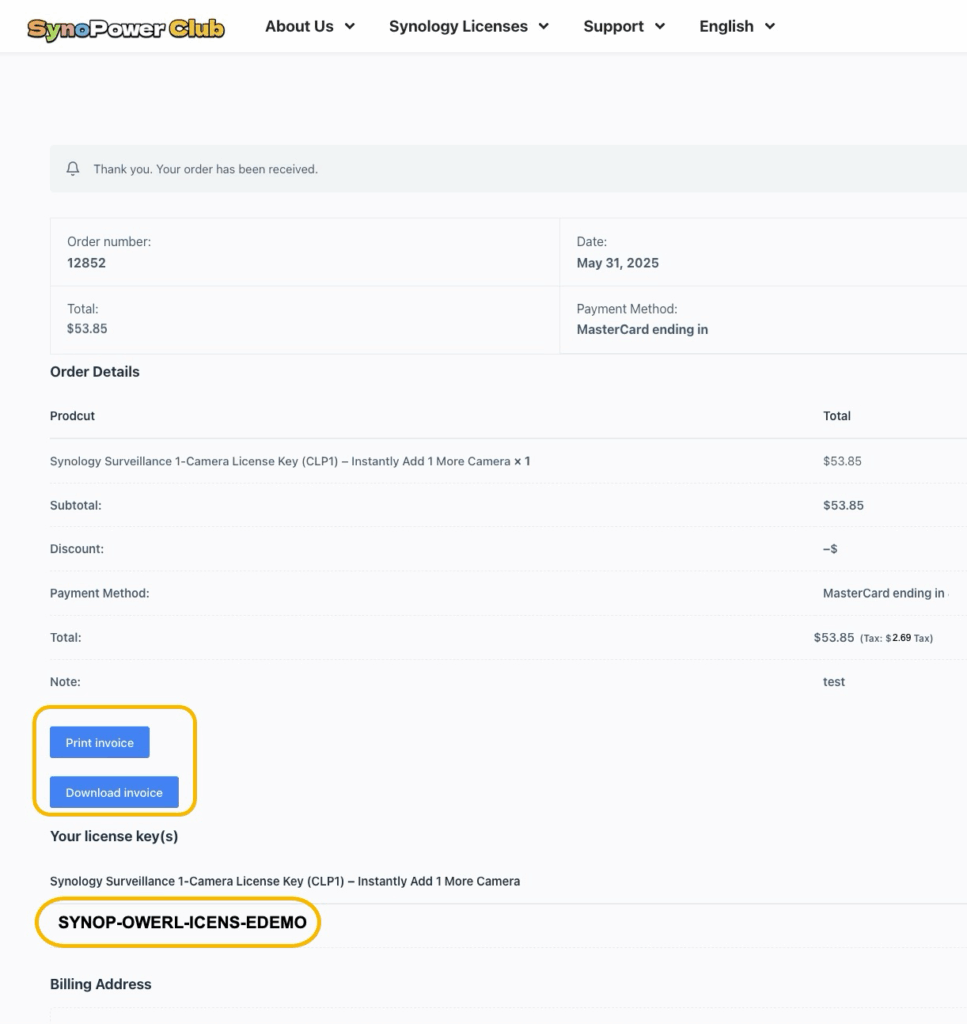
1. Instant Display After Payment: #
Your license key appears directly on the checkout confirmation page, with buttons to print or download your invoice.
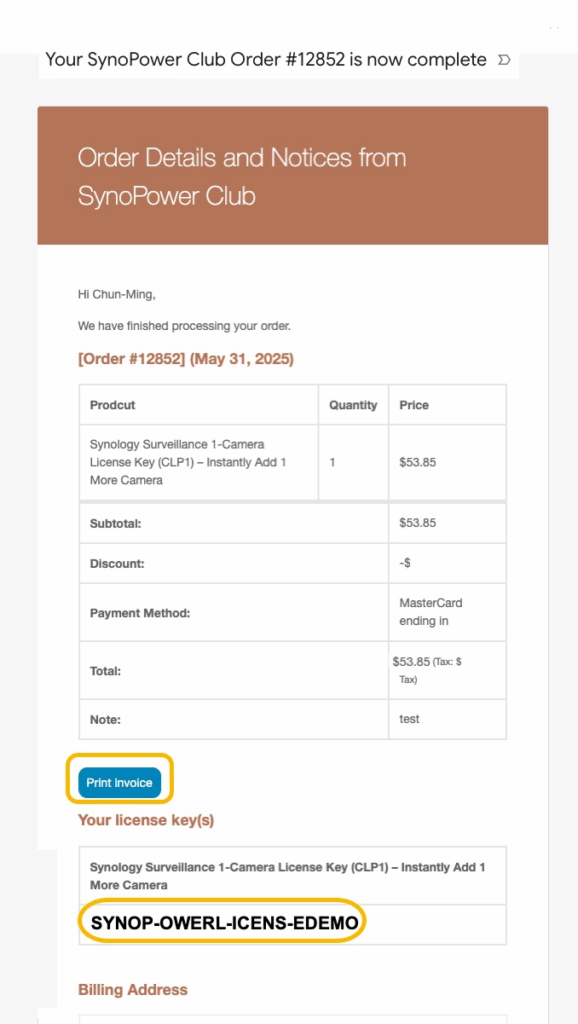
2. Simultaneous Email Delivery: #
A confirmation email with the full order details and your license key is sent to your inbox immediately, serving as your official proof of purchase.
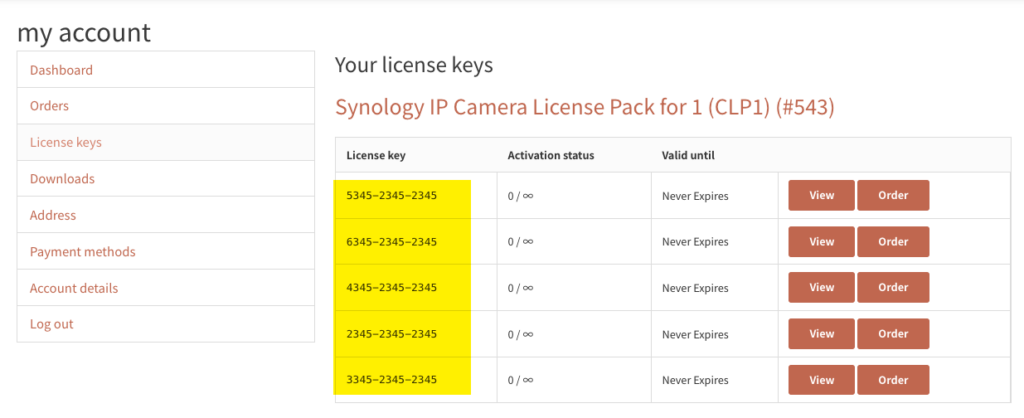
3. Permanent Access in Your Account: #
If you register an account, you can log in anytime to view your complete license history under the “License keys” section.
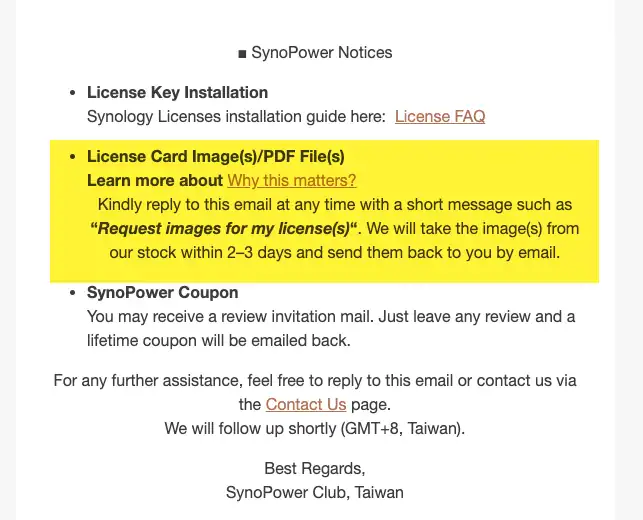
4. Request card photo/PDF (free) : #
Reply to the order email when you need it for Synology Support.
What if your Synology license delivery does not arrive? #
Synology license delivery finishes in the same minute you order, so if nothing has turned up the cause is almost always the email rather than the delivery itself. Check your spam or promotions folder first — automated key emails are exactly the kind mail filters tend to catch.
If you registered an account, the key is also stored permanently under your SynoPower Club account, so you can retrieve it yourself at any time without contacting us. Every license is delivered electronically; nothing is posted, so there is no shipping time to wait out.
Shop Our Synology Licenses Now the Smarter, Safer way #
All licenses we provide are official, authentic, and globally valid for all Synology products, including:
- Synology Surveillance Station License (1, 4, 8-pack)
- Synology MailPlus License (5u, 20u-pack)
- Virtual DSM License

On Sale
Synology Surveillance Station License 8-Camera #
Original price was: US $553.89.US $491.05Current price is: US $491.05.
On Sale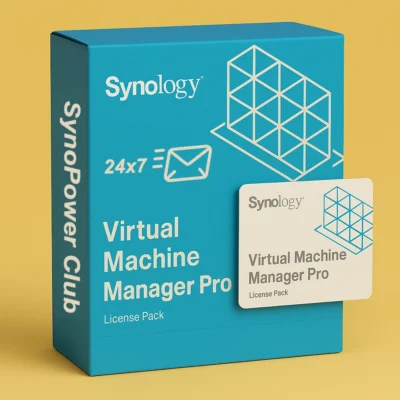
Virtual Machine Manager Pro (VMM Pro) License #
US $185.00 US $995.88Price range: US $185.00 through US $995.88
On Sale
Synology Surveillance Station License 4-Camera #
Original price was: US $276.63.US $246.10Current price is: US $246.10.
On Sale
Synology Surveillance Station License 1-Camera #
Original price was: US $69.00.US $62.10Current price is: US $62.10.
On Sale
Synology MailPlus License 5-User #
Original price was: US $276.90.US $241.73Current price is: US $241.73.
On Sale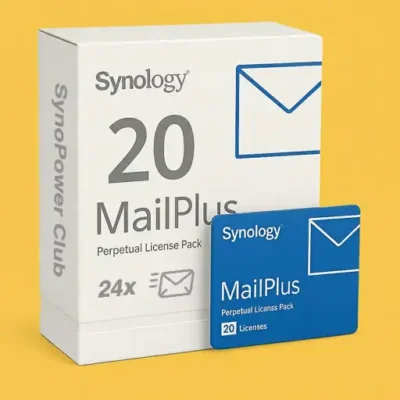
Synology MailPlus License 20-User #
Original price was: US $1,137.59.US $937.94Current price is: US $937.94.
On Sale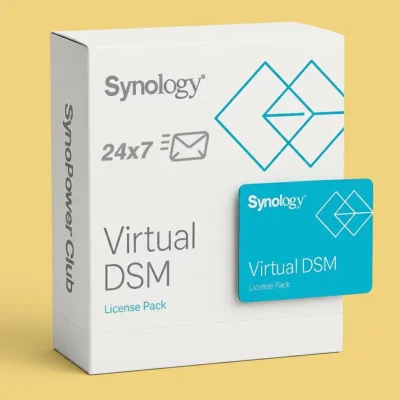
Virtual DSM (VDSM) License 1-Instance #
Original price was: US $169.87.US $145.24Current price is: US $145.24.
Have question? Just ask SynoPower Club.