

All-in-One security system inside each Synology NAS – Surveillance Station Guide

Updated on October 1, 2026
Any Synology NAS comes with a Surveillance Station package can upgrade NAS to:
- Professional network video recorder ( NVR ) Compatible for almost mainstream IP cameras to do long recording under home and business usage.
- Advanced VMS ( video management system ) For realtime monitor, quickly search video, get alarm on-time on mobile or computer, locally or remotely.
Synology Surveillance Station has been in development since 2008, and the current release is 9.3. It ships free with the NAS, so the package itself never appears on an invoice.
It remains difficult to find a security system with the same feature set at the same price, largely because Synology Surveillance Station is bundled rather than sold separately.
That combination is why Synology Surveillance Station is the most widely installed package on the platform.
Every year Synology will update its operation video and here is the latest one.
It is useful to quickly know how this security system can do.
Below is a quick starting guide with some tips of my Synology Support experience with continuous update.
What Is Synology Surveillance Station? #
Synology Surveillance Station is a free software in Synology NAS Package Center. It can turn any Synology NAS into a private network security surveillance system-also called NVR-with the ability to store a large number of IP camera videos, live monitoring, anomaly notifications, and video search.
Why Use a Synology NAS as Your NVR? #
If we just google for NVR or home, DIY, business security cam system on the Internet, we may find Synology Surveillance Station is one of the top recommendations.
Obviously a NAS can store camera videos for very long period.
However, there are also main 3 special points from Synology Surveillance Station:
- This package is with one-time cost license, without subscription fee.
- Compatible with almost all standard IP cameras
- Any Synology NAS can install it. Low hardware requirement
Notice about Synology License Plan
Synology uses license plan to activate devices in Surveillance Station.
By default, one Synology NAS has 2 default licenses for FREE USE.
Extra licenses can be purchased for additional IP cams more than 2. This is NOT FREE.
Interestingly, the total cost might be the lowest one compared to NVR cloud subscription fee. This is described below in License part.
Install Synology Surveillance Station in 5 Minutes #
Surveillance Station first version was released since 2008. The main version 9 is the current latest version.
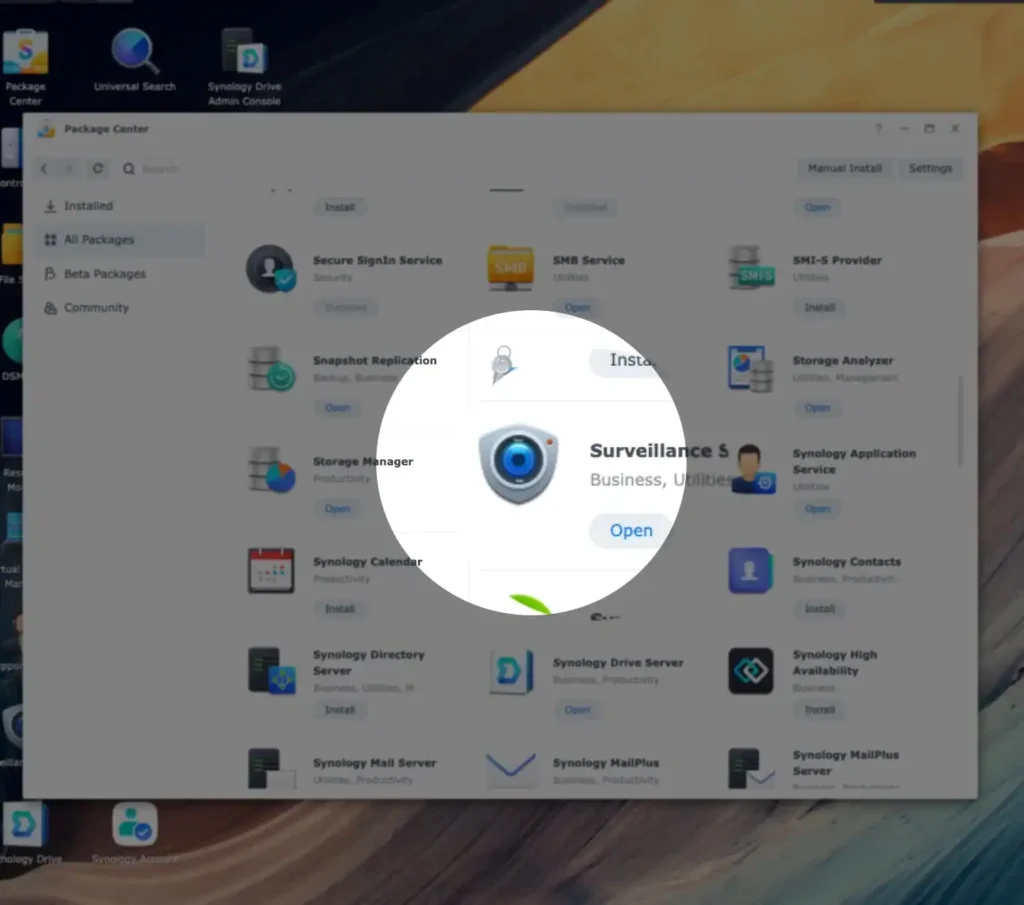
To install it, just log in to the Synology NAS operating system , also called DSM, on a browser > Package Center > search Surveillance Center, and it will be done in about 5 minutes.
Surveillance Station 9 needs Synology DSM OS version is at least DSM6.2. Most NAS released after 2013 support this version. The latest DSM is 7.2 while writing this post.
Click on Surveillance Station icon to enter its NVR operating system. The first login will prompt us to view the applications on its desktop:
If the Synology NAS is on a closed network, we can download Surveillance Station package from the Synology Download Center and install it manually.
If we have not a Synology NAS yet, we can also visit Surveillance Station Online Demo and try out the latest version.
Choosing IP Cameras That Work with Surveillance Station #
To choose a compatible IP camera, we can get started after understanding the following 2 points:
1. How many IP cameras does my Synology NAS support at most? #
A single Synology supports at least 5, up to 650 IP cameras. Here is a way to find how many IP cameras one Synology NAS supports:
- Go to Synology website > Download Center > Documents > Product Specifications or Data Sheet
Take my old DS1517+ for example. Its limitation in Data Sheet is 40 :
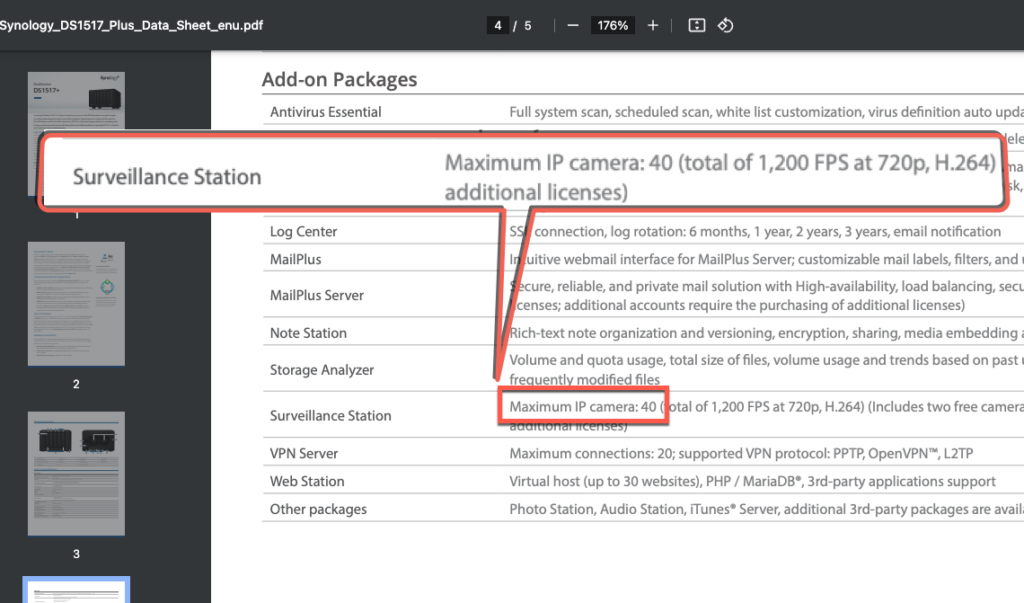
Since the Surveillance Station 9.1.3-10869 version, the camera amount limitation is removed.
Screenshot taken on Surveillance Station 9.1.3-10869.
(2023-10-25)
Important Note #
- Removed the limitation on the number of IP cams. Check the suggested maximum number of IP cams in your product specification first for better performance.
Before this version, Surveillance Station can not configure IP cameras over the limitation.
The app【License】will also address the limitation:
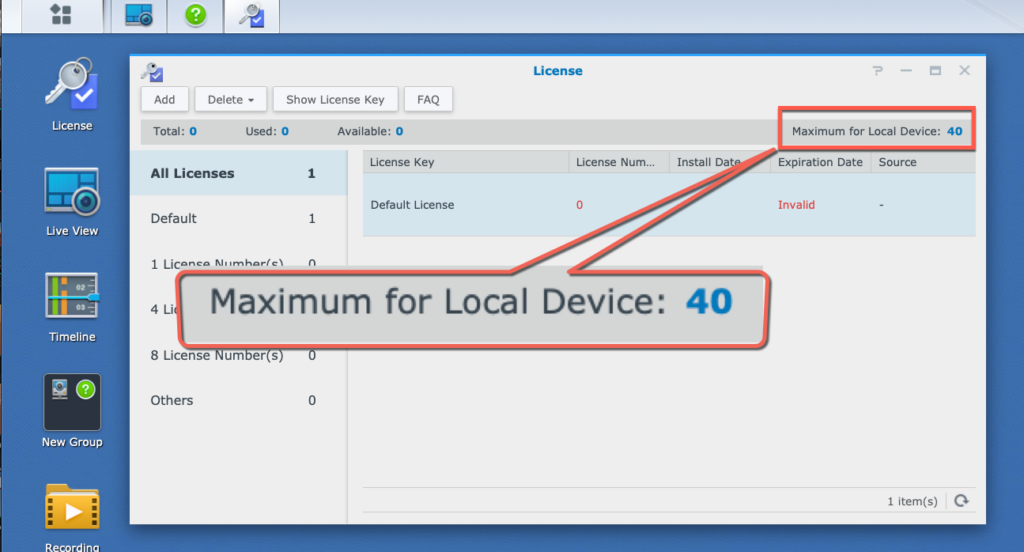
Since 9.1.3-10869 version, the camera number limitation is removed. We can set the camera resolution or frame rate according to actual needs.
You can check the recommended camera limits for each NAS model on Synology’s product comparison page (for current models) or in the product specifications.
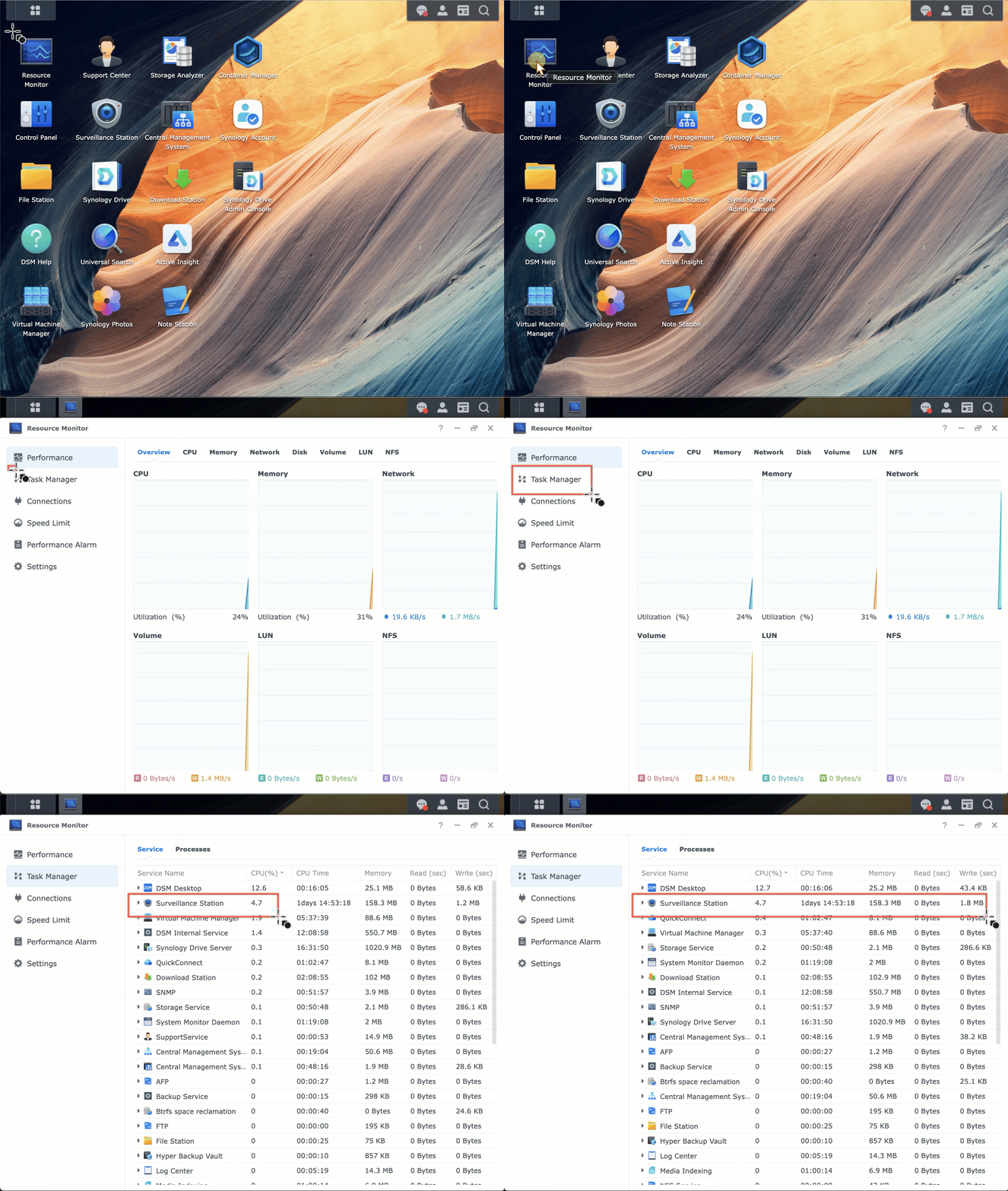
It is all fine if NAS performance is not affected. To ensure this, you need a performance indicator → Resource Monitor
Resource Monitor in DSM could help observe if Surveillance Station consumes too much resource.
Im most cases, Surveillance Station should only need few computing power.
2. What IP Camera is compatible or incompatible? #
Supported Cameras: #
For the first reference, we could search IP camera Support List. Basically the list has 3 types:
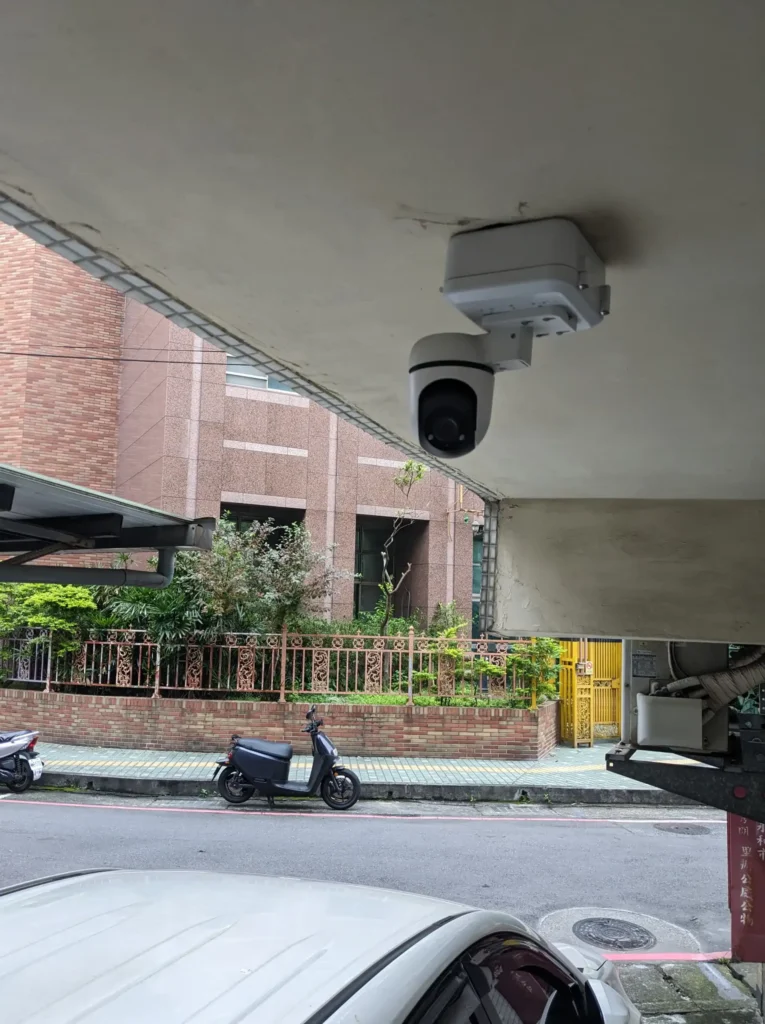
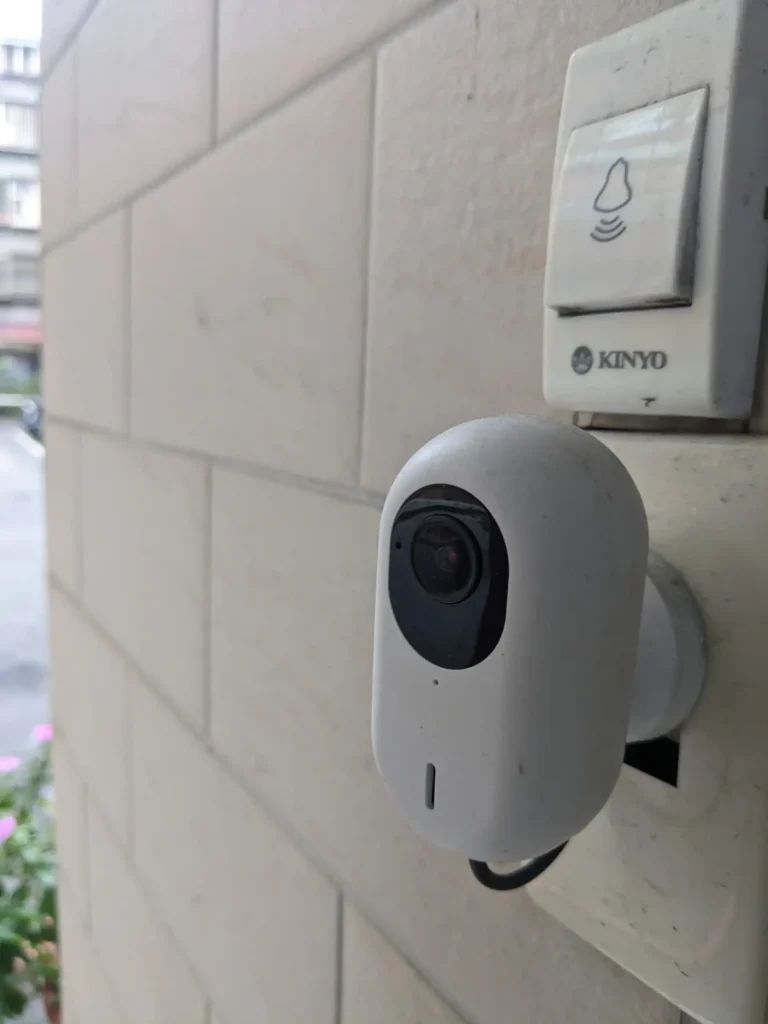
- The 3rd-party IP cameras: It includes more than 20,000 cameras from over 200 brands (Synology Solution Day, September 2026). Even more cameras are not on the official list but supported. Most standard IP cameras work if they support ONVIF or RTSP streaming.
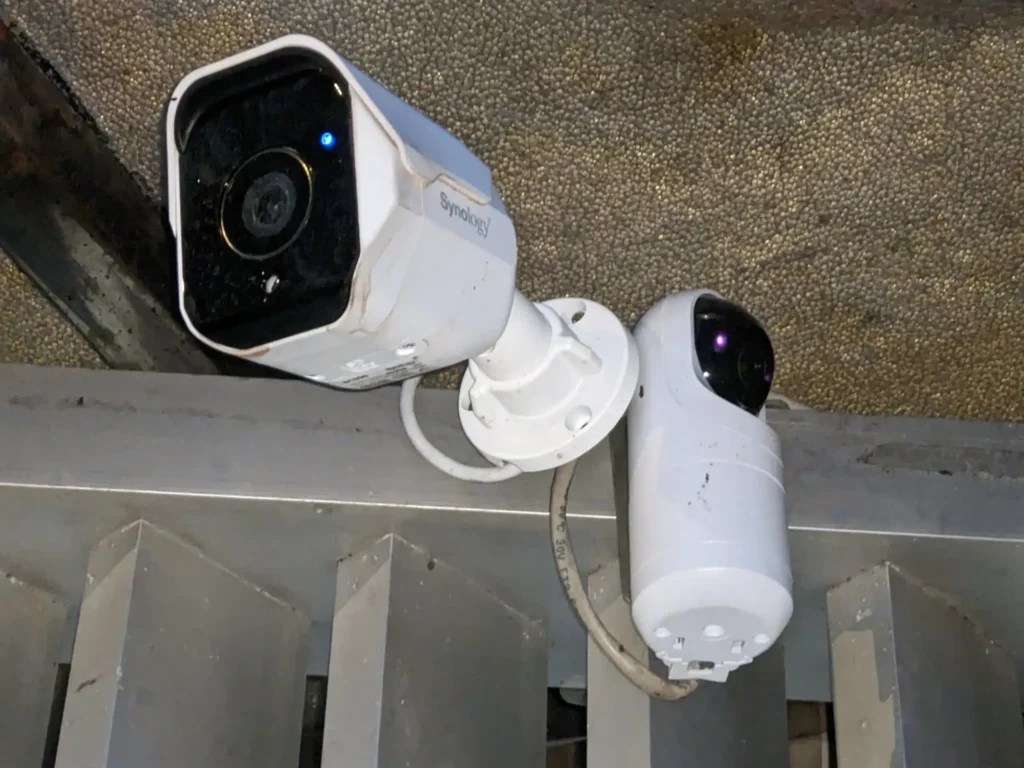
- Synology’s own cameras: the BC500 and TC500 arrived in 2023 with a device license included. That changed in 2026. The BC510, TC510, BC800Z and CC410W each consume a device license like any other camera, because a Synology Surveillance Station license pays for the recording channel rather than for the hardware. What they still bring is on-camera AI detection that most third-party models do not have.
- Synology LiveCam: a free iOS and Android app that turns a spare phone into an IP camera feeding Surveillance Station. Useful for temporary coverage or for testing a position before you mount anything. It consumes one device license, exactly like a physical camera.
Unsupported Cameras: #
- Brand-locked security system: This kind of IP cameras may close ONVIF or RTSP( Xiaomi, Ring, Ubiquiti, Arlo, Google Nest…etc ). May need to tweak for get streaming path. This is often inconvenient.
- Battery-powered cameras: These cameras usually disable ONVIF or RTSP streaming for power saving.
In short, we could use a wide range of 3rd-party cameras. It is best to search the Synology IP camera support list as a guide, and remember that cameras supporting ONVIF or RTSP have a good chance of working, even if they are not officially listed.
About RTSP streaming url of my Ubiquiti IP cameras
I started using Ubnt cameras since 2018. My friends worked in Ubnt Taiwan ( Most Ubnt RDs are in Taiwan. Their office near Taipei101 ) sent me some samples. At that time, Ubnt cameras attracted me a lot because their resolutions, image quality and the beautiful hardwares. To make Ubnt IP camera work with Surveillance Station, it is a MUST to get its RTSP url. Its standalone mode has this information. I could easily add Ubnt cam to Surveillance Station.
Before 2022 or 2021, Ubnt seems stop support standalone mode. Then it is complicated to get a correct url to add to other NVR like Synology Surveillance Station. Thus we will see some posts on Reddit discussing how to get rtsp url by some way:
https://www.reddit.com/r/Ubiquiti/comments/uu3ov6/how_to_locally_stream_rtsp_on_vlc_guide/
Setting Up Your IP Cameras #
Here are general 4 steps about how to set up our IP camera with Surveillance Station:
1. Connect IP camera to the local network. The general steps will like: #
- Follow the camera instruction to connect it to the wired or wireless network
- Most cameras will get an random IP address. We can either set a static IP address for the camera app, or reserve its IP in our DHCP server (usually this is the router)
- Set the camera streaming username, password, and management port number according to its instructions. This information will be used later
- Other settings we might want to adjust: the highest image quality, updating to the latest firmware, and synchronize its time zone by NTP time synchronization.
Confiture a Ubnt IP Cam
■ Set RTSP login user/password to synopower/club.
■ Set DHCP IP to static IP
■ Sync time with NTP server
2. Add the camera to Surveillance Station: #
- Open the IP Camera application in Surveillance Station and click Add. It will start searching for cameras on our network.
- ONVIF cameras and Synology cameras BC500/TC500 should be detected quickly.
- If the camera is NOT displayed, we can manually add it using the IP address and port number we set earlier.
3. Configure the camera settings from Surveillance Station: #
Once the camera is connected, we can use the same IP Camera to adjust various settings:
- Streaming quality – Setup different streaming quality for different devices. For example, high resolution for recording and low resolution for mobile liveview.
- Recording storage duration – Plan our own recording details. How long for video duration and motion detection recording plan.
- Motion detection – Detect motion and trigger recording or notification. In no words we could use cam its own detection setting or use detection from Surveillance Station
- Live view resolution for different devices
IP Camera → Device
Video: streaming quality, resolution, bitrate….etc.
Security: add mask to sensitive zone.
Advanced: RTSP/RTP streaming setting. PTZ control enabled or not.
IP Camera → Recording
Use Recording to plan the space required for each IP cam. Schedule helps to do different types of recording, continuous, different detection types. To save space, Stream could do that by choosing streaming types. Recording part is the key to plan space.
The Synology camera has a lot of settings that we can use. We can start with the default settings, and then explore the other settings later. For example, we can try the human and vehicle detection.
4. Reserve storage for video recordings: #
Here are several ways to estimate the required storage for IP cam recording files:
NVR Selector tool #
For example, if I choose 3 cameras with H.264 codec, 30 FPS and 5MP resolution, and want to store recordings for one year, I will need about 169TB of space on Synology NAS.
WD Surveillance Storage Capacity Estimator Tool #
I still select 3 cameras, one year recording, 5MP resolution, 30FPS. But I choose two formats: H.264, H.265. We could see H.265 could save a lot of space.
Use IP Camera → Edit → Video #
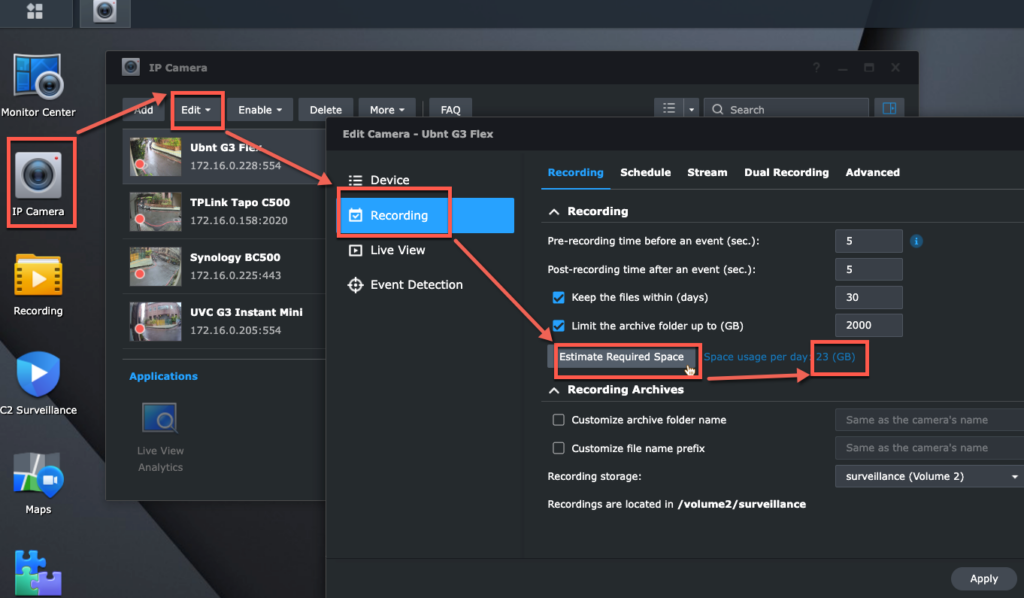
Please notice the estimation ways above give rough storage value. We need to observe 1-3 days to see if any adjustment required.
By following these steps, we should smoothly connect the IP camera to Surveillance Station and start using its various features.
Monitoring Synology Surveillance Station Remotely or Locally #
We can do monitoring by many ways. Synology offers mobile, computer, or physical clients as below:
- Surveillance Station Client for Mac or Windows.
- Google Chrome browser
- Use the DS cam app on iOS or Android mobile
Below is another two display ways not discussed here:
- Local Display: Another Synology Surveillance Station product line-a Deep Learning NVR DVA-has HDMI output.
- Connect a VS960HD, VS360HD or VS600HD device to a TV wall via HDMI to output Surveillance Station streaming. Note that from Surveillance Station 9.3, the VS360HD and VS960HD are supported for streaming only in the Live View and Timeline applications; other applications still run but are no longer maintained.
The Monitor Center is a key feature in all of these clients. It lets us monitor live camera views, playback video history, search clips, or move IP lens ( if support PTZ move ) or its sound.
For monitoring IP cam streaming, Chrome and DS cam are my go-to apps. DS cam is mobile app available in iOS and Android. I also recommend this monitoring way. My Android is like this:
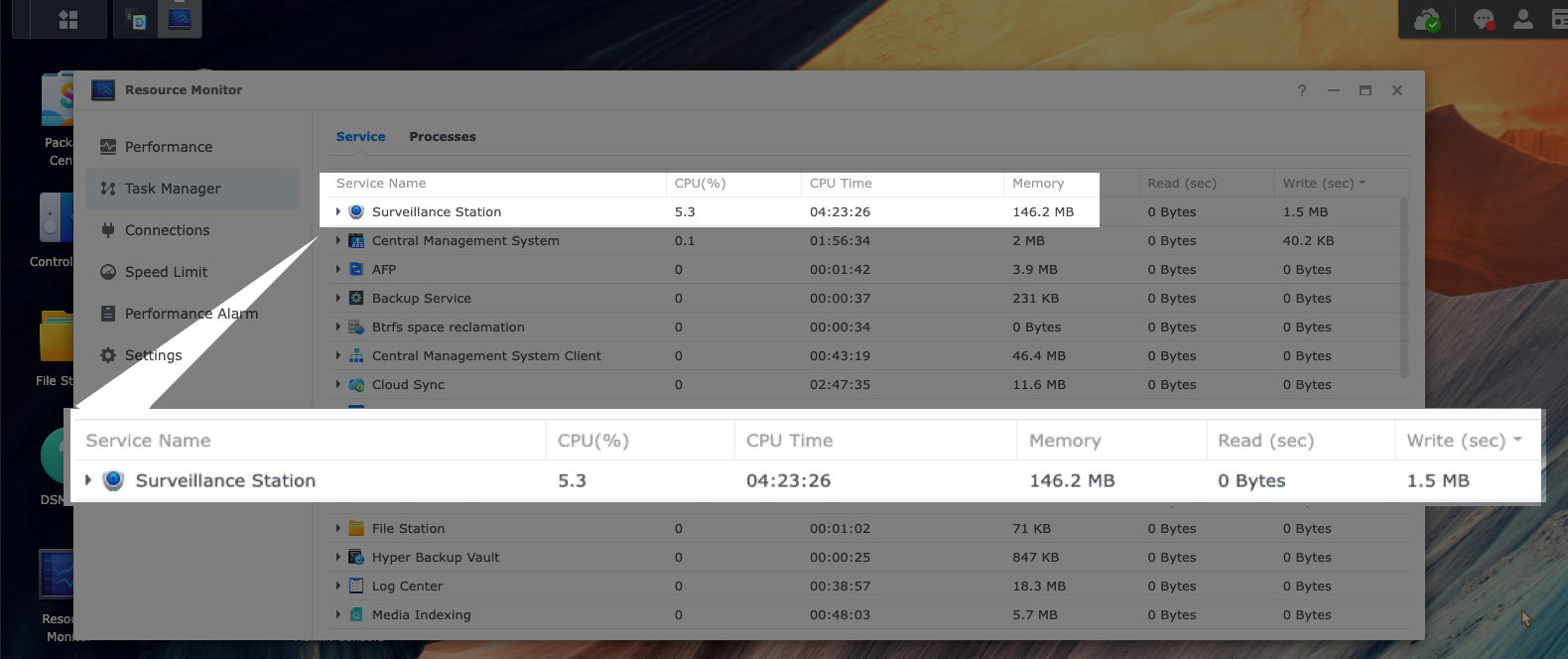
When we use Surveillance Station to watch multiple cameras view, we could see Synology NAS utilizes few CPU and memory only.
For example, when I use my Chrome browser to watch 4 camera feeds on my DS1517+, the CPU usage is about 5.3% and the memory usage is only about 150MB:
Most loading is on monitoring clients, like my computer. Thus if we need to monitor lots of IP cameras on Surveillance Station client of one computer, here is a FAQ about how to choose the computer suitable for the specs:
How do I choose a PC or VisualStation to monitor with Surveillance Station?
If I need to search for an object that is either missing or has just shown up, I switch to the Surveillance Station client on my Mac. This is because the smart search feature requires a significant amount of computing power, which is only available on desktop clients.
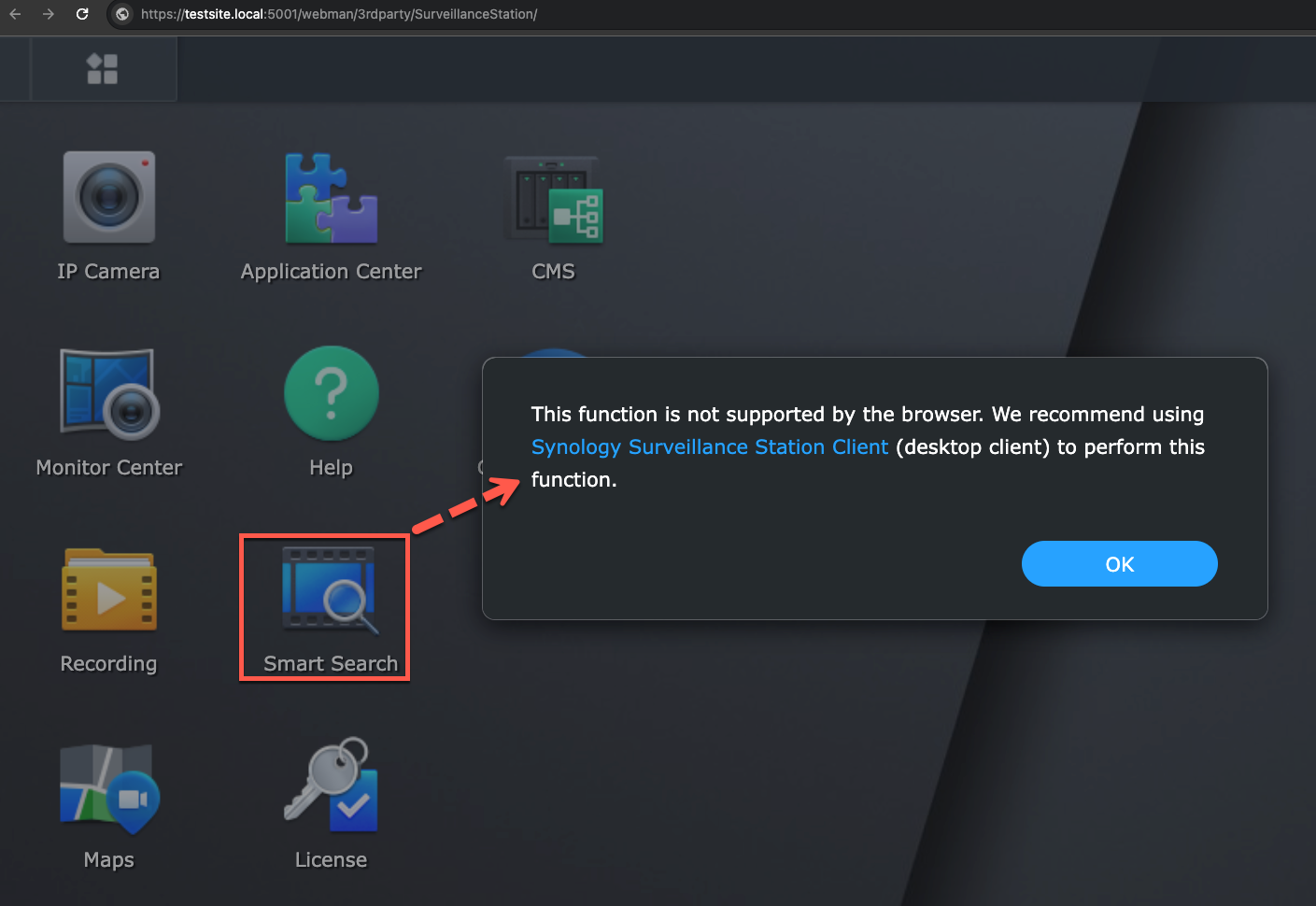
Here is also a good Synology FAQ to tell the difference of clients:
If Synology NAS is not in an isolated network, I will choose to set up QuickConnect for my Synology NAS. By this, I could access Surveillance Station via QuickConnect ID ( easier to remember) remotely or locally. QuickConnect automatically detects, then determines clients to access local IP or remote address via secure connection. That is convenient and safe.
Synology Surveillance Station Camera Licenses #
Any Synology NAS could easily manage over 5 cameras. (The high-end model could manage up to 650 cameras.) However, managing over 2 cameras or related surveillance devices requires licenses. Synology NAS comes with 2 default licenses for free. Synology’s dedicated surveillance hardware gets more: an NVR-series unit has 4 and a Deep Learning NVR (DVA series) has 8.
Those two are free for the life of the NAS and never expire. For the full picture of what costs nothing, see is Synology Surveillance Station free?, and for what the extra channels cost, see Surveillance Station license cost.
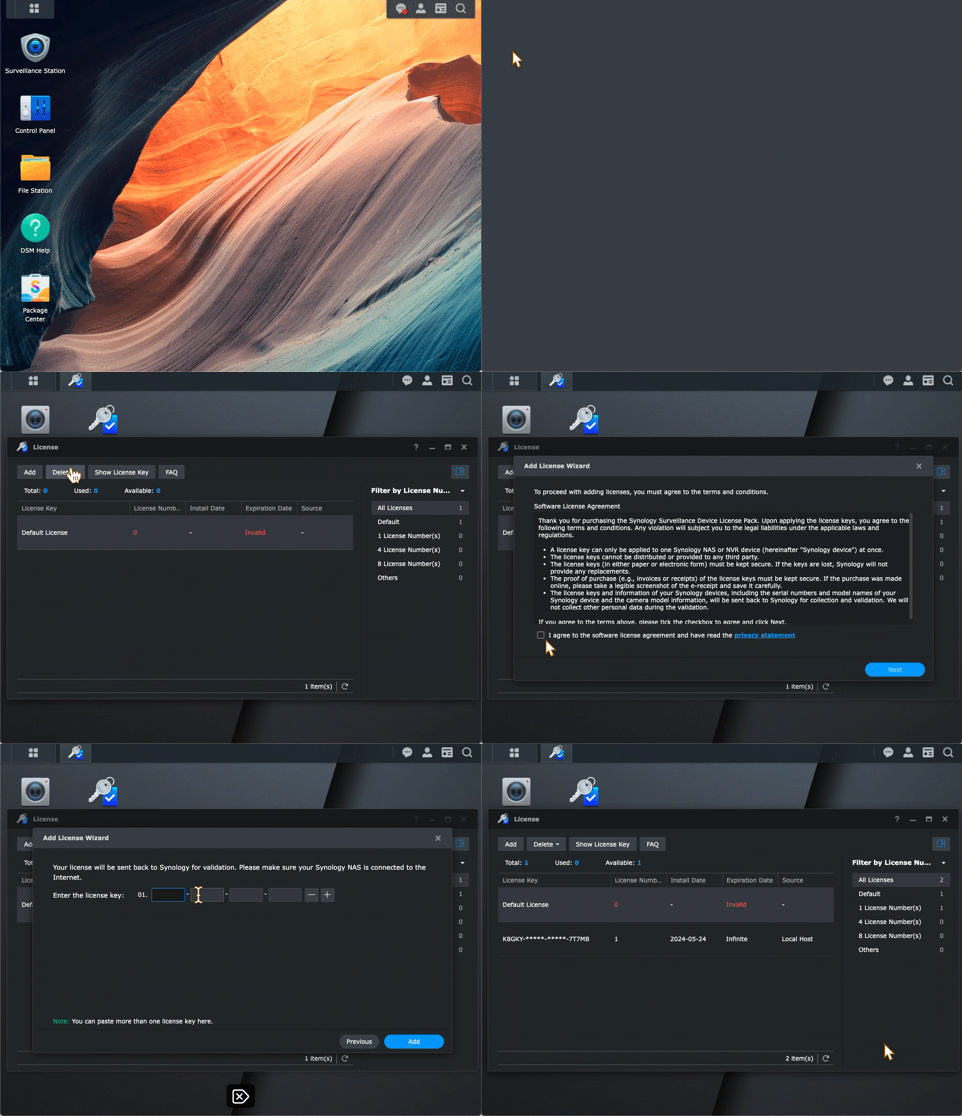
If the Surveillance Station needs to manage devices over 2, we can purchase extra licenses. Synology offers three license packs with a key. Input the key to License app then activate 1,4,8 devices. To add and active it, below is a how-to gif or you could check this FAQ:
💡Where to Buy and How to Add and Activate Synology Surveillance Station License
Each extra surveillance license price is about USD 60-62.
It is one-time cost. Synology Camera License is lifetime valid. Therefore there is no need to pay subscription fee in the future.
Another good thing is this license supports migration. Suppose we buy one Synology camera license 10 years ago, we could migrate it to another new replaced Synology NAS or another Synology account, or sell to other Synology user needs license.
The only limitation is one license key could be only activated at one Synology server at the same time.
By this license policy, the license price seems high at the beginning. But it becomes cheap under a long usage.
For example 3 years, the monthly charge is equal to about 1.7USD monthly.
This fee is lower than IP-Cam subscription cloud fee. This 3-day-recording plan usually started since 3 USD per month for each camera.
This means 36USD annual fee per camera. And the recording plan is only one month recording.
Compared to the subscription fee, the cost of NAS Surveillance system is very low in long-term using.
This is why we choose selling this Synology license. The software quality, license policy and lifetime update are verified to be top already after developing for decades.
Ready to Get Synology Camera Licenses in Seconds? 👉 Pick here by 24×7 Online Delivery

On Sale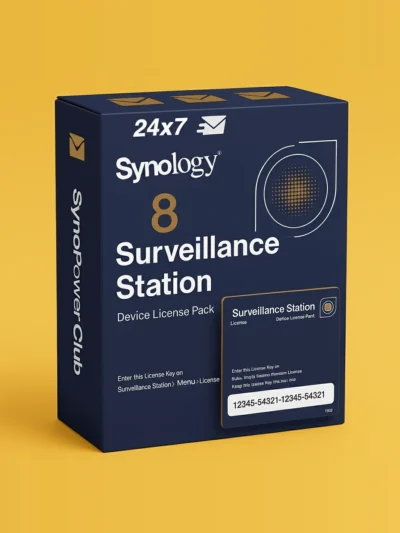
Synology Surveillance Station Camera License 8 Pack (CLP8) #
Original price was: US $586.20.US $486.55Current price is: US $486.55.
On Sale
Virtual Machine Manager Pro (VMM Pro) License #
US $185 US $996Price range: US $185 through US $996
On Sale
Synology Surveillance Station Camera License 4 Pack (CLP4) #
Original price was: US $299.90.US $257.92Current price is: US $257.92.
On Sale
Synology Surveillance Station Camera License 1 Pack (CLP1) #
Original price was: US $73.32.US $65.09Current price is: US $65.09.
On Sale
Synology MailPlus License 5-User #
Original price was: US $272.35.US $245.12Current price is: US $245.12.
On Sale
Synology MailPlus License 20-User #
Original price was: US $1,080.76.US $951.06Current price is: US $951.06.
On Sale
Virtual DSM (VDSM) License 1-Instance #
Original price was: US $169.87.US $145.24Current price is: US $145.24.
Combining Multiple NAS into One System with CMS #
CMS ( Centralized Management System ) is one business tool of Surveillance Station. It could be directly activated in Surveillance Station > Application Center.
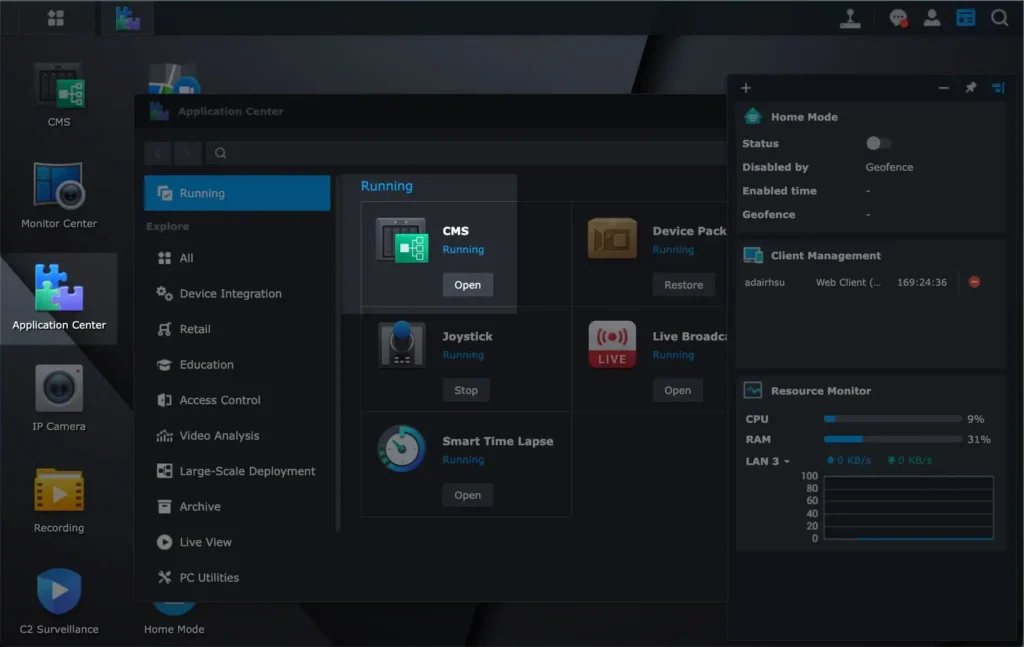
Its main purpose is to control multiple NASes and cameras together in one place.
The ceiling depends on the host server you choose, and Surveillance Station 9.3 raised it sharply: a single HD6500 acting as CMS host can now manage up to 5,000 recording servers and 50,000 cameras.
Another tip is, CMS could save camera license fee too.
Remember, every Synology NAS owns two default free licenses.
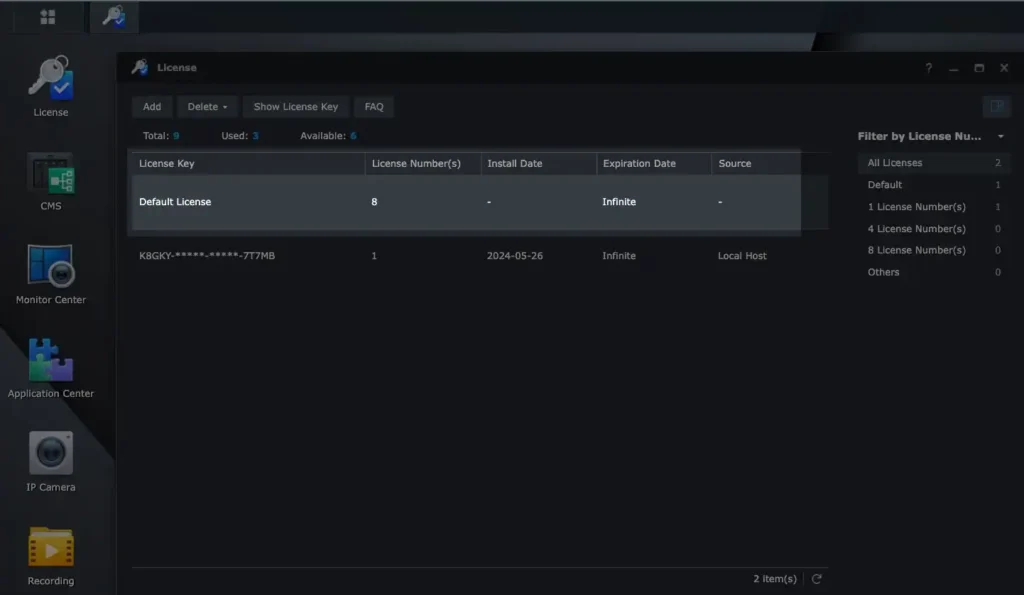
If we own two Synology or more, we could use CMS to merge default or purchased licenses together.
Here is an example. I have 4 Synology NAS. I use CMS in one NAS to be controller. Then it could merge the other three NAS together.
By this way I have 8 default free camera licenses to control 8 IP cameras:
Surveillance Station FAQ #
Is Synology Surveillance Station free? #
The package itself is free and never appears on an invoice. Every Synology NAS that supports it ships with 2 device licenses included, so a two-camera setup costs nothing beyond the NAS. You only pay when the third camera arrives, and then you buy licenses in packs of 1, 4 or 8.
How many IP cameras can a Synology NAS support? #
It depends entirely on the model, from 5 on the smallest units up to 650 on the largest. The figure is published in each model’s data sheet under Surveillance Station. Licenses and hardware capacity are two separate limits, so check both before buying cameras.
Which IP cameras work with Surveillance Station? #
More than 20,000 camera models across over 200 brands are on the official compatibility list, and many unlisted ONVIF Profile S cameras work as well. AXIS, VIVOTEK, Hikvision, Reolink and Amcrest are all widely used. Check the model against the Synology IP Camera Support List before you buy.
Can a Synology NAS replace a dedicated NVR? #
For most homes and small offices, yes. You get continuous recording, motion and event triggers, remote viewing and multi-site management in one package, running on hardware that also does file storage and backup. A dedicated NVR still wins when you need very high channel counts or specialised analytics.
Do Synology’s own cameras still need a license? #
Yes, when they record to a NAS through Surveillance Station. The BC500, BC510, TC500, TC510, CC400W, CC410W, BC800Z and FC600 each consume one device license, exactly like a third-party camera. The licensing is tied to recording on the NAS, not to the brand of the camera.
Can I watch my cameras remotely? #
Yes. DS cam covers phones and tablets, Surveillance Station Client is the desktop application for Windows and macOS, and any modern browser works through the web interface. QuickConnect gets you in without setting up port forwarding.
How much storage do I need for recording? #
It depends on resolution, frame rate, codec and how many days you keep footage. Rather than guess, use the built-in estimator in Surveillance Station, or the storage calculators linked in the storage section of this guide. Budget for the peak, not the average, because motion-heavy scenes record far more data.
What is the difference between Surveillance Station and Surveillance365? #
Surveillance Station runs on your own NAS and stores footage locally. Surveillance365 is the cloud service, where supported cameras connect directly and recordings live in Synology’s cloud, so no NAS is required. They solve the same problem from opposite ends.
Conclusion #
Surveillance Station has been developed since 2008 and is now a very popular security cam system.
Even so, it is not a perfect system yet.
For example, to do a license plate or face recognition, this requires a Synology DVA products with GPU to run Surveillance Station.
Only those series of Synology products have a GPU that can do this kind of recognition.
A normal Synology NAS has no GPU module currently.
Besides, configuring a Synology NAS and IP cameras require network knowledge. In terms of plug-and-play, there is still room for improvement.
When deploying a large number of cameras at beginning, we will need to prepare extra cost for camera license.
However, Synology surveillance license is perpetual and migratable, the cost is the cheapest in the long run compared to subscription fee.
This is also why we choose to sell those licenses. According to most customers feedback to Surveillance Station, this mechanism is proven to be a win-win strategy.
Three companion guides go deeper: what changed in Surveillance Station 9.3, DS cam on your phone, and the desktop Surveillance Station Client. Everything we have written on the topic sits here: Surveillance Station guides.
If you are considering a security system, Surveillance Station is a must-try. Please also feel free to leave a message for further discussion.