

🤔 如何將不同帳號(Gmail、Yahoo! ...)的電子郵件儲存到 Synology NAS 進行備份和管理 📂 ?

更新於 2026 年 9 月 27 日
3 分鐘閱讀
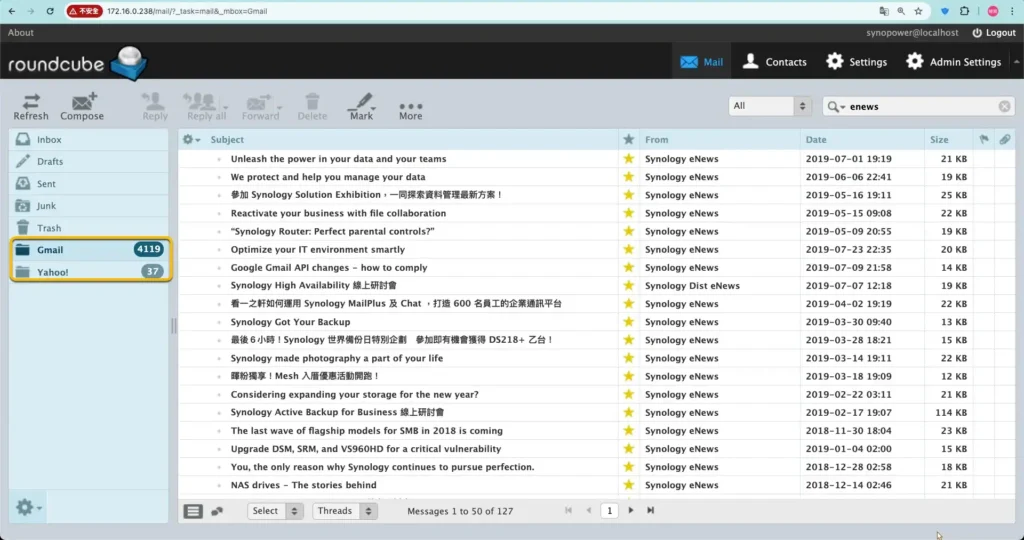
Mail Station is the quickest way to get a copy of your email onto a Synology NAS. It signs in to an existing mailbox over POP3, pulls the messages down, and gives you one web client to read all of them. It is worth setting up when any of these apply:
- 需要在一個地方管理多個電子郵件帳戶(Yahoo、Gmail、學校電子郵件、工作電子郵件)。
- 電子郵件帳號的儲存空間有限,您需要定期下載所有電子郵件,包括附件。
- 希望安全地備份所有個人商務電子郵件並在必要時隨時存取。
作為 Synology NAS 擁有者,我們可以將不同供應商的所有電子郵件下載到 NAS。
然後在一個網頁郵件用戶端下進行輕鬆的管理和備份。這是一個例子:
安裝任一 Synology 郵件解決方案套件 #
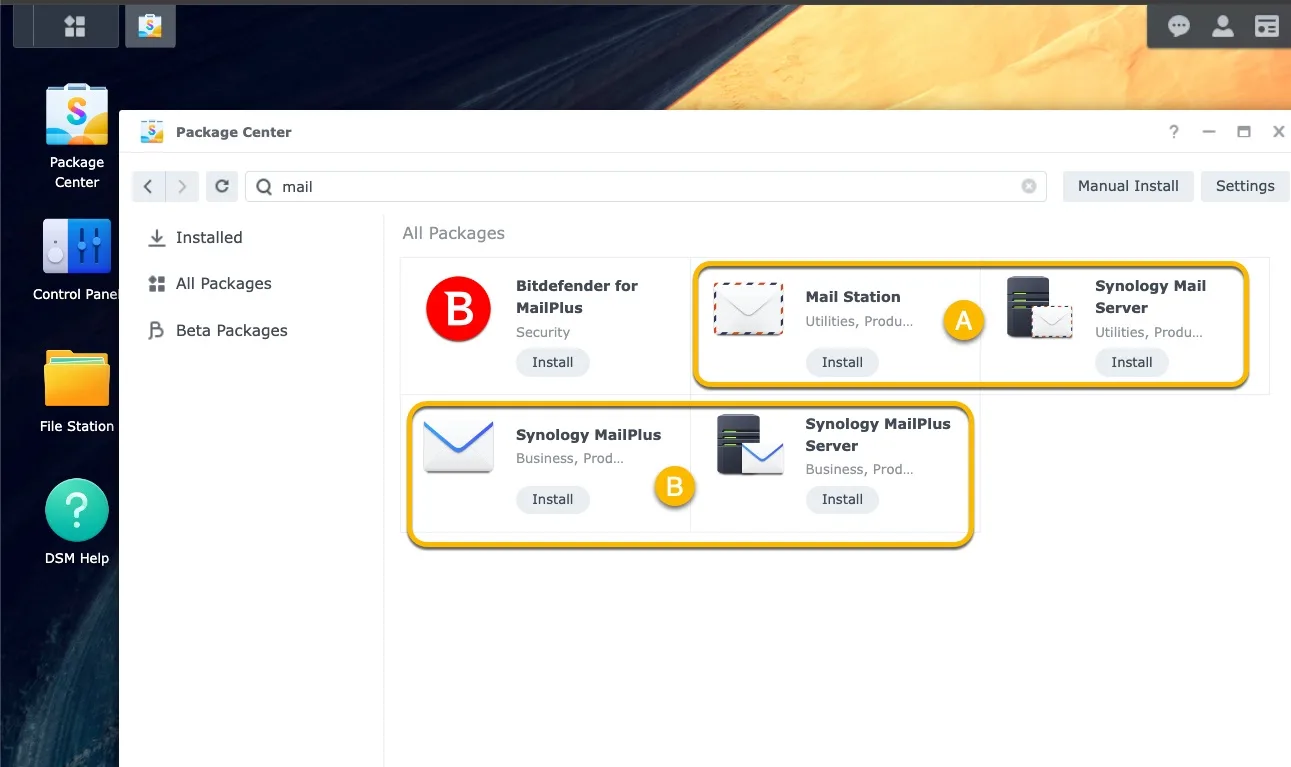
我們可以安裝下面兩個 Synology 郵件解決方案套件中的一組。這可以幫助透過 POP3 獲取電子郵件:
- [A] 郵件套件:Synolgoy郵件伺服器+Mail Station
- [乙] MailPlus 套件:Synology MailPlus Server + Synology MailPlus
這裡我們使用套件 [A] -Synology Mail Server 套件– 安裝在套件中心,因為 Synology Mail Server 幾乎在每個 Synology NAS 型號中都可使用。
它的第一個版本從2012年發布至今。 MailPlus套件自2016年發布,適用於高階NAS機型。
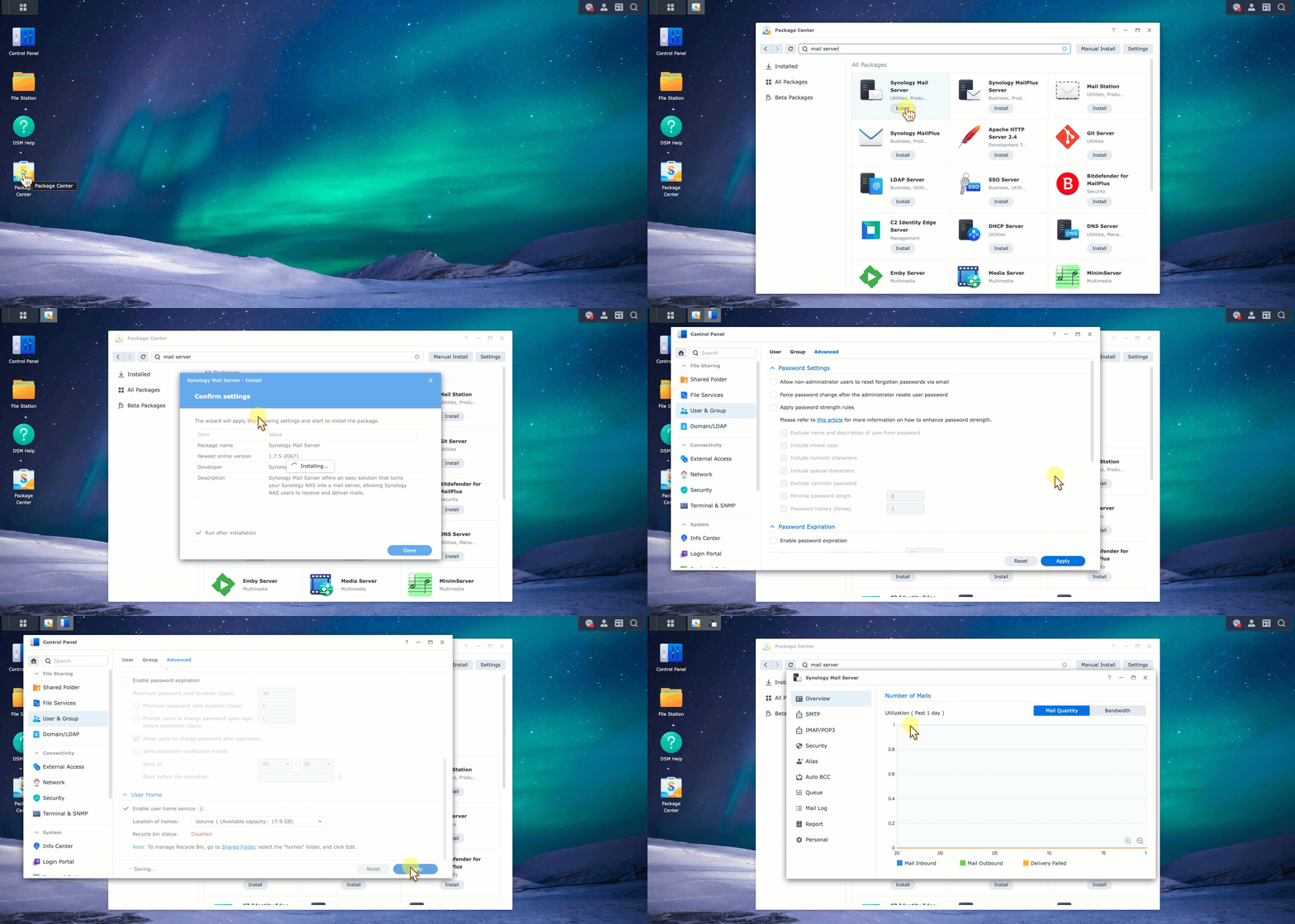
按一下 Synology Mail Server 開始安裝。啟用使用者主頁,Synology Mail Server 即可正常運作。
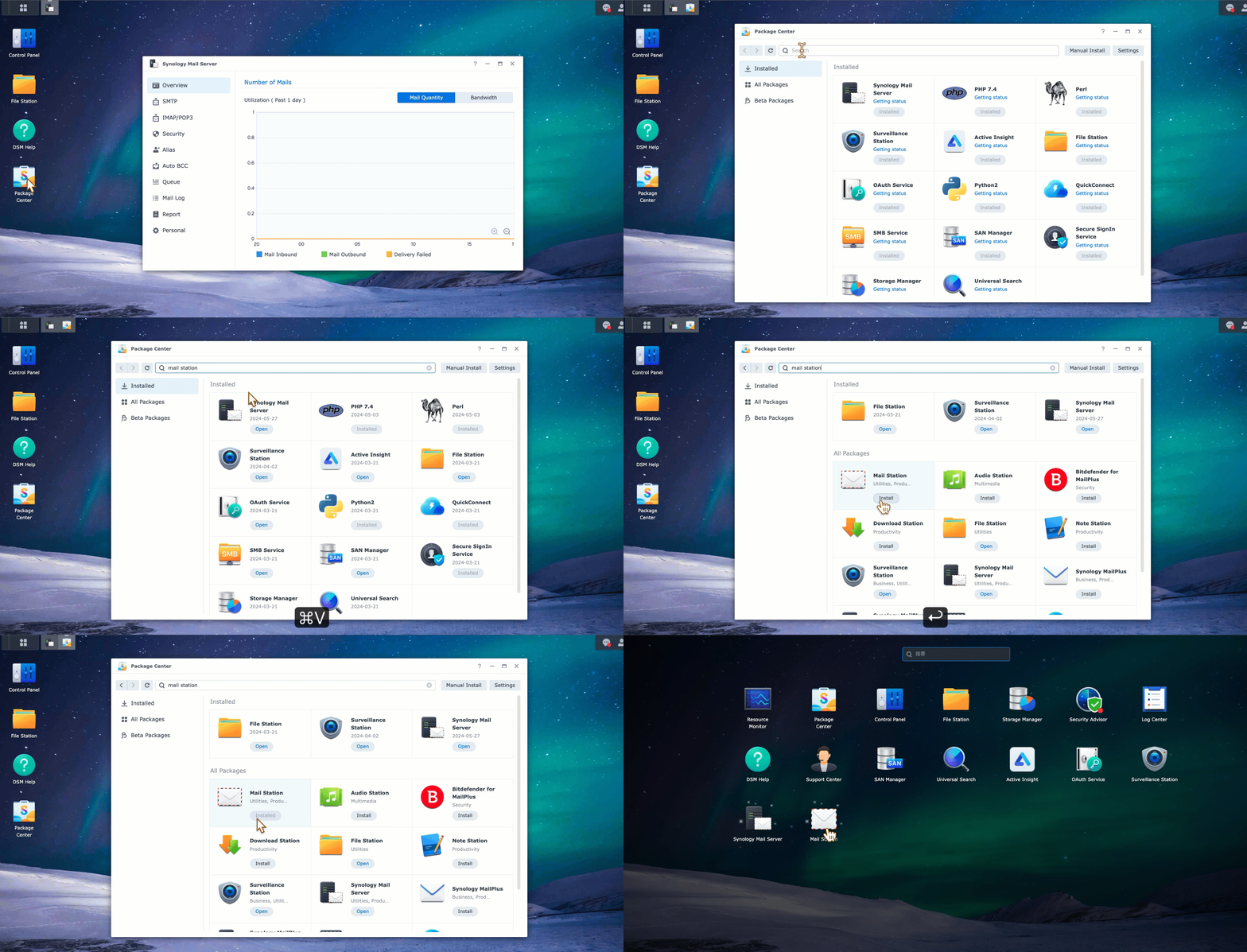
我們也可以在這裡看到兩個套件之間的比較: Synology MailPlus Server 和 Synology Mail Server 有什麼差別?
在 Mail Station 網頁郵件用戶端中啟用 POP3 取得功能。 #
我們需要在 Mail Station 網頁用戶端中啟用 POP3。該選項可以在管理設定中找到。
啟用後,我們可以在中看到 POP3 配置字段 [設定] 旁邊 [管理員設定].
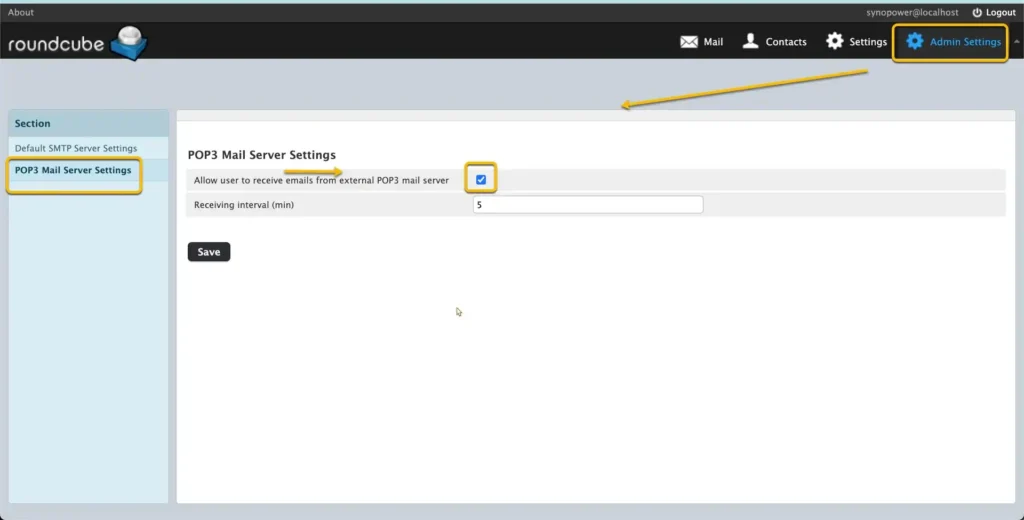
為 Yahoo、Gmail 和其他電子郵件提供者啟用 POP3 存取。 #
配置外部電子郵件帳戶的 POP3 設定。隨後 Synology Mail Server 即可存取和取得。
- Google:
- 雅虎!
- Outlook.com: 在 Outlook.com 中設定 POP3.
- 其他:請參閱其官方文件以取得說明。
配置 Mail Station 以使用 POP3 取得電子郵件。
#
A。開啟 Synology NAS 上的 Mail Station。
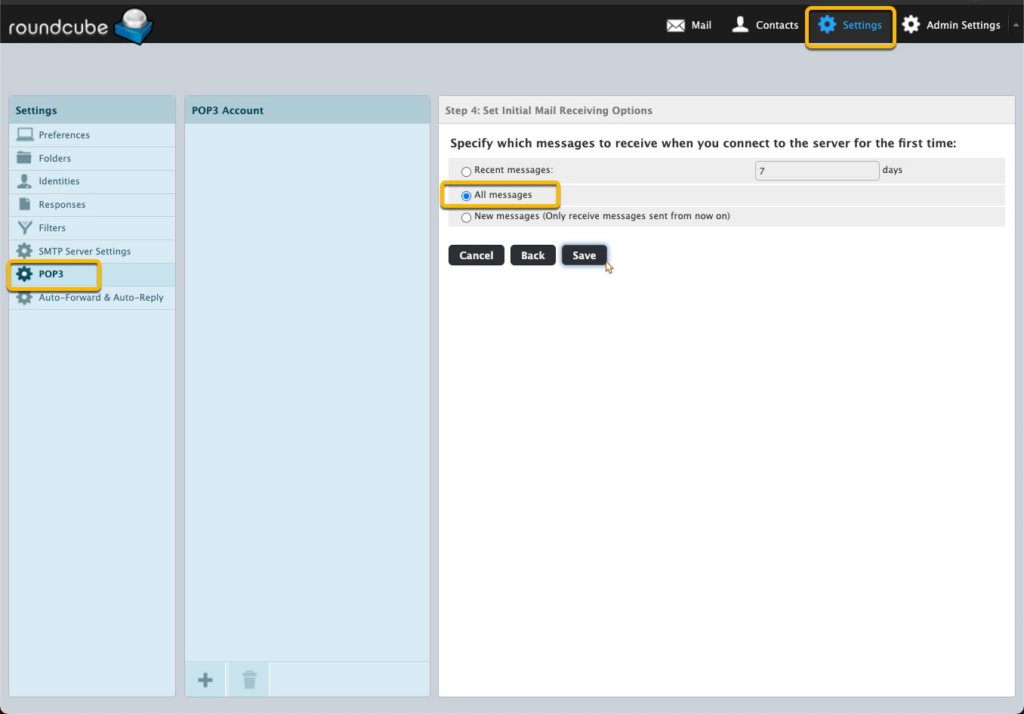
b.轉至設定 → POP3。點選 ➕.
C。為您的每個電子郵件帳戶輸入以下資訊。我們在這裡使用一個 Gmail 帳戶進行測試。
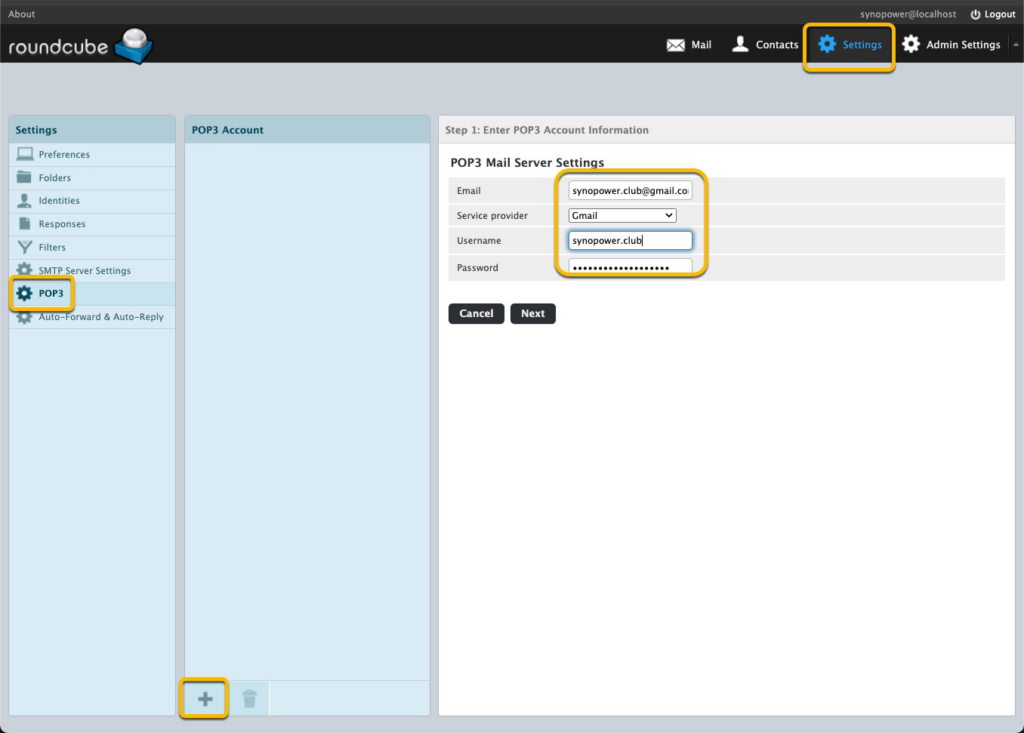
d.設定一個名為的新郵件資料夾 「信箱」 對於此 Gmail 測試帳戶。
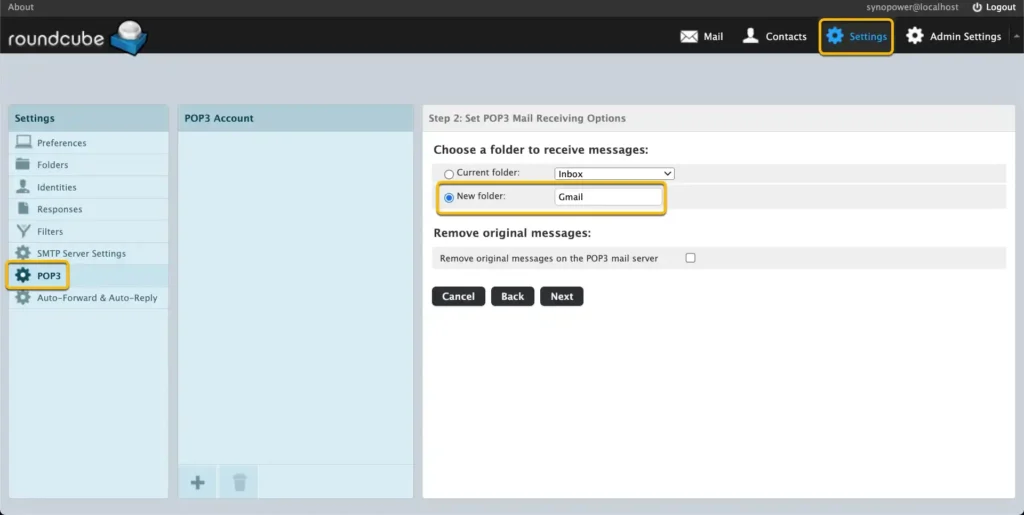
e.跳過SMTP設定並選擇接收 所有訊息.
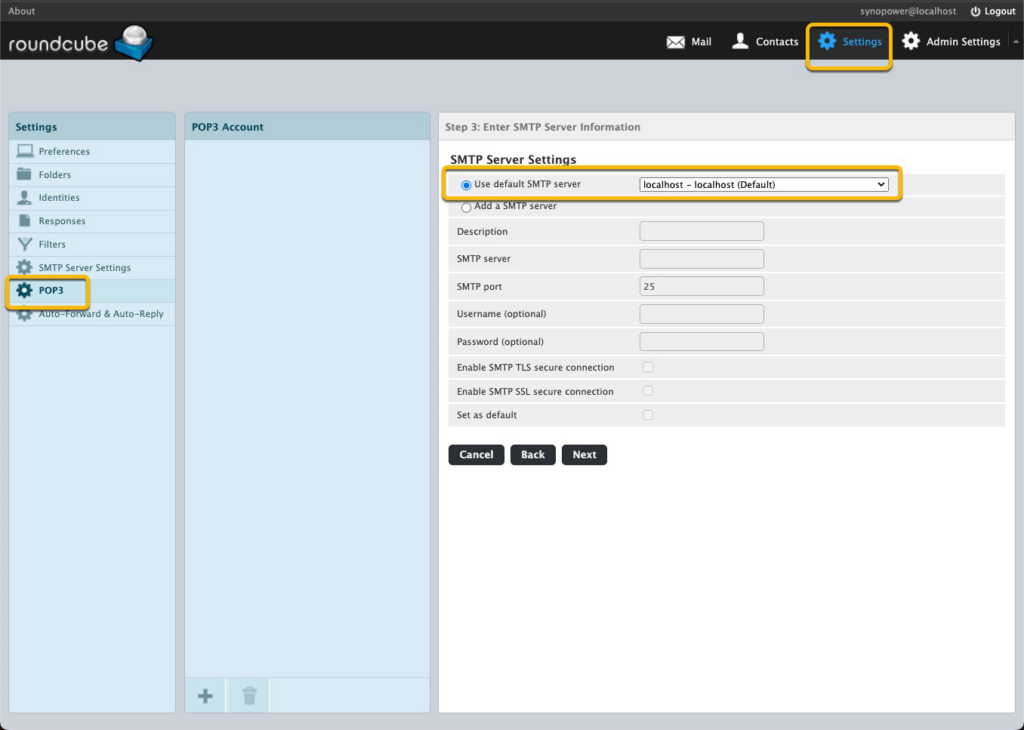
稍等片刻,我們可以看到訊息到達 synopower 資料夾。
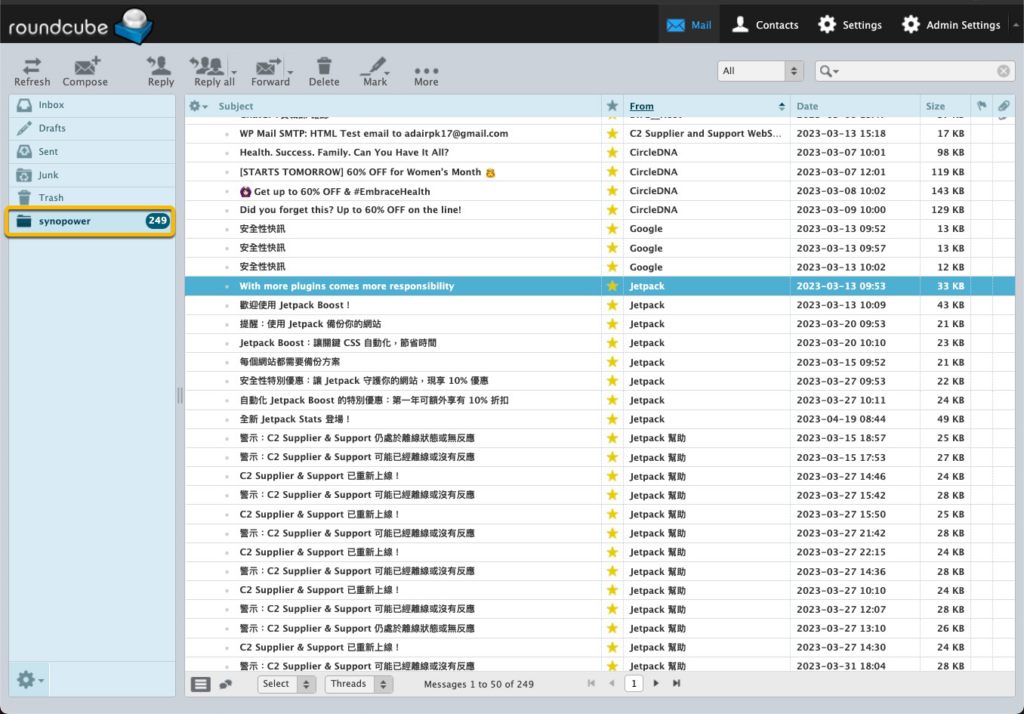
看起來我們的 Synology 中有一個 Outlook 或 Tunderbird。
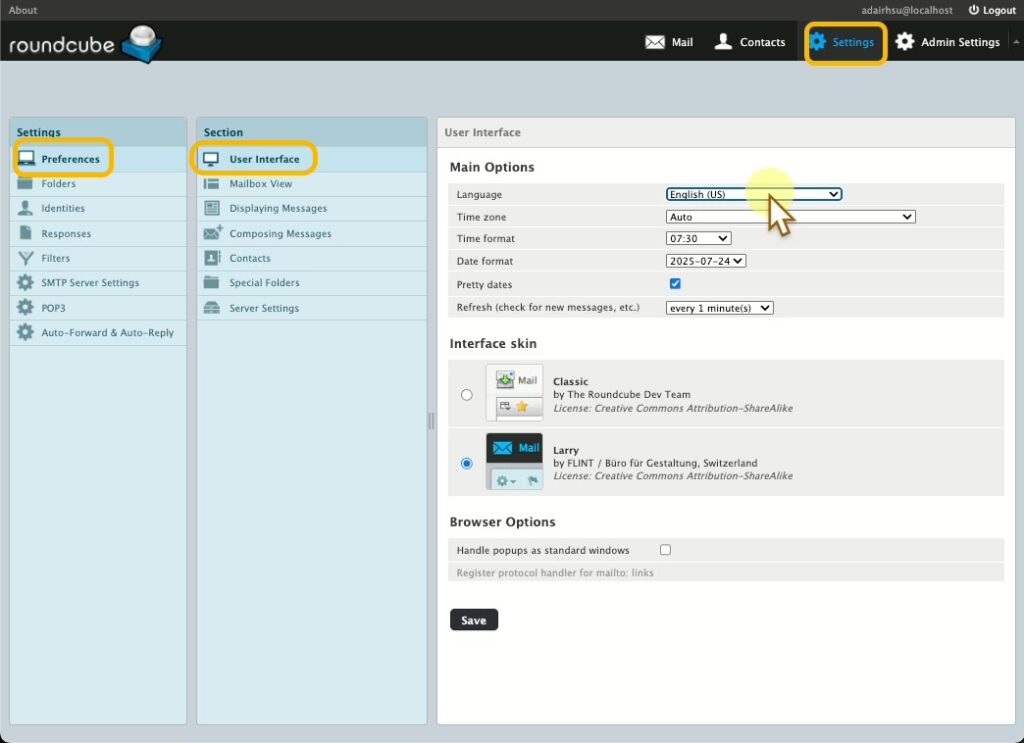
我們可以改變我們的首選語言:
或開始搜尋備份郵件:
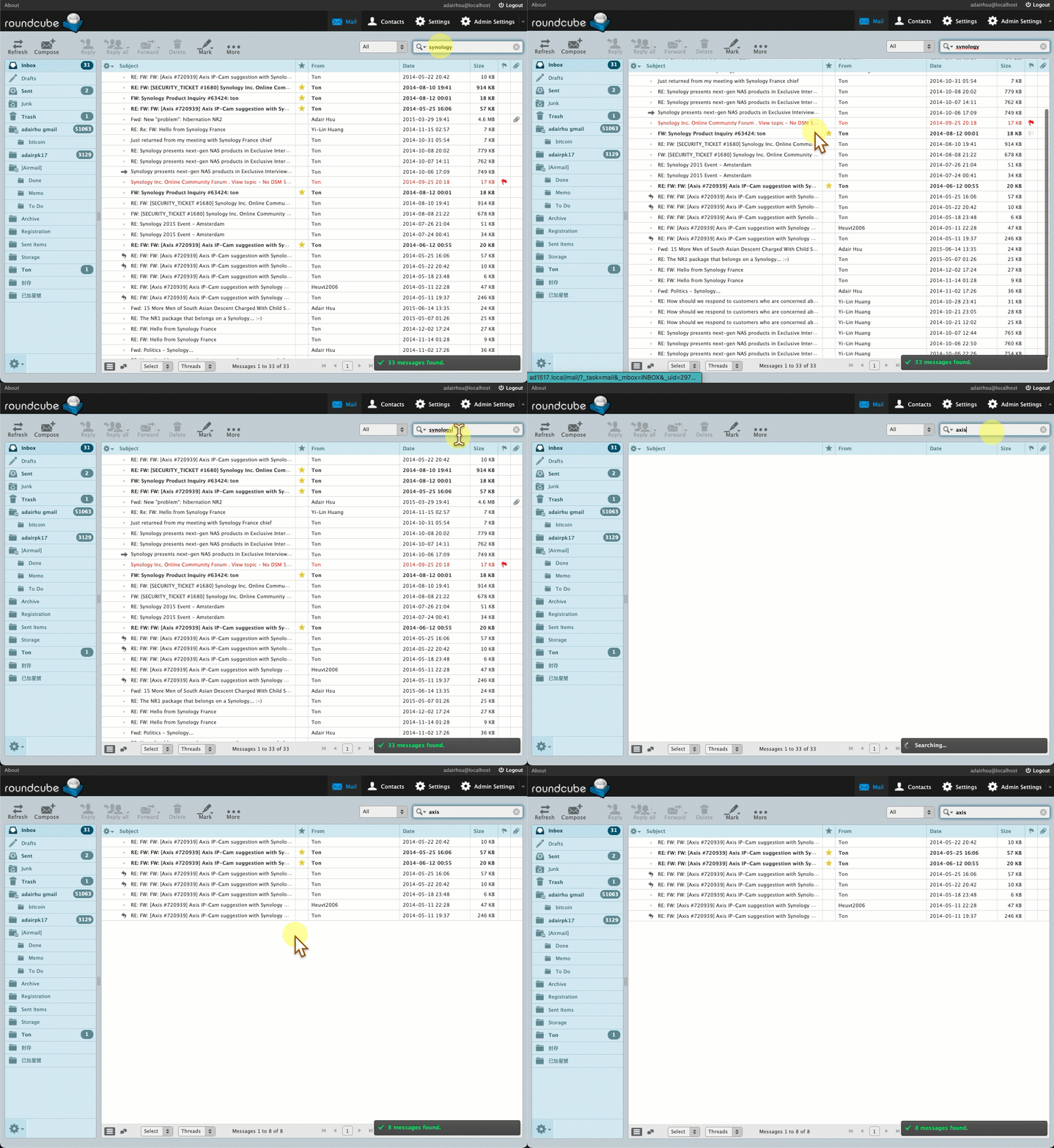
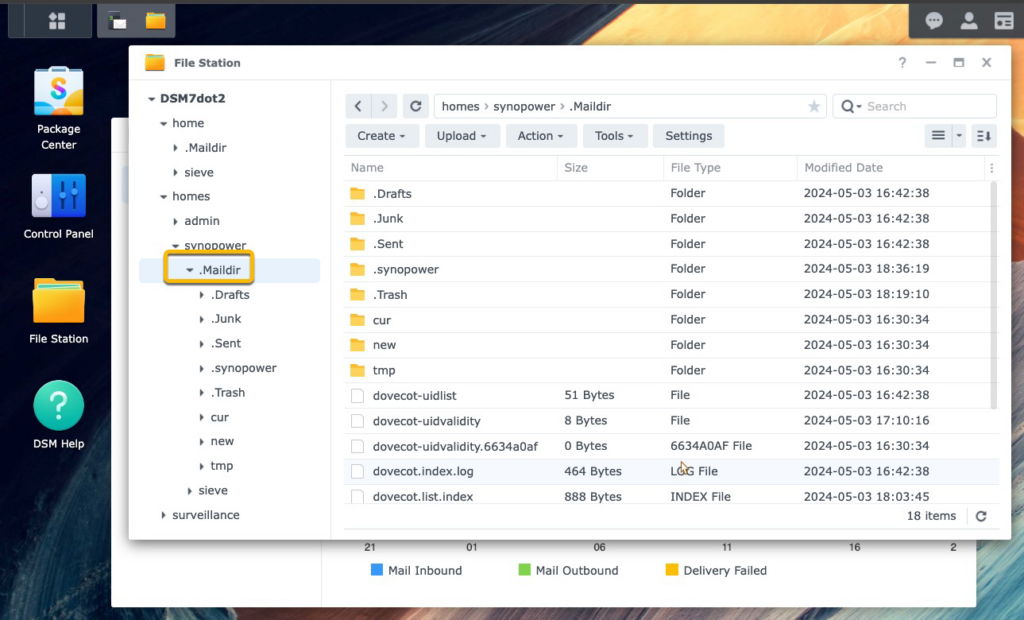
真實郵件地址資料儲存在每個使用者主資料夾中的 .Maildir 中。備份這個資料夾就等於備份你的郵件資料。
理論上,如果將來我們不再使用 Synology 解決方案,我們可以將此資料夾模式化到其他機器,並且其他類似的客戶端可以讀取它。
補充筆記:
- 您也可以使用 Synology MailPlus Server 和 Synology MailPlus 來取代 Synology Mail Server 和 Mail Station。 MailPlus 是一種更先進的郵件伺服器和網路郵件應用程序,可在高階 Synology NAS 型號上使用。其為此目的的指南可以 可以在這裡找到。
需要最有價值的 Synology 授權嗎? 👉 從 SynoPower Club 取得一個

促銷中
Synology Surveillance Station 授權 8 攝影機 #
原始價格:US $553.89。US $491.05目前價格:US $491.05。
促銷中
Virtual Machine Manager Pro (VMM Pro) 授權 #
US $185.00 US $995.88價格範圍:US $185.00 到 US $995.88
促銷中
Synology Surveillance Station 授權 4攝影機 #
原始價格:US $276.63。US $246.10目前價格:US $246.10。
促銷中
Synology Surveillance Station 授權 1-攝影機 #
原始價格:US $69.00。US $62.10目前價格:US $62.10。
促銷中
Synology MailPlus 授權 5 用戶 #
原始價格:US $276.90。US $241.73目前價格:US $241.73。
促銷中
Synology MailPlus 授權 20 用戶 #
原始價格:US $1,137.59。US $937.94目前價格:US $937.94。
促銷中
Virtual DSM (VDSM) 授權 1 個實例 #
原始價格:US $169.87。US $145.24目前價格:US $145.24。
Synology Mail Backup FAQ #
Which Synology package should I use to back up email? #
Mail Station is the lightweight option and is what this guide uses: it fetches from an existing mailbox over POP3 and keeps a copy on the NAS. MailPlus Server is the full mail server and is the better choice if you also want to host your own domain’s mail rather than just archive it.
Can I back up Gmail to a Synology NAS? #
Yes. Enable POP3 access in the Gmail settings, then add the account in Mail Station as a POP3 fetch source. Google requires an app password rather than your normal account password once two-step verification is on.
Does fetching by POP3 delete the mail from the server? #
Only if you tell it to. POP3 can either leave a copy on the server or remove it after download, and the choice is a setting on the fetch account. For archiving, leave the copy in place.
Does Mail Station need a licence? #
No. Mail Station is free. MailPlus Server includes 5 accounts free and needs licence packs beyond that, which is a different product from the Surveillance Station camera licences.
How far back will it fetch? #
POP3 only pulls what the provider still exposes, so very old mail that the provider has already moved out of the POP3 view will not appear. Check the provider’s POP3 settings before assuming a full history.